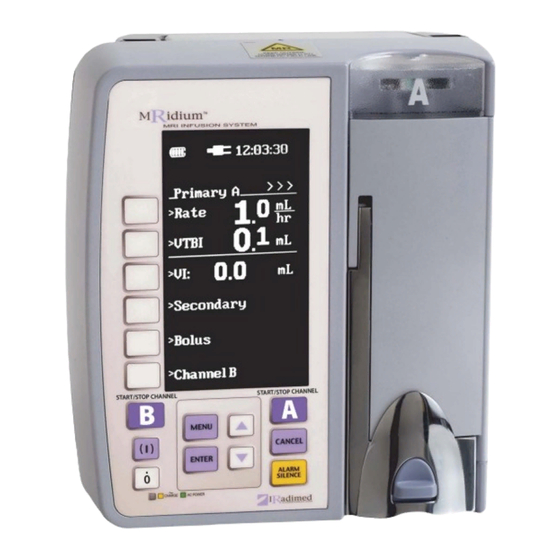

Related Manuals for IRadimed MRidium 3850


Summary of Contents for IRadimed MRidium 3850
- Page 1 REF 112 3850 3850 MRidium MRI INFUSION SYSTEM SERVICE MANUAL SERVICE MANUAL REF 11 1125...
- Page 3 MRidium 3850 Infusion System Service Manual, Part Number 1125 Release 6A, 07/2013 ECN 000490 © 2005-2013 IRadimed Corporation IRadimed Corporation 7457 Aloma Ave, Suite 201 Winter Park, Florida 32792 Tel: 407-677-8022 Fax: 407-677-5037 e-mail:customerservice@iradimed.com European Authorized Representative 7 Pinewood Drive...
-
Page 5: Table Of Contents
TABLE OF CONTENTS Paragraph Page PREPARATION FOR USE................1-1 Introduction ....................1-1 Pre-Operational Mechanical Inspection............1-1 Operational Performance Check ..............1-2 1.3.1 Pre-operational Check Battery Charge ............1-2 1.3.2 Pre-operational Electrical Inspection ............... 1-2 Control and Indicator Operational Performance Test ......... - Page 6 3.6.4 Verify Bubble Detect: ................3-31 Pump Calibration (3850/50R and 3851) ............3-33 3.7.1 Factory Pump Calibration: ................3-33 3.7.2 Calibration Verification................3-36 3.7.3 Pump Accuracy Verification (3850/50R and 3851): ........3-38 3.7.4 History Verification (3850/50R) ..............3-44 3.7.5 Radio Verification (3850R and 3855): ............
-
Page 7: Preparation For Use
Therefore, it is recommended that the following inspection procedure be performed upon receipt of the instruments at the user's facility. 1. Carefully remove the MRidium 3850, 3851 or 3855 from their shipping containers. (It is recommended the shipping material be saved in the event an instrument has been damaged and must be returned to the factory for service or repair). -
Page 8: Operational Performance Check
(3850 only). NOTE In the event a MRidium 3850, 3851 or 3855 shows evidence of shipping damage, notify the carrier's agent immediately. Do not return a damaged instrument to the factory before the carrier’s agent has authorized repairs. Contact IRadimed for authorization to return the instrument for repair regardless of liability for repair costs. -
Page 9: Control And Indicator Operational Performance Test
Control and Indicator Operational Performance Test The following operational performance test is designed to ensure each of the MRidium 3850's controls and indicators is functioning properly, and to check the operability of all the features available in the normal operating modes. -
Page 10: Alarm Sound
1.4.4 Prepare IV Set Using IV Set 1056 insert set spike into water container and hang water container approximately 21 inches above MRidium 3850 MRI Infusion Pump. Squeeze drip chamber to fill approximately 2/3 full. With Free Flow Restrictor pinch clamp open prime tubing and clear air by slowly open roller clamp allowing water to fill tubing. -
Page 11: Flow Test (3850 Or 3851 Sidecar)
Figure 1-2. 1.4.6 Flow Test (3850 or 3851 SideCar) Connect patient end of IV Set to Infutest 2000 (or other IV Pump Flow test device). Set Pump Rate to 100 ml and VTBI to 25 ml, verify Ready to Start is flashing in lower right of the display. Press the Start/Stop Channel A (Channel B for SideCar) key and verify the pump begins running as indicated by the pulsing “>”... -
Page 12: Inlet Occlusion Test
1.4.7 Inlet Occlusion Test Press the Start/Stop Channel A (Channel B for SideCar) key and verify the pump begins running as indicated by the pulsing “>” in the upper portion of the display and Green flashing LED in the top of the door. Use the hemostat to pinch off the tubing above the instrument and verify the following conditions: 1. - Page 13 Radio Option Setup and Verification. See Section 1.1.3 and 1.1.6. of the 1124 MRidium 3850 Operation Manual. Connect 2.4 GHz antenna and AC Power Cord to Remote Display Charger. Verify MRidium 3850 MRI IV Pump has Remote Radio Option installed. And perform the following: Turn both Pump and 3855 Remote Display/Charger on.
- Page 14 MRidium 3850 PREPARATION FOR USE TEST DATA SHEET Pump Serial No. _______________ Software Revision ______________________ Date ________________ Technician ____________________________________ Description Reference Pass/Fail Test Paragraph Pre-Operation Mechanical Inspection Pass___Fail___ Battery Charge 1.3.1 Pass___Fail___ Electrical Leakage Test 1.3.2.1 Pass___Fail___ Electrical Ground Test 1.3.2.2...
-
Page 15: Service Mode Description
SERVICE MODE DESCRIPTION 2.0 SERVICE MODE DESCRIPTION The MRidium 3850 is configured with a Service Mode that allows technicians to access the software diagnostic subsystem. Once the Service Mode is enabled, the technician can use the diagnostic test sequences to verify operation of the... -
Page 16: Bubble Detected (Air-In-Line)
the side-car is installed P3 pressure sensor located directly above the pump mechanism for inlet pressure/occlusion sensing for pump channel B, and P4 located below the pump mechanism for patient side fluid pressure sensing of pump channel B; Sensor A to D count is displayed on the left with pressure in psi displayed on the right of each location. -
Page 17: Calibrate Pump Screen
2.1.1 Calibrate Pump Screen Figure 2-2. From the Service Mode screen the Calibrate Pump A or B Screen (see Figure 2-2) is accessed by pressing the F1 (top function key on the left side of the display screen). This screen is for displaying current pump A or SideCar B calibration settings, adjusting these settings, clearing the History record and making pressure sensor adjustments. -
Page 18: Battery Status Screen
4. Span Cal. Pressing this soft key (F5) just to the right of the Span Cal option will set the Span of the pressure sensors. The software assumes 5 psi is applied to the pressure sensors. Note: To ensure pressure has been applied the software looks for an A to D count of 455 to 485 as displayed in the Service Mode in the left numerics beside P1 &... -
Page 19: Service Menu Screen
2.1.3 Service Menu Screen Figure 2-4. The SERVICE MENU (see Figure 2-4) is brought up by pressing the F3 soft key (third key down on left side of screen). From this menu the Set Time, History Log, Radio Settings, Keylock, Language and a Next Menu are accessible. - Page 20 Figure 2-5. 2.1.3.2 History Log. Pressing the History Log soft key (F2) just to the right of the History Log in the SERVICE MENU will select the History Log (see Figure 2-6) for output to the rear I/O port. The screen will display Press ENTER to stop and the pump will start sent a text history log out the I/O port.
- Page 21 The following table describes this history log output. Token Description Format Event Power On At power up SW Revision string KVO Rate changed #.# mL / hr Occlusion Pressure Alarm # PSI Limit (downstream) changed Alarm Volume Limit # (no units) changed Infusion Rate Only when Primary (P), Secondary...
- Page 22 Token Description Format Event Cancel infusion button #.# mL Store VI pressed Alert Detected Alert number. See table 4 Hold time exceeded alarm Pump door open has just been opened Pump Malfunction Error number See error number Table 2. Time or date was changed Time when set time screen was exited History data corrupted...
- Page 23 Table 2 : Error number descriptions. Master / Slave communications failure Watchdog timeout Motor control processor watchdog timeout Nonmaskable interrupt ROM checksum error Slave processor did not see encoder index while seeking starting index mark Motor is rotating too slow. Starting index mark found in wrong position relative to minor index marks.
- Page 24 2.1.3.3 Radio Settings Pressing the Radio Settings soft key (F3) just to the right of the Radio Settings option in the SERVICE MENU will select the Configure Radio menu sp highlighted (see Figure 2-7). Figure 2-6. 2.1.3.3.1 WIT2450 Banner When a WIT2450 Radio is connected to the pump and this menu is selected the WIT2450 banner “WIT v1.32 Cirronet :Remote 0003087 for detailed information of radio...
- Page 25 2.1.3.3.5 Load Defaults This soft function key (F6) is used to automatically send all Iradimed default radio settings to the radio. Once Load Defaults is complete, the Store (F5) soft function key must be pressed to store default settings. From the normal operating screen, Menu, Next Menu, and Set Comm Channel the radio setting for channel selection are automatically changed.
- Page 26 Table 1: Radio Configuration Sheet Command Description Pump Remote pn [01, 3e] Set Maximum Number of Remotes pk [00, d4] Set Minimum Data Length pr [00, ff] Set Packet Attempts Limit pt [00, ff] Set Data Transmit Delay Set Slot Assignment pw [00, 2f] Set Base Slot Size Set ARQ Mode...
- Page 27 2.1.3.5 Language Option On MRidium 3850 pump running software version 582 and above, pressing the Language soft key (F5) will enable the user to scroll through the various languages available for use on the MRidium 3850 screen display. Once the selected language is set in the Service Menu, exit the Service Mode.
- Page 28 Flow Switch Alarm is now disabled. 2.1.3.8 Drug Table On For MRidium 3850 pumps running software version 582 and above, the Dose Rate Caculation table can be turned ON or OFF by pressing the soft key next to Drug Table (see Figure 2-9).
-
Page 29: Preventive Maintenance
MRidium 3850/50R, 3851 and 3855 MR IV pump and accessories. Please reference Section 5 for drawings and exploded views of the various assemblies, components, and PCB’s. -
Page 30: Cleaning Instructions
NOT attempt to sterilize with Ethylene Oxide gas, head steam, radiation, or autoclaving. To do so may damage the pump and void the warranty. 1. Exterior surfaces of the MRidium 3850/50R, 3851 and 3855 may be cleaned using any of the following recommended solutions. This list is considered adequate to permit clean up of all expected contaminates. - Page 31 2. Perform a pumping mechanism integrity /extension spring (HM10) integrity test by closing the IV set patient side tube clamp while the pump is operating in the Pump mode. ( Any iRadimed Series 1000 IV set may be used for this test) Set the occlusion pressure to maximum at 10PSI.
-
Page 32: Basic Tools ( For Basic Repairs And Pm's)
14. Replace the CR2032 coin cell memory/clock ‘backup’ battery every two years or as needed. ( Failing backup batteries result in loss of proper time keeping and history records and may produce a “Lost History” message. 3.2.3 Basic Tools ( For basic repairs and PM’s) #1 Phillips Screw Driver #2 Phillips Screw Driver PH00 Phillips... - Page 33 and verify P1 and P2 are now 5 +/- 0.5. 3.2.4.2.4 Zero Verification after Adjustment Open pressure gauge hand bulb and verify P1 and P2 now read 0 +/- 0.2. Repeat Tare Offset and Pressure Adjust until P1 and P2 reads displays 5 +/- 0.5 with 5 PSI applied and are 0 +/-0.5 with hand bulb open (0 pressure applied).
- Page 34 IV1056 IV Set cut at top & bottom then connected to T fitting for connection to above. 3.2.4.3 Battery Verification Insure battery is easly removed and does not show signs of swelling. (See Section 3.2.7.4 for swelled battery removal) Press the F2 key And verify the following Battery Status, with charger cable connected.
- Page 35 3.2.4.4 Bubble Detect Verification: With no IV Test Set installed verify Bubble detect indicated by Upper case “B” in the lower center of the display 3.2.4.5 Verify No Bubble Detect: Load a IVP1056 set filled with fluid and verify no Bubble detect s indicated by Lower case “b”...
- Page 36 Select a VTBI of .1. Verify Pump Displays “Unload Set”, open the door,remove Fluid filled tubing from Bubble detector at bottom of Pump. Verify Display message changes to “Close Door”. Close Door and verify “Close Door Message is removed from top of screen and “Push Start A” is flashing at bottom of screen.
- Page 37 on both Pump and Remote. Press Start Channel A Remote and verify green (run) LED is flashing on both Pump and Remote. 3.2.4.11.3.3 On Remote, press MENU key. Press (F1) soft key to select Dose Rate Calculation and verify Dose Rate A screen is displayed on both Pump and Remote.
-
Page 38: 3850/50R Pump Flow Test
verify the following: 3.2.4.11.5 Press Channel B (F6) soft key, press (F1) soft key, set Rate of 83.2 and press ENTER. Press Up arrow and set VTBI to 999 on start Channel B. Unload set if necessary and ensure “Ready to Run B”. -
Page 39: 3851 Pm Service Mode Verification
Stop A on the Pump and verify average flow rate on nfusion analyzer is 999 ml +/- 5% or graduated beaker contains 33.3 ml +/- 5%. (31.634 - 34.965) 3.2.5.1.2 Set the Pump Rate to 500 mL/hr., & VTBI >16.6 mL. - Page 40 duty cycle). Verify speed to approximately 135 +/-30 RPM. 3.2.6.2 3851 Pressure Verification: See Figure 1:Pressure test set made using a portion of the IVP1056 in section 3.2.4. 3.2.6.3 Tare Offset Verification: Connect Pressure Gauge with Hand Bulb to a circular IV Test Set (no fluid) and with Hand Bulb open (0 PSI) See photo below.
-
Page 41: 3851 Pump Flow Test
Assemblies and Drawings. 3.2.6.11 Green Run and Red Alarm LED Verification: With a fluid filled set into the 3851 pump and close the door and “Push Start B” is flashing at bottom of screen. Press the B start/stop key. Verify Green (run LED) begins flashing. -
Page 42: 3855 Pm Verification
the upper portion of the display and Green flashing LED in the top of the Door, and rate is set to 125 mL/hr. Press Go in the Infusion Analyser or monitor graduated beaker. The Pump will run for approximstely 5 min then go to KVO. Press Start/ Stop B on the Pump and verify average flow rate on infusion analyzer is 125 ml +/- 5% or graduated beaker contains 10.4 ml +/- 5%. - Page 43 Alarm LEDs stop flashing on both Pump and Remote. Press Start Channel A Remote and verify green (run) LED is flashing on both Pump and Remote. 3.2.8.3.3 n 3855 Remote, press MENU key. Press (F1) soft key to select Dose Rate Calculation and verify Dose Rate A screen is displayed on both Pump and Remote.
-
Page 44: Battery Pack Maintenance
rate. 3.2.8.4.2 On the 3855 Remote using 10 key pad with VTBI highlighted enter 456, verify tone with each key press and then press enter verifying 456 entered in VTBI. 3.2.8.4.3 On the 3855 Remote using 10 key pad with Rate highlighted enter 789, verify tone with each key press and then press enter verifying 789 entered in rate. - Page 45 mechanical shock, cracked casing or swollen case. 3.2.9.1.5 Physical Inspection of the Battery Pack cell(s). Remove the Battery Pack from the Pump or Remote Display, and confirm that cells inside the Battery Pack are not swelling excessively, as noted by viewing internal cells from the edge of the Battery Pack case.
-
Page 46: Removing A Swelled Battery Pack (Figure 3-2)
3.2.10.5 If battery is so swelled that using this method does not prove successful, or if the batterys plastic case begins to crack at the point of contact, or the screw driver penetrates the plastic, please dis- continue attempting removal and contact Iradimed Corporation Techni- cal Service immediately at 1-407-677-8022. 3-18... - Page 47 Figure 3-2. 3-19...
-
Page 48: Software Update
Software Update Please follow these instructions for updating your MRidium 3850/50R Infusion pump: With the pump turned off, place the SD card into the slot located below the battery compartment on the back above the rear connector ports with card notch to right as shown below (Figure 3-3). - Page 49 Special Note: When updating pumps utilizing the 1145 DERS drug library or where users have programmed “Custom Drugs”, proper library operation should be re-validated. iRadimed shall make every attempt to notify users of the effect of software updates upon features and libraries.
-
Page 50: Systems Test
Test Software provided on 1125 Service Manual CD. Sartorius Model GD603 or GD605 Scale with RS-232 connection. Infutest 2000 IV Pump Test set (or equivalent) Iradimed 1000 Series IV Sets and IV pole. IV Fluid Container (Distilled Water) Closed Continuous Flow Circular/Looped Series 1000 IV Set. -
Page 51: Mridium Mr Iv Pump, Main Unit, Verification (3850/50R)
3 mm Allen Driver or T Bar 3/16” Nut Driver 10 cc Graduated cylinder ( Simple flow testing) mRidium IV sets MRidium MR IV Pump, main unit, Verification (3850/50R) (Reference IVPAB001 assembly drawing in section 5.) 3.5.1 DC Input Verification 3.5.1.1 Connect DC Power Supply to POWER IN connector (+ to P6-2 or 3 &... -
Page 52: Battery Charge Verification & Adjustment
3.5.2.4 Turn off DC Power Supply. Disconnect supply line from P2 BATTERY connector. 3.5.3 Battery Charge Verification & Adjustment The following requires Iradimed TF009 Battery Simulator: 3.5.3.1 Connect Battery Simulator TF009 to P2 BATTERY connector and connect DC Power Supply to P6 POWER IN connector. Connect meter to measure Amps to Battery Simulator (This is the DC Power Supply current). -
Page 53: Time And Date Verification
more than 2 tics above 1000. 3.5.4.5 If counter is greater than 1002 before it rolls over to 0, read- just R57 (may require more than 8 ms). Press Start/Stop A Key. 3.5.4.6 Verify speed is still at 130~150 RPM, by selecting Manual Pump Run and press Enter. -
Page 54: Battery Verification
3.5.6.4 Zero Verification after Adjustment : Open pressure gauge hand bulb and verify P1 and P2 now read 0 +/- 0.2. Repeat Tare Offset and Pressure Adjust until P1 and P2 reads dis- plays 5 +/- 0.5 with 5 PSI applied and are 0 +/-0.5 with hand bulb open (0 pressure applied). -
Page 55: 3850R/3855 Remote Radio Setup
3.5.10 3850R/3855 Remote Radio Setup If during repair the IVPAB015 Remote Radio assembly was replaced, the radio will need to be programed before use. Preform the following: 3.5.10.1 Remote Radio Programing: From Service Mode A Press the (F3) soft key then the (F6) soft key “Load Defaults”, note Command, Sent, and Rec. - Page 56 Channel 1. 3.5.10.8 Press power (I) on test Remote. If “No Communications” dis- played, press MENU key, press (F6) soft key to select Next Menu, press (F5) soft key to select Set Comm. Channel, then press (F1) soft key to select Channel 1 and press Enter.
-
Page 57: Mridium Side Car Verification (3851)
screen, then press the ENTER key. 3.5.10.9.6 Press (F6) Next Menu then press the (F2) soft key to select Occlusion Limit. Verify Occlusion Limit screen is displayed. Verify that pressing the Down arrow key decrements 0.1 psi with each press to 1 psi. -
Page 58: Dc Input Verification (3851)
3850/50R left side facing rear) and extending the cables as best as possible to the motor and 20pin ribbon through the PCB cover/RF filter. Newer models of 3851/651 are supplied with small holes through the PCB cover to directly reach the trim pots below for easier motor adjustment. WARNING: When connecting and disconnecting the gray ribbon cable the IVPAB011 board all power must be removed (Battery and DC charger disconnected from pump). -
Page 59: Service Mode Display Verification (3851)
3.6.2.1 Set R41 (feedback) fully CW. R57 (frequency) fully CCW, R52 (speed) fully CCW. Scope Setup: Channel 1, Sweep Speed to 2ms, 100v/division. Channel 2, Sweep Speed to 2ms, 2v/division. 3.6.2.2 Select MANUAL PUMP RUN, press and hold ENTER on Keypad (100% duty cycle). - Page 60 Test Set, Close the Door and verify pump moves to index, press the F1 key, then press the F4 key (Tare Offset). Press the Cancel key to return to the Service Mode display and verify P3 and P4 are 0 +/- 0.5.
-
Page 61: Pump Calibration (3850/50R And 3851)
AS112A drawing in Section 5, Assemblies and Drawings. Pump Calibration (3850/50R and 3851) From the service mode screen the Calibrate Pump Screen is accessed by pressing the F1 (top function key on the left side of the display screen). This screen is for displaying current pump calibration settings. - Page 62 Figure A. If Curve shows too much taper (see Figure B), shims must be added to top pump standoffs. Verify Raw Curve will allow calibration. Ideal Raw Curve is shown in Figure A. If Curve shows too much taper (see Figure B), shims must be added to top pump standoffs.
- Page 63 Figure B: Too Much Taper Raw Curve 3850/50R/51 Figure C: Not Enough Taper Raw Curve 3850/50R/51 3-35...
-
Page 64: Calibration Verification
3.7.1.2 Auto Pump Calibration and Flow Correction Click T SartoConnect data collection program, verify Scale is now at 0. Connect Scale RS232 cable to I/O port at rear of Pump. Note Scale #s and 255 displayed on first line at bottom of display indicating Scale connection. - Page 65 On Pump, select Index and press ENTER, again on Pump select Rate; 1.0, ensure SartoConnect is Online (Offline showing in tab), zero Scale with T-tab on SartoConnect, start data collection (select T-Start), and press START on Pump. Monitor Scale and stop Pump after 0.06 g is displayed on Scale window.
-
Page 66: Pump Accuracy Verification (3850/50R And 3851)
Restart the unit in normal mode. Using IV Set 1056 insert set spike into water container and hang water container approximately 21 inches above MRidium 3850/50R MRI Infusion Pump. Squeeze drip chamber to fill approximately 2/3 full. With Free Flow Restrictor pinch clamp open prime tubing and clear air by slowly open roller clamp allowing water to fill tubing. - Page 67 3.7.3.1 Infutest 2000 Connect patient end of IV Set to Infutest 2000 as shown below to either Channel A or B as desired and set the other channels stop cock to off as shown on following page: 3-39...
- Page 68 Ensure that Infutest 2000 Flush Syringe has approximately 60 cc of water, connect IV Set to right side as shown above (the long 21 gauge flow restrictor side), with stop cock position as shown run Pump for a short time to flush all air bubbles past stop cock.
- Page 69 With Set Test ensure “Test: Single Rate” as shown below. Rotate Flush syringe Stop to Prime Position and inject about 5 cc of water into the channel over about 5 seconds. Note the Infutest reminds the user to do this via the LCD prior to starting each test.
- Page 70 Return the Stop Cock to the Test Position. 3-42...
- Page 71 Rate Test. Once all channels are started on Infutest 2000 select Control on Tera Term Program, then select MACRO and double click on Infutest_st.ttl. MACRO - Infutest_stop.ttl (available from Iradimed) should appear at the bottom of the screen indicating the program Macro will stop all channels of 3-43...
- Page 72 the Infutest 2000 after 6 hours. (Note: this is necessary because the Infutest 2000 only has 6 hours of memory data and the 1st 6 hours of data is required. The 2nd hour of data must be used for Trumpet verification. Connect Infutest 2000s serial port (DB25) to PC Com-1 port of personal computer with Infutest DTP program installed.
-
Page 73: History Verification (3850/50R)
Press Start on the Infutest 2000 and rotate flush syringe stop to Prime position and inject about 5 cc of water into the channel over about 5 seconds. Return stop to Test position. Verify Ready to Start is flashing in lower right of the Pump display. -
Page 74: Radio Verification (3850R And 3855)
6 by pressing the soft key next to that channel and verify that Channel is now highlighted. 3.7.5.5 Press the Menu key on the MRidium 3850/50R MRI IV Pump. 3.7.5.6 Press the NEXT MENU soft key to bring up additional menu options, then press the Set Comm Channel soft key. -
Page 75: Power Supply Verification (3855)
To increase the power level to maximum reference paragraph 2.1.3.3 and change command “wp” from 01 to 02. A simple test of radio link robustness can be conducted utilizing the ‘open field’ method. The pump and remote and be separated by 100 feet and verify proper remote control operation. -
Page 76: Initial Power-Up Verification (3855)
±1.0VAC line voltages. Power on Unit, record and verify IVPAB013 J5-2 is 19V +/-0.5V. 3.8.3.3 High Voltage verification; Set Autotransformer to 264 VAC ±1.0 AC line voltages. Power on Unit, record and verify IVPAB013 J5-2 is at 19V +/-0.5V. Disconnect Battery Simulator cable from P1 BAT- TERY connector and reconnect 3855 battery cable to P1. -
Page 77: Remote Pump Control Verification (3855)
Figure 3-4. 3.8.4.2 Software Load Verification; Insert DataFlash Program Card (AM04) in card slot at bottom of 3855 (see Figure 3-2). Depress Power On (I) key and verify card is detected and the following is displayed: IRI LOADER FLASHER © 20XX MS03 XXXXXX XXXXXX (where X is current revision) CARD DETECTED UPDATING MSTR PROC... -
Page 78: Remaining Soft Key Verification
alarm LED flashing, press the CANCEL Key and verify Alarm LED stops flashing and “Ready to Start” flashes at the bottom of the screen. 3.8.5.6 MENU Key and Alarm Sound Adjustment Verification; Press the MENU Key, then press the Alarm Volume soft key, and using the Up/Dn arrow keys, verify the alarm volume can be raised, lowered and saved (by pressing the ENTER key) to the appropriate setting. -
Page 79: Principles Of Operation
PRINCIPLES OF OPERATION 4.0 PRINCIPLES OF OPERATION Introduction The operational principles upon which the Iradimed 3850 MR IV pump and its accessory parts are based is presented in the following sub-sections. The presentation format compliments the maintenance and troubleshooting instructions found in their associated sections of this manual. Reference... - Page 80 Figure 4-1.
-
Page 81: Pumping Mechanism
Figure 4-2. Generally, all the RF noise producing electronics are located on the display side of the chassis. The Pump side is designed with non-RF producing ‘analog’ or very slow digital electronics along with the non- magnetic ultrasonic motor. The surround of the chassis contains RF gasket material which provides both RF tight and drip proof seal keeping RF noise from getting out or in. -
Page 82: Force Sensors (Pressure Transducer)
Figure 4-3. 4.2.3 Force sensors (Pressure Transducer) Pressures within the IV set tubing are sensed via tubing wall force exerted upon the face of two semiconductor force sensors. One located directly above the pump mechanism for inlet pressure/occlusion sensing, and the other below, for patient side fluid pressure sensing. These sensors must be zeroed and span calibrated with IV set tubing in place. -
Page 83: Mechanical Functional Operation
With this test passed, the unit is ready to load an IV set. When an Iradimed 105x type IV administration set is installed and the access door is closed and latched, the set's flowstop is opened by action of the flowstop actuator pressing the slide clamp into the flowstop bias arm. -
Page 84: Electronic Operation
4.3.1 Electronics Functional Description The MRidium 3850 MR IV pump’s electronics are micro processor based. There are two processors working together to accomplish this control and to check one another. providing a high degree of system safety and control. -
Page 85: Power Supply / Motor Driver Functional Operation
pulses or ticks, and performs an independent check for proper motor speed. The index is also watched by U6, so that proper mechanical positioning is maintained for the correct application of the speed modulation profile which linearizes the flow characteristic of the pump. The master translates user input flow rate requirements into a time expected between each encoder pulse, or Master Tick Time. - Page 86 Power off involves pulling the shutdown line, pin 15 of IR1 low through R29, and draining the hold on charge from C18 via D21. The low going off signal is generated with a time delay on the AB002 processor board using U20 and U21 along with the charge on C82.
-
Page 87: Processor Assembly
4.3.2.6 US Motor Driver The IR3C21N IC shown as U2, is a custom analog integrated circuit which generates the approximately 45KHz sin and cos drive for powering the US motor. The motor run command from U6 on the AB002 turns off Q6 and enables U2 at pin 1, via U3. - Page 88 The MRidium 3850 is based upon a multi-processor design, with a main processor for user interface, system wide functions, dose rate calculations and rate/volume motor controller computations and communications. This main processor, a Zilog eZ80 (U3), also watches the function of the motor control processor(s).
-
Page 89: Air-In-Line Detector
system, checking the proper function of the motor controller(s). Should the eZ80 find encoder ticks ( indicating motor movement ) arriving at the wrong time or rate, the motor controllers will be issued a stop command and the motor kill line asserted, along with a critical error message and alarm. -
Page 90: Door Sensor
receiving element which generates a voltage signal that is proportional in amplitude and frequency to the coupled energy. If an air bolus is interposed between the lenses, the acoustic impedance is significantly increased as the acoustic wave is reflected by the liquid-air interface. The energy received is reduced and the voltage output is commensurately reduced. -
Page 91: Communications Interface And Signal Definitions
Definition GND (Ground) Host TX (Transmit Data) 3850 to Host Serial data transmitted to host computer from MRidium 3850 RX (Receive Data) Host to 3850 Serial data transmitted to MRidium from host computer. RTS (Request to When asserted, RTS indicates to the... - Page 92 4-14...
Need help?
Do you have a question about the MRidium 3850 and is the answer not in the manual?
Questions and answers