Sign In
Upload
Manuals
Brands
SICK Manuals
Scanner
1094452
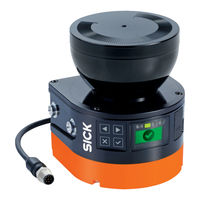
SICK 1094452 Manuals
Manuals and User Guides for SICK 1094452. We have
3
SICK 1094452 manuals available for free PDF download: Manual, Mounting Instructions
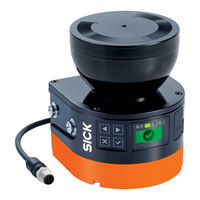
SICK 1094452 Manual (156 pages)
Safety laser scanners
Brand:
SICK
| Category:
Scanner
| Size: 13 MB
Table of Contents
Table of Contents
3
About this Document
8
Function of this Document
8
Scope
8
Target Groups of These Operating Instructions
8
Available Documents
8
Target Groups and Selected Sections of These Operating Instructions
8
Further Information
9
Symbols and Document Conventions
9
Safety Information
10
General Safety Notes
10
Laser Class 1M
10
Intended Use
11
Requirements for the Qualification of Personnel
12
Cybersecurity
12
Inappropriate Use
12
Product Description
14
Device Overview
14
Setup and Function
14
Principle of Time-Of-Flight Measurement
15
Product Characteristics
16
Variants
16
Light Pulses Scan an Area
16
Connections
17
System Plug
18
Field Types
18
Field Types and Their Function
18
Field Set
19
Protective Field, Shown in Red in this Document
19
Warning Field, Shown in Yellow or Orange in this Document
19
Monitoring Case
20
Yellow)
20
Monitoring Case 1 with Field Set 1
21
Monitoring Case 2 with Field Set 2
21
Example Applications
22
Hazardous Area Protection: Detection of the Presence of a Person in the Hazard- Ous Area
22
Mobile Hazardous Area Protection: Detection of a Person When a Vehicle Approaches
23
Project Planning
24
Manufacturer of the Machine
24
Operator of the Machine
24
Outdoor Applications
24
Permissible Outdoor Use
24
Ambient Conditions When Used Outdoors
25
Device Mounted with the Optics Cover Facing Downwards to Prevent Accumulation
27
Of Contaminants on the Contamination Measurement Feature
27
Assembly
29
Protection from Influences
30
Prevent Crawling Beneath
30
Prevent Stepping over
30
Preventing Unprotected Areas
31
Unsecured Areas
32
Mounting with Deflector Plates (Example)
32
Mounting in an Undercut (Example)
33
Mounting in Vehicle Paneling (Example)
33
Response Time of the Safety Laser Scanner
34
Monitoring Case Switching Time
34
Hazardous Area Protection
35
Stationary Application with Horizontal Scan Plane for Hazardous Area Protection.36
36
Protection against Reaching over When Mounted Low (Dimensions in MM)
38
Protection against Reaching over When Mounted High (Dimensions in MM)
39
Scan Plane at Calf Height
40
Scan Plane at Ankle Height
40
Distance of the Protective Field from the Wall
41
Mobile Hazardous Area Protection
42
Mobile Application in Horizontal Operation for Hazardous Area Protection
42
Flat-Rate Supplement ZF for Lack of Ground Clearance
43
Minimum Supplement for Lack of Ground Clearance
44
Stopping Distance as a Function of the Vehicle's Speed
45
Integrating the Equipment into the Electrical Control
47
Recommended Fitting Height
47
Recommended Fitting Height for Inverted Mounting
47
Electromagnetic Compatibility
49
Voltage Supply
49
USB Connection
50
Ossds
50
Dual-Channel and Separate Connection of the Ossds of an OSSD Pair
50
Control Inputs
51
No Potential Difference between Load and Protective Device
51
Status of the Channels of the Control Inputs with Complementary Evaluation
52
Universal Inputs, Universal Outputs, Universal I/Os
53
Restart Interlock
53
External Device Monitoring (EDM)
55
Connection Diagrams
55
Electrical Diagram of External Device Monitoring (EDM)
55
Connection Diagram with Restart Interlock and External Device Monitoring (EDM)56
56
Testing Plan
57
Connection Diagram with Restart Interlock and External Device Monitoring (EDM) Via Safety Relay
57
Planning the Thorough Check During Commissioning and in Certain Situations
58
Planning the Regular Thorough Check
58
Notes on the Tests
59
Unpacking
62
Safety
62
Mounting
62
Mounting Procedure
63
Prevent Crawling Beneath
63
Prevent Stepping over
63
Direct Mounting
64
Mounting the Safety Laser Scanner Directly
64
Electrical Installation
66
Safety
66
Connection of the Ossds of an OSSD Pair
67
No Potential Difference between Load and Protective Device
67
Connection Overview
68
Outdoorscan3 Core
68
Pin Assignment
68
Connecting Cable with M12 Plug Connector
68
System Plug and Connections
68
Pin Assignment of the Connecting Cable with M12 Plug Connector
69
Configuration
70
Delivery State
70
Safety Designer Configuration Software
70
Installing Safety Designer
70
Projects
70
User Interface
71
Pin Assignment of the Connecting Cable (Male Connector, M12, 8-Pin, A-Coded). 68 42. Software Controls
71
User Groups
72
Settings
73
Configuration
73
Configuration
74
Networking
75
Overview
75
Functional Scope
76
Reading Configuration
77
Functional Scope
77
Identification
78
Application
80
Monitoring Plane
81
Parameters for the Monitoring Plane
82
Recommended Multiple Sampling
83
Parameters for the Safety Laser Scanner
84
Fields
84
Using the Field Editor
84
Field Editor
84
Buttons on the Toolbar
85
Colors of the Field Types
85
Buttons for Field Sets
86
Creating Field Set Templates
87
Importing and Exporting Field Sets and Fields
88
Background Image
88
Settings for the Field Editor
89
Editing Fields Using Coordinates
90
Drawing in Points that Cannot be Monitored
91
Enable Propose Field
93
Inputs and Outputs, Local
95
Outputs
96
Inputs
96
Further Settings for some Signals
97
Monitoring Cases
98
Settings for Monitoring Case Tables
99
Settings for Monitoring Cases
99
Empirical Values for the Required Input Delay
99
Assigning Field Sets
100
Cut-Off Paths
100
Input Condition
100
Importing and Exporting Monitoring Case Tables
101
Simulation
102
Transfer
103
Starting and Stopping Safety Function
104
Reports
105
Service
106
Device Restart
106
Factory Settings
106
Managing Passwords
107
Access Management
108
Commissioning
109
Safety
109
Alignment
109
Switching on
110
Check During Commissioning and Modifications
111
Status Leds
111
Operation
112
Safety
112
Regular Thorough Check
112
Status Indicators
112
Status Leds
112
Status Indicator with the Display
113
Status Leds
113
Overview of Status Information
113
Maintenance
116
Safety
116
Regular Cleaning
116
Replacing the Optics Cover
117
Replacing the Safety Laser Scanner
117
Replacing the Safety Laser Scanner Without System Plug
118
Completely Replacing the Safety Laser Scanner
119
Replacing the System Plug
119
Regular Thorough Check
120
Troubleshooting
121
Safety
121
Detailed Diagnostics Using the Display
121
Fault Indication on the Display
123
Fault Types
123
Diagnostics Using Safety Designer
125
Data Recorder
125
Event History
127
Message History
129
Print Message History or Save as a PDF
129
Decommissioning
130
Disposal
130
Functional Scope of the Outdoorscan3 Core I/O
131
Revision
131
Technical Data
131
Devices and Type Codes
131
Version Numbers and Functional Scope
131
Variant Overview
131
Data Sheet
132
Outdoorscan3 Core I/O
132
Features
132
Safety-Related Parameters
133
Interfaces
133
Electrical Data
133
Mechanical Data
135
Ambient Data
135
Miscellaneous Data
136
Response Times
137
Course of the OSSD Test over Time
138
Response Time of an Individual Safety Laser Scanner
138
Protective Field Range
138
Sensing Range
138
Dimensional Drawings
141
Outdoorscan3 Core I/O Ordering Information
142
Ordering Information for the Airwiper Kit
142
Scope of Delivery
142
Ordering Information
142
Spare Parts
143
Safety Laser Scanner Without System Plug
143
System Plug
143
Airwiper Kit Without System Plug
143
Brackets Ordering Information
144
Cleaning Agent Ordering Information
144
Alignment Aid Ordering Information
144
Ordering Information for Weather Protection
144
Brackets
144
Test Rods
144
Cleaning Agent
144
Alignment Aid
144
Weather Protection
144
Accessories
144
Glossary
145
Annex
148
Conformities and Certificates
148
EU Declaration of Conformity
148
Note on Standards
148
Checklist for Initial Commissioning and Commissioning
149
List of Figures
152
Advertisement
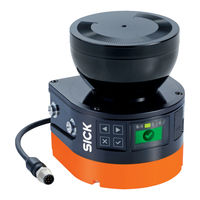
SICK 1094452 Mounting Instructions (14 pages)
Safety laser scanners
Brand:
SICK
| Category:
Safety Equipment
| Size: 2 MB
Table of Contents
Zu diesem Dokument
3
Zu Ihrer Sicherheit
3
Safety Laser Scanners
8
About this Document
9
Safety Information
9
Device Overview
9
Connection Overview
10
Pin Assignment
10
Replacing the Safety Laser Scanner
10
Replacing the System Plug
12
SICK 1094452 Mounting Instructions (14 pages)
Safety laser scanner
Brand:
SICK
| Category:
Scanner
| Size: 0 MB
Table of Contents
Zu diesem Dokument
3
Zu Ihrer Sicherheit
3
About this Document
9
Safety Information
9
Device Overview
9
Mounting the Safety Laser Scanner Directly
10
Connection Overview
10
Pin Assignment
10
Replacing the Safety Laser Scanner
10
Replacing the System Plug
12
Advertisement
Advertisement
Related Products
SICK 1094451
SICK 1094459
SICK 1094458
SICK 1094455
SICK 1094457
SICK 1094453
SICK 1094456
SICK 1094460
SICK 1094462
SICK 1094464
SICK Categories
Accessories
Security Sensors
Measuring Instruments
Scanner
Barcode Reader
More SICK Manuals
Login
Sign In
OR
Sign in with Facebook
Sign in with Google
Upload manual
Upload from disk
Upload from URL