Sign In
Upload
Manuals
Brands
Rosemount Manuals
Measuring Instruments
P330
Rosemount P330 Manuals
Manuals and User Guides for Rosemount P330. We have
1
Rosemount P330 manual available for free PDF download: Installation And Operation Manual
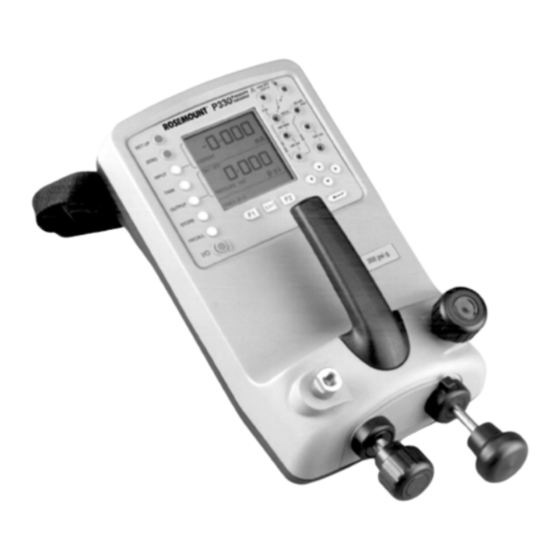
Rosemount P330 Installation And Operation Manual (92 pages)
Pressure Validator
Brand:
Rosemount
| Category:
Measuring Instruments
| Size: 2 MB
Table of Contents
Table of Contents
5
Introduction
9
Product Description
10
Safety Messages
10
Important: Key Sequence Diagrams
10
Shipping List
11
Overview
13
Safety Messages
13
Warnings
13
Powering the Validator
13
Installing Batteries
14
Charging the Nicad Battery Pack
15
Pressure Controls
16
Pressure-Generation Procedure
17
Electrical Connections
17
Validation Connections
18
Electrical Test Leads
18
Interface Connections
19
Changing Fuses
19
Adding an External Sensor (Transducer)
19
Overview
21
Safety Messages
21
Warnings
21
Control Panel
21
Display Panel
22
The Keypads
23
Overview
31
Safety Messages
31
Warnings
31
Setting Internal Parameters
32
Entering Setup
32
Backlight
32
Store Mode
33
Contrast
34
Settings
34
Setting Validation Parameters
37
Setting Pressure Units
37
Zeroing the Display
38
Turning the 24 V Power Source on or off
39
Overview
41
Safety Messages
41
Warnings
41
Maximum Ratings
42
Pressure-To- Electrical Validation Procedures
43
Basic Mode
43
Pressure-To-Current (P-I) Mode
45
Pressure-To-Voltage (P-V) Mode
47
Pressure Switch Test (P-SWITCH) Mode
49
Pressure Switch Test with Contact Resistance Measurement
50
Nonelectrical Pressure Procedures
52
Pressure Converter (P-P) Mode
52
Pressure-To-Display (P-Display) Mode
53
Leak Test
55
Relief Valve (REL VALVE) Test
56
Special Validation Procedures
57
Current-To-Pressure (I-P) Converter Mode
57
Overview
59
Advanced Task Mode
59
Entering Advanced Mode
59
Setting Inputs
59
Setting Process Functions in the Input Menu
61
Process Function Descriptions
62
Setting Outputs
64
Output Parameter Descriptions
65
User Task Mode
67
Overview
69
Safety Messages
69
Warnings
69
Description
70
Internal Parts
70
Hydraulic Fluids
70
Connection Procedure
71
Priming the System
72
Validation Procedure
72
Draining the Hydraulic Fluid
73
Flushing: Replenishing or Changing the Hydraulic Fluid
73
Overview
75
Store Mode
75
Setting Store Mode
75
Snapshot Mode
76
Saving a Display
76
Recalling a Display
76
Datalog Mode
77
Entering Datalog Mode
77
Automatic Logging Setup and Procedure
77
Manual Logging Setup and Procedure
78
Recalling Datalog Files
79
Deleting Datalog Files
79
Downloading Datalog Files
79
Model P330 Specifications
81
Pressure Specifications
81
Electrical Specifications
82
Test Features
82
Remote Pressure Sensors (External Transducers)
83
Environmental Specifications
83
Ordering Information
84
General Ordering Information
84
Overview
85
Safety Messages
85
Warnings
85
Maintenance
86
Cleaning
86
Overview
87
Safety Messages
87
Warnings
87
Equipment Needed
88
Calibration Check Procedure
88
Entering the Calibration Menu
88
Advertisement
Advertisement
Related Products
Rosemount Wireless Pressure Gauge
Rosemount P300
Rosemount 1054A pH
Rosemount 1054B
Rosemount 1151
Rosemount 1151AP
Rosemount 1151DP
Rosemount 1151GP
Rosemount 1151HP
Rosemount 1151LT
Rosemount Categories
Measuring Instruments
Transmitter
Accessories
Control Unit
Analytical Instruments
More Rosemount Manuals
Login
Sign In
OR
Sign in with Facebook
Sign in with Google
Upload manual
Upload from disk
Upload from URL