Sign In
Upload
Manuals
Brands
Mitsubishi Manuals
TV Receiver
HD-5000
Mitsubishi HD-5000 Manuals
Manuals and User Guides for Mitsubishi HD-5000. We have
2
Mitsubishi HD-5000 manuals available for free PDF download: Owner's Manual
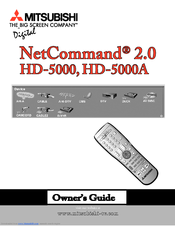
Mitsubishi HD-5000 Owner's Manual (117 pages)
High Definition TV Receiver/Controller
Brand:
Mitsubishi
| Category:
TV Receiver
| Size: 6 MB
Table of Contents
Table of Contents
3
Important Safeguards
4
Thank You
6
Chapter One
7
Special Features
7
Unpacking Your New HDTV Recceiver/Controller
7
V-Chip Technology
8
Front Control Panel
10
Back Panel
11
DTV Input
11
Digital Audio Output
12
Memory Card
12
Chapter Two
13
Netcommand® Overview
13
Netcommand® Supported Devices
13
Connecting an Antenna
13
Connecting an Analog Antenna, Wall Outlet Cable, or Cable Box
13
Connecting an Analog VCR
13
Connecting an Audio/Video Receiver
13
Connecting a DVD Player
13
Connecting a Satellite Receiver with S-Video
13
Netcommand® Overview
14
Netcommand® Supported Devices
15
Antenna or Wall Outlet Cable for Digital Broadcasts
16
Connecting an Antenna
16
Connecting an Analog Antenna, Wall Outlet Cable, or Cable Box
17
Connecting an Analog VCR
18
Connecting an Audio/Video Receiver
19
Connecting a DVD Player
20
DVD Player with Component Video
20
Satellite Receiver with S-Video
20
Connecting an External Digital TV
21
Connecting an External Digital TV
22
Connecting Monitorlink™ to a Mitsubishi Monitor/Tv or DVI Monitor
23
Connecting an HD Component (Yprpb)
24
Connecting a Computer with a VGA Monitor Output
24
Connecting IR Output Netcommand® Control
25
Connecting the IR Sensor Input Connection
26
IR Emitter Placement
26
Connections: Helpful Hints
27
Chapter Three
29
Netcommand® Setup - Getting Started
29
Netcommand
29
Netcommand® Setup
29
Edit Netcommand
29
Netcommand® Setup - Getting Started
30
Programming the Remote Control to Control the Hd-5000 and
31
Information Screen
32
Language Screen
32
Netcommand® Setup
32
Camcorder Screen
34
Finish Screen
35
Review Screen
35
Edit Netcommand
36
Name Screen
38
Chapter Four
41
Graphical Viewpoint® Menu System
41
Device Selection Menu
41
PIP/POP Device Selection Menu
41
Menu Screens (Overview)
41
Setup Menu
41
Audio Section
43
Connection Section
43
Main Picture
44
PIP/POP Device Selection Menu
44
Audio/Video Menu
46
Timer Menu
46
V-Chip Lock Menu
46
Language Menu
48
Antenna Menu
50
Clock Menu: Auto, Manual Settings
51
Daylight Savings Time
51
Closed Captions Menu
52
Analog Captions
53
Digital Settings
53
Background Opacity
54
V-Chip Menu
55
V-Chip Signal Information
56
Timer On/Off
58
Timer Menu
58
A/V Settings Menu
59
Audio Settings
61
Video Settings
62
Chapter Five
64
Remote Control Functions
64
Important Notes Regarding Stationary Images
64
Appendix A: Lock Bypass Instructions
64
Appendix B: Input Connection Compatibility
64
Appendix C: Remote Control Programming Codes
64
78 Appendix C: Remote Control Programming
64
Appendix D: Cleaning and Service
64
Appendix E: Troubleshooting
64
Appendix F: Using the System Reset Button
64
Appendix G: On-Screen Information Display
64
Remote Control Functions: Overview
65
Installing the Batteries
66
Operation
66
Channel Selection
67
Important Notes
75
Appendix A: Bypassing the V-Chip Lock
76
Vga Input
78
Appendix B: Input Connection Compatibility
78
Appendix C: Remote Control Programming Codes
79
DVD Players
79
Satellite Receivers
80
Appendix D: Cleaning and Service
81
Appendix E: Troubleshooting
82
Appendix F: Using the System Reset Button
83
On Screen Information Displays
84
Appendix H: Outputs and Copy Protection
85
Appendix I: Signal Sources and Scan Rates
86
Input Signal Source
86
Warranty
90
Demo Mode
90
Table of Contents
96
Welcome to Netcommand® 2.0
97
Special Features
98
Connecting IEEE 1394 Devices
99
Adding IEEE 1394 Devices Automatically
101
Connection Screen
102
Digital Control Signals
103
Device Selection Menu
104
Transport Menu
105
Remote Control Buttons: Device Menu Button
106
AV Disc Search
107
Guide Button
107
Track List Screen
107
Special Features Buttons, Manual Analog Recording
108
Netcommand® Controlled Recordings
109
Recording Setup
109
Netcommand® Controlled Peer-To-Peer Connections
111
Troubleshooting
112
Appendix: Netcommand® Controls
115
Advertisement
Mitsubishi HD-5000 Owner's Manual (24 pages)
Mitsubishi HD-5000 TV - HDTV Receiver: Owners Guide
Brand:
Mitsubishi
| Category:
TV Receiver
| Size: 1 MB
Table of Contents
Table of Contents
3
Welcome to Netcommand® 2.0
4
Special Features
5
Connecting IEEE 1394 Devices
6
Adding IEEE 1394 Devices Automatically
8
Connection Screen
9
Digital Control Signals
10
Connection Section
11
Audio Section
11
Device Selection Menu
11
Transport Menu
12
Remote Control Buttons: Device Menu Button
13
Guide Button
14
AV Disc Search
14
Track List Screen
14
Special Features Buttons, Manual Analog Recording
15
Recording Setup
16
Netcommand® Controlled Recordings
16
Netcommand® Controlled Peer-To-Peer Connections
18
Troubleshooting
19
Appendix: Netcommand® Controls
22
Advertisement
Related Products
Mitsubishi HD-5000A
Mitsubishi HD4000U
Mitsubishi HD8000
Mitsubishi HS-U449
Mitsubishi HS-7168EMB
Mitsubishi Diamond Scan HC3905 ATK
Mitsubishi HC503R
Mitsubishi HEAT PERFORMER Premium Comfort HP-036/13,5-PC 240
Mitsubishi HS-U430
Mitsubishi NetCommand 2.0
Mitsubishi Categories
Air Conditioner
Controller
Automobile
Projector
Engine
More Mitsubishi Manuals
Login
Sign In
OR
Sign in with Facebook
Sign in with Google
Upload manual
Upload from disk
Upload from URL