Sign In
Upload
Manuals
Brands
Magnetek Manuals
Controller
IMPULSE G+
Magnetek IMPULSE G+ Manuals
Manuals and User Guides for Magnetek IMPULSE G+. We have
2
Magnetek IMPULSE G+ manuals available for free PDF download: Installation Manual, Quick Start Manual
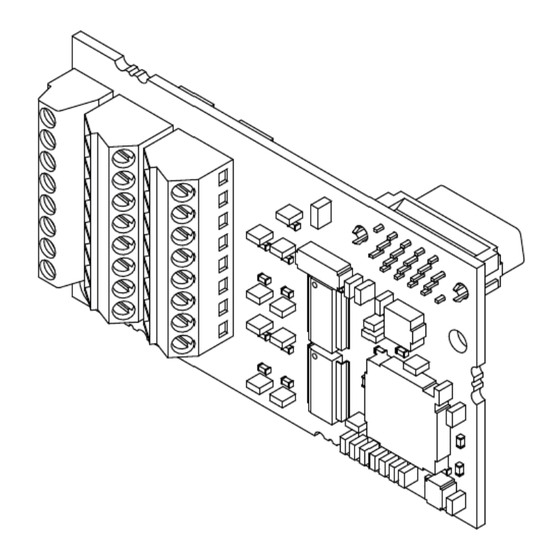
Magnetek IMPULSE G+ Installation Manual (25 pages)
Series 4 Vector Crane Controls
Brand:
Magnetek
| Category:
Controller
| Size: 2 MB
Table of Contents
Preface and Safety
2
Applicable Documentation
2
Registered Trademarks
3
Supplemental Safety Instructions
3
General Safety
4
General Precautions
4
Product Overview
5
About this Product
5
Option Package Contents
6
Tools Required for Installation
6
Option Components
7
Digital Input DI-A3 Option
7
Terminal Blocks TB1, TB2, and TB3
7
Installation Procedure
8
Section Safety
8
Prior to Installing the Option
10
Installing the Option
11
Wire Gauges, Tightening Torques, and Crimp Terminals
19
Wire Gauges and Tightening Torques
19
Crimp Terminals
19
Terminal Functions
20
Related Parameters
21
Troubleshooting
22
Drive-Side Error Codes
22
Preventing Noise Interference
23
Specifications
24
Advertisement
Magnetek IMPULSE G+ Quick Start Manual (3 pages)
Variable Frequency Drive
Brand:
Magnetek
| Category:
Industrial Equipment
| Size: 2 MB
Table of Contents
Overview
1
Step 1 Connect Motor and Line Power
1
Step 2 Typical Connection Diagram
1
Step 3 PG-X3 Encoder Feedback Card and Encoder Wiring
1
Step 4 Keypad Navigation and Menu Displays
2
Step 5 Select a Control Method
2
Step 6 Select a Motion
2
Step 7 Select a Speed Reference
2
Step 8 Auto-Tuning with Motor
2
Step 9 Remove Keypad Insulation Tab
3
Step 10 Quick Start Parameters
3
Frequently Asked Questions
3
Advertisement
Related Products
Magnetek IMPULSE VG+
Magnetek IMPULSE G+ Mini
Magnetek IMPULSE-G Plus
Magnetek inteleSmart2
Magnetek 2001-G+M
Magnetek 2003-G+M
Magnetek 2005-G+M
Magnetek 2008-G+M
Magnetek 2011-G+M
Magnetek 2017-G+M
Magnetek Categories
Remote Control
Controller
Transmitter
DC Drives
Receiver
More Magnetek Manuals
Login
Sign In
OR
Sign in with Facebook
Sign in with Google
Upload manual
Upload from disk
Upload from URL