Sign In
Upload
Manuals
Brands
Checkpoint Manuals
Antenna
Evolve F10
Checkpoint Evolve F10 Manuals
Manuals and User Guides for Checkpoint Evolve F10. We have
2
Checkpoint Evolve F10 manuals available for free PDF download: Installation Manual, User Manual
Checkpoint Evolve F10 Installation Manual (71 pages)
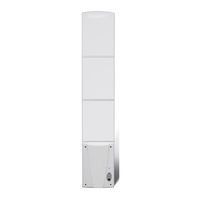
electronic article surveillance antenna
Brand:
Checkpoint
| Category:
Antenna
| Size: 4 MB
Table of Contents
Guide Conventions
3
Statements
3
Table of Contents
7
Chapter 1: Introduction
9
Background
9
Overview
10
F10 System Hardware
10
System Diagrams
11
Grouping Multiple Antennas
12
Meter Configuration
12
Chapter 2: Site Survey
13
Overview
13
Antenna Distance from Interfering Elements
13
System Performance Considerations
14
Determining the Electronics Location
14
Environmental Considerations
15
Site Survey Conclusion
15
Chapter 3: Physical Installation
16
Chapter Outline
16
Requirements
16
Tools
16
Parts
17
Installation Outline
17
Antenna Installation
17
F10, 1 Meter and 2 Meter Floor Cuts
18
Floor Cut Depth
19
Common Wider Floor Cuts
20
Mounting the Electronics Enclosure
21
Mounting the Power Supply
23
GS-599ES(R) Installation
23
GS-599MC-KIT(R) Installation
23
Finishing Installation
24
Chapter 4: Wiring
25
Overview
25
Antenna Wiring
26
Wiring Components
26
Placement
26
Wiring the F10, 2 Meter System
27
Wiring the F10, 1 Meter System
31
Adjusting Jumper Settings
32
Wiring the 2 X 1 Meter System
32
Overview
33
Coax Cable / A1116 Wiring
33
Remote Voice Alarm
34
Alarm Post Wiring
35
24VDC Power Supply Wiring
36
Wiring between F10 Systems for Sync
37
Sync Cable and Power Supply Wiring
37
Wiring Peripherals
38
Chapter 5: F10 System Configuration Via Dms
39
Overview
39
System Setup Using Dms
39
Single-Electronic System Setup
39
Multi-Electronic Systems (Sync Configuration)
44
Application-Based Detection Modes
44
Standard: 8.2 and Library: 9.5
45
Corral: 8.2, 9.0
45
Reverse Corral: 8.2, 9.0
45
Apparel: 8.2, 9.2
45
Pharma: 8.2, 7.2
45
Razorkeeper: 8.2, 7.2
45
Immunity: 8.2
45
Japan I: 8.2=9.5 and Japan II: 8.2, 9.5
46
Alarm Severity
46
Alarm
47
Navigating to the SAM Screen
47
C Onfiguring Sam (S Mart a Larm M Anagement )
47
Changing the Patterns
50
Changing the Matrix
52
Updating the System
52
Chapter 6 Tuning Procedures (1M and 2M Vary)
53
Overview
53
Tr4215 Features
53
Basic Tuning Methods Using Dms
53
Noise Sources
54
Analog View
55
Typical Tuning Procedure
55
Evaluate Jumper Positions
56
System Specific Procedures
56
For 2 Meter System
56
For Single 1 Meter or 2 X 1 Meter System
56
Configuring the System for Asynchronous Noise
57
Resonance Sources
59
Remedying Resonances
59
Jammer Indication
61
Data Retrieval
61
Event History
61
Snap Shot Feature
61
Appendix A: Power Supply
62
Power Supply Details
62
Power Supply Used in United States, Canada and Europe
62
Power Supply Used in Australia
64
Appendix B: Parts Lists
65
F10 Parts List
65
F10 Part List
65
Appendix C: Interactions
66
F10 System - Proximity to Deactivation Units
66
F10 System - Proximity to Other Systems
67
Appendix D: Detection Performance
68
F10, 2 Meter System
68
F10, 1 Meter System
70
Advertisement
Checkpoint Evolve F10 User Manual (40 pages)
Electronic Article Surveillance
Brand:
Checkpoint
| Category:
Security System
| Size: 1 MB
Table of Contents
Table of Contents
2
Important Information for User's
3
Introduction
7
Equipment Care Dos & Don'ts
10
EAS Antennas
11
Troubleshooting Guide
13
Hard Tag Application
15
Hard Tagging Dos and Don'ts
18
Hard Tag Removal
19
Soft Labels
20
Where to Apply Labels
21
Label Dos and Don'ts
22
Source Tagging
23
Label Deactivation
24
Omni Verifier
25
Deactivation
26
Testing Procedures
30
Troubleshooting
32
Handling Alarm Activations
35
Alarm Activation Log
36
Customer Service Procedures
38
Advertisement
Related Products
Checkpoint FXS Series
Checkpoint EVOLVE Series
Checkpoint EVOLVE EXCLUSIVE Series
Checkpoint Classic IP Street
Checkpoint Categories
Water Pump
Measuring Instruments
Security System
Medical Equipment
Monitor
More Checkpoint Manuals
Login
Sign In
OR
Sign in with Facebook
Sign in with Google
Upload manual
Upload from disk
Upload from URL