Table of Contents
Advertisement
Available languages
Available languages
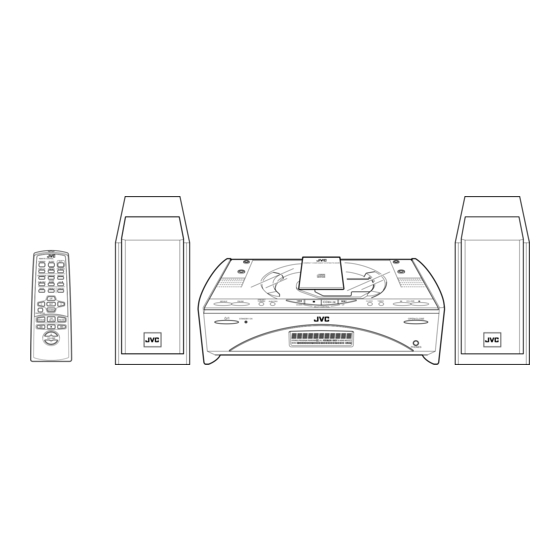
COMPACT COMPONENT SYSTEM
SISTEMAS DE COMPONENTES COMPACTOS
FS-SD5/FS-SD7/FS-SD9
REMOTE CONTROL
DIMMER
SLEEP
AUTO
DISPLAY
PRESET
FM MODE
PROGRAM
RANDOM
REPEAT
DOOR
AHB PRO
SLIDE
CD
BASS
TREBLE
CANCEL
UP
SET
DOWN
FADE MUTING
CD
MD/AUX
FM / AM
VOLUME
REMOTE CONTROL
DIMMER
SLEEP
AUTO
DISPLAY
PRESET
FM MODE
PROGRAM
RANDOM
REPEAT
DOOR
CD
AHB PRO
SLIDE
BASS
TREBLE
CANCEL
UP
SET
DOWN
FADE MUTING
CD
MD/AUX
FM / AM
VOLUME
FS-SD5
FS-SD7, FS-SD9
INSTRUCTIONS
MANUAL DE INSTRUCCIONES
For Customer Use:
Enter below the Model No. and Serial No.
which are located either on the rear, bot-
tom or side of the cabinet. Retain this
information for future reference.
Model No.
Serial No.
LVT0418-008A
[U/US/UY/UT]
Advertisement
Chapters
Table of Contents

Subscribe to Our Youtube Channel
Related Manuals for JVC FS-SD7


Summary of Contents for JVC FS-SD7
- Page 1 DOWN FADE MUTING MD/AUX FM / AM VOLUME FS-SD5 FS-SD7, FS-SD9 INSTRUCTIONS MANUAL DE INSTRUCCIONES For Customer Use: Enter below the Model No. and Serial No. which are located either on the rear, bot- tom or side of the cabinet. Retain this information for future reference.
- Page 2 CAUTION To reduce the risk of electrical shocks, fire, etc.: 1. Do not remove screws, covers or cabinet. 2. Do not expose this appliance to rain or moisture. PRECAUCIÓN Para reducir riesgos de choques eléctricos, incendio, etc.: 1. No extraiga los tornillos, los cubiertas ni la caja. 2.
- Page 3 Caution: Proper Ventilation To avoid risk of electric shock and fire, and to prevent damage, locate the apparatus as follows: 1 Front: No obstructions and open spacing. 2 Sides/ Top/ Back: No obstructions should be placed in the areas shown by the dimensions below. 3 Bottom: Place on the level surface.
-
Page 4: Introduction
The controls and operations have been redesigned to make them very easy to use, freeing you to just enjoy the music. • With JVC’s COMPU PLAY you can turn on the System and automatically start the Radio or CD Player with a single touch. -
Page 5: Table Of Contents
Table of Contents Introduction ... 1 Features ... 1 How This Manual Is Organized ... 1 WARNINGS ... 1 IMPORTANT CAUTIONS ... 1 Getting Started ... 3 Accessories... 3 Set the VOLTAGE SELECTOR Switch... 3 How To Put Batteries In the Remote Control ... 3 Using the Remote Control... -
Page 6: Getting Started
Remote Control (1) Batteries (2) FM Wire Antenna (1) Speaker Cords (2) Spacers (6) (only for FS-SD7 / SD9) AC Plug Adaptor (except for Argentina) (1) If any of these items are missing, contact your dealer immediately. Set the VOLTAGE SELECTOR Switch To avoid damaging the System, set the voltage before plugging in the System. -
Page 7: Connecting The Fm Antenna
CAUTION: • Make all connections before plugging the System into an AC power outlet. Connecting the FM Antenna Rear Panel of the Unit SUB WOOFER CD DIGITAL OUT MD / AUX ANTENNA FM(75 ) AM EXT COAXIAL AM LOOP Using the Supplied Wire Antenna FM wire antenna (supplied) Using the Coaxial Type Connector (Not Supplied) -
Page 8: Connecting The Am Antenna
Getting Started Connecting the AM Antenna Rear Panel of the Unit SUB WOOFER CD DIGITAL OUT MD / AUX ANTENNA AM EXT FM(75 ) COAXIAL AM LOOP AM loop antenna (Supplied) Attach the AM loop to its base by snapping the tabs on the loop into the slot in the base. -
Page 9: Connecting The Speakers
• When removing the speaker grille from the FS-SD9’s speaker, be careful not to damage the cabinet. When attaching the speaker grille: Left side (rear view) Marked with a black line SPEAKERS IMPEDANCE 4 (FS-SD5) (FS-SD5) Getting Started (FS-SD7 and FS-SD9) (FS-SD7 and FS-SD9) Speaker Speaker grille grille... -
Page 10: Attaching The Spacers
FS-SD7 / SD9 Attach the supplied spacers to the bottom of the speaker to protect the cabinet, prevent slipping, and absorb the cabinet vibration. -
Page 11: Connecting The Ac Power Cord
COMPU Play JVC’s COMPU PLAY feature lets you control the most frequently used System functions with a single touch. With One Touch Operation you can play a CD, turn on the radio, or listen to an external equipment with a single press of the play button for that function. -
Page 12: Basic Operations
Basic Operations REMOTE CONTROL DIMMER SLEEP DIMMER AUTO DISPLAY FM MODE PRESET DISPLAY PROGRAM RANDOM REPEAT DOOR AHB PRO AHB PRO SLIDE DOOR SLIDE BASS TREBLE CANCEL BASS TREBLE FADE DOWN FADE MUTING MUTING MD/AUX FM / AM VOLUME+,– VOLUME Turning the Power On and Off Turning the System On Press the % button. -
Page 13: Fade-Out Muting (Fade Muting)
Fade-out Muting (FADE MUTING) You can mute the output with one touch operation. To mute the output, press the FADE MUTING button on the Remote Control. Then, the output will be faded out and becomes 0. To release muting, press the FADE MUTING button once again. -
Page 14: Using The Tuner
Using the Tuner REMOTE CONTROL DIMMER SLEEP AUTO DISPLAY FM MODE PRESET AUTO FM MODE PRESET PROGRAM RANDOM REPEAT DOOR AHB PRO SLIDE BASS TREBLE CANCEL < > DOWN DOWN FADE MUTING FM/AM MD/AUX FM / AM ¢ VOLUME * When the System is in use, the display shows other items as well. For simplicity, we show here only the items described in this section. -
Page 15: Presetting Stations
Preset Tuning using the Unit Press the PRESET TUNING button to select the de- sired preset number. Its band and frequency are displayed. • In AM broadcast, reception sensitivity will be changed by turning the AM loop antenna. Turn the AM loop antenna for best reception. -
Page 16: Using The Cd Player
Using the CD Player REMOTE CONTROL DIMMER SLEEP AUTO DISPLAY FM MODE PRESET PROGRAM PROGRAM RANDOM REPEAT REPEAT RANDOM DOOR CD 0 AHB PRO SLIDE BASS TREBLE CANCEL CANCEL > < DOWN DOWN FADE MUTING MD/AUX FM / AM CD #/8 ¢... -
Page 17: To Unload A Cd
To Unload a CD Take out the CD as shown below. Basics of Using the CD Player-Normal Play To Play a CD Insert a CD. Press the CD #¥8 button. The first track of the CD begins playing. Track number Playback time •... -
Page 18: Random Play
Using the CD Player Press the SET button. Program order number (After 2 seconds) DOWN Total playback time of the programmed tracks Repeat steps 5 and 6 to select the other tracks for the program. You can see the total playback time of programmed tracks on the display. -
Page 19: Using External Equipments
Using External Equipments REMOTE CONTROL DIMMER SLEEP AUTO DISPLAY FM MODE PRESET PROGRAM RANDOM REPEAT DOOR AHB PRO SLIDE BASS TREBLE CANCEL DOWN FADE MUTING MD/AUX MD/AUX FM / AM VOLUME Listening to External Equipment You can listen to external equipment such as MD recorder, turntable or other auxiliary. -
Page 20: Using The Timers
Using the Timers REMOTE CONTROL DIMMER SLEEP SLEEP AUTO DISPLAY FM MODE PRESET PROGRAM RANDOM REPEAT DOOR AHB PRO SLIDE BASS TREBLE CANCEL DOWN FADE MUTING MD/AUX FM / AM VOLUME * When the System is in use, the display shows other items as well. For simplicity, we show here only the items described in this section. - Page 21 Setting the ON time (Example: 10:15). 1. Press the TIMER button on the Unit for more than two seconds. The Timer indicator lights up and the hour digit of the current ON time blinks on the display. • When the clock is not set, “CLOCK” and “ADJUST” appear alternately on the display.
-
Page 22: Setting The Sleep Timer
Using the Timers Setting the SLEEP Timer (Using the Remote Control) Use the Sleep Timer to turn the System off after a certain number of minutes when it is playing. By setting the Sleep Timer, you can fall asleep to music and know that your Sys- tem will turn off by itself rather than play all night. -
Page 23: Care And Maintenance
Care And Maintenance Handle your CDs carefully, and they will last a long time. Compact Discs • Only CDs bearing this mark can be used with this System. How- ever, continued use of irregular shape CDs (heart-shape, octago- nal, etc.) can damage the System. •... -
Page 24: Troubleshooting
Troubleshooting • If you are having a problem with your System, check this list for a possible solution before calling for service. Symptom No sound is heard. Poor radio reception The CD skips. The CD does not play. Unable to operate the Remote Control. Operations are disabled. -
Page 25: Specifications
0DVV 1.4kg Power Cord (1) AM Loop Antenna (1) Remote Control (1) Batteries R6P (SUM-3)/AA (15F) (2) FM Wire Antenna (1) Speaker Cords (2) Spacers (6) (only for FS-SD7/SD9) AC Plug Adaptor (except for Argentina) (1) 1.6 watts (in Standby mode) -
Page 26: Introducción
Los mandos y las funciones han sido rediseñadas para que resulten muy fáciles de utilizar y pueda dedicarse sólo a disfrutar de la música. • El sistema COMPU PLAY de JVC permite poner en marcha el equipo y escuchar automática- mente la radio, o el reproductor de CD pulsando un solo botón. - Page 27 Índice Introducción ... 1 Características ... 1 Cómo está organizado este manual ... 1 ADVERTENCIAS ... 1 PRECAUCIONES IMPORTANTES... 1 Primeros pasos ... 3 Accesorios ... 3 Ajuste del interruptor VOLTAGE SELECTOR ... 3 Cómo colocar las pilas en el mando a distancia... 3 Cómo utilizar el mando a distancia ...
-
Page 28: Primeros Pasos
Antena monofilar de FM (1) Cables de los altavoces (2) Separadores (6) (sólo en los modelos FS-SD7 / SD9) Adaptor de enchufe de CA (Excepto para Argentina) (1) Si le faltara algún elemento, póngase inmediatamente en contacto con su distribuidor. -
Page 29: Conexión De La Antena De Fm
CUIDADO: • Realice todas las conexiones antes de enchufar el equipo a la red. Conexión de la antena de FM Panel posterior del aparato SUB WOOFER CD DIGITAL OUT MD / AUX ANTENNA AM EXT FM(75 ) COAXIAL AM LOOP Uso de la antena monofilar (incluida) Antena monofilar FM (incluida) Uso del conector de tipo coaxial (no inclui-... -
Page 30: Conexión De La Antena De Am
Primeros pasos Conexión de la antena de AM Panel posterior del aparato SUB WOOFER CD DIGITAL OUT MD / AUX ANTENNA AM EXT FM(75 ) COAXIAL AM LOOP Antena de cuadro para AM (incluida) Fije la antena de cuadro para AM a la base encajando las pestañas del cuadro en las ranuras de la base. -
Page 31: Conexión De Los Altavoces
Cuando vuelva a colocar la rejilla: Marcado con una línea negra SPEAKERS IMPEDANCE 4 (FS-SD5) (FS-SD5) Primeros pasos Altavoz izquierdo (parte posterior) (FS-SD7 y FS-SD9) (FS-SD7 y FS-SD9) Rejilla de Rejilla de altavoz altavoz... -
Page 32: Colocación De Los Separadores
FS-SD7 / SD9 Fije los separadores a la base del altavoz para proteger la ca- ja, evitar que se deslice y absorber las vibraciones de la caja. -
Page 33: Cómo Enchufar El Cable De Alimentación
COMPU PLAY La función COMPU PLAY de JVC le permite controlar las funciones más frecuentes utilizadas en el equipo con un simple botón. Podrá reproducir un CD, encender la radio o escuchar una fuente externa con sólo pulsar el botón de reproducción para esa función. -
Page 34: Funciones Básicas
Funciones básicas REMOTE CONTROL DIMMER SLEEP DIMMER AUTO DISPLAY FM MODE PRESET DISPLAY PROGRAM RANDOM REPEAT DOOR AHB PRO SLIDE AHB PRO DOOR SLIDE BASS TREBLE CANCEL BASS TREBLE FADE DOWN FADE MUTING MUTING MD/AUX FM / AM VOLUME+,– VOLUME Cómo encender y apagar el equipo Cómo encender el equipo Pulse el botón %. -
Page 35: Disminución Gradual Del Sonido (Fade Muting)
Disminución gradual del sonido (FADE MUTING) Podrá hacer que el sonido disminuya gradualmente hasta desaparecer pulsando un solo botón. Para activar esta función, pulse el botón FADE MU- TING del mando a distancia. El volumen empezará a dismi- nuir hasta llegar a 0. Para restablecer el sonido, vuelva a pulsar el botón FADE MUTING. -
Page 36: Funcionamiento Del Sintonizador
Funcionamiento del sintonizador REMOTE CONTROL DIMMER SLEEP AUTO DISPLAY FM MODE PRESET AUTO FM MODE PRESET PROGRAM RANDOM REPEAT DOOR AHB PRO SLIDE BASS TREBLE CANCEL < > DOWN DOWN FADE MUTING FM/AM MD/AUX FM / AM ¢ VOLUME * Mientras el equipo está encendido, la pantalla también muestra otros datos. Para mayor claridad, mostramos tan sólo los indicadores descritos en esta sección. -
Page 37: Presintonía De Emisoras
Sintonización con el equipo de emisoras programadas Seleccione el número de presintonía que desee escu- char pulsando el botón PRESET TUNING. La banda y la frecuencia aparecen en pantalla. • En AM, podrá mejorar la recepción de las emisoras giran- do la antena de cuadro especial para esta banda. -
Page 38: Cómo Utilizar El Reproductor De Cd
Cómo utilizar el reproductor de CD REMOTE CONTROL DIMMER SLEEP AUTO DISPLAY PRESET FM MODE PROGRAM RANDOM REPEAT PROGRAM REPEAT DOOR RANDOM AHB PRO SLIDE CD 0 BASS TREBLE CANCEL CANCEL > < DOWN DOWN FADE MUTING MD/AUX FM / AM CD #/8 ¢... -
Page 39: Cómo Sacar Un Cd
Cómo sacar un CD Saque el CD tal como se indica en la ilustración. Instrucciones básicas para reproducir un CD (Reproducción Normal) Para reproducir un CD Inserte un CD. Pulse la tecla CD #¥8. Si inicia la reproducción de la primera pista. Número de pista Tiempo de reproducción •... -
Page 40: Reproducción Aleatoria
Cómo utilizar el reproductor de CD Pulse el botón SET. Número de pista del programa (Después de 2 segundos) DOWN Tiempo total de reproducción de las pistas programadas Repita los pasos 5 y 6 para seleccionar las demás pistas que quiera programar. Puede ver el total de tiempo de reproducción de las pis- tas programadas en la pantalla. -
Page 41: Cómo Utilizar Equipos Externos
Cómo utilizar equipos externos REMOTE CONTROL DIMMER SLEEP AUTO DISPLAY FM MODE PRESET PROGRAM RANDOM REPEAT DOOR AHB PRO SLIDE BASS TREBLE CANCEL DOWN FADE MUTING MD/AUX MD/AUX FM / AM VOLUME Cómo escuchar equipos externos Si lo desea, puede escuchar equipos externos como, por ejemplo, una grabadora de Minidiscs o un tocadiscos, entre otros. -
Page 42: Cómo Utilizar Los Temporizadores
Cómo utilizar los temporizadores REMOTE CONTROL DIMMER SLEEP SLEEP AUTO DISPLAY PRESET FM MODE PROGRAM RANDOM REPEAT DOOR AHB PRO SLIDE BASS TREBLE CANCEL DOWN FADE MUTING MD/AUX FM / AM VOLUME * Mientras el equipo está encendido, la pantalla también muestra otros datos. Para mayor claridad, mostramos tan sólo los indicadores descritos en esta sección. - Page 43 Cómo ajustar la hora de inicio (por ejem- plo: 10:15). 1. Pulse el botón TIMER del equipo durante al menos segundos. El indicador del temporizador se encenderá y la hora de inicio seleccionada anteriormente parpadeará en la pantalla. • Si el reloj no está en hora, los mensajes “CLOCK” y “ADJUST”...
-
Page 44: Ajuste Del Temporizador De Desconexión Sleep
Cómo utilizar los temporizadores Ajuste del temporizador de desconexión SLEEP (Con mando a distancia) Utilice el temporizador de desconexión “Sleep” para que el equipo se apague automáticamente al cabo de unos minutos. Al ajustar el temporizador “Sleep”, puede dormirse es- cuchando música con la seguridad de que el equipo se apa- gará... -
Page 45: Cuidado Y Mantenimiento
Cuidado y mantenimiento Si trata sus CD con cuidado, durarán mucho tiempo. Discos compactos • En este equipo sólo se pueden uti- lizar los CD que lleven este dis- tintivo. El uso continuado de discos de perfil irregular (en forma de corazón, octogonales, etc.) puede dañar el equipo. -
Page 46: Solución De Problemas
Solución de problemas • Si tiene problemas con el equipo, compruebe en esta lista la posible solución antes de acudir al servicio téc- nico. Síntoma No se oye ningún sonido. La recepción de radio es pobre. El CD salta. El CD no funciona. No se puede utilizar el mando a distancia. -
Page 47: Características Técnicas
Pilas R6P (SUM-3)/AA (15F) (2) Antena monofilar de FM (1) Cables de los altavoces (2) Separadores (6) (sólo en los modelos FS-SD7/SD9) Adaptor de enchufe de CA (Excepto para Argentina) (1) CA 110/127/230 V, ajustable desde el selector de tension, 50/60 Hz... - Page 48 Mains (AC) Line Instruction (not applicable for Europe, U.S.A., Canada, Austra- lia, and U.K.) Instrucción sobre la línea de la red (CA) (no aplicable para Europa, EE.UU., Canadá, Australia, ni el Grã-Bretanha) SUB WOOFER CD DIGITAL OUT MD / AUX ANTENNA FM(75 ) AM EXT...
Need help?
Do you have a question about the FS-SD7 and is the answer not in the manual?
Questions and answers