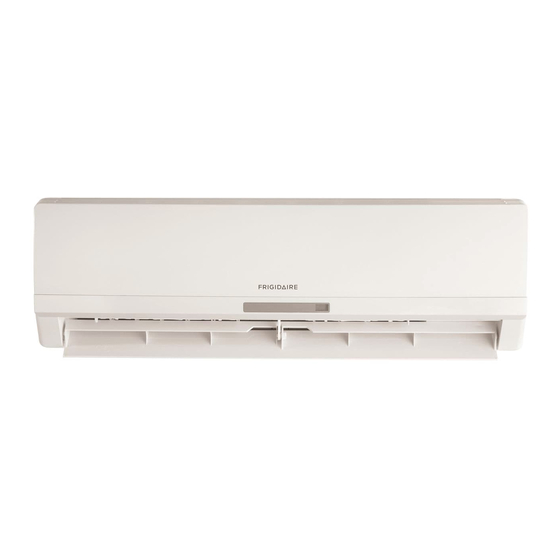
Frigidaire Split Type Room Air Conditioner Use & Care Manual

Frigidaire Split Type Room Air Conditioner Use & Care Manual

Split type room air conditioner
All about the
Use &Care
of your
Split Type Room Air Conditioner
Refer to Page 2 for table of contents.
www.frigidaire.com
USA 1-866-942-1567
www.frigidaire.ca
Canada 1-866-942-1567
Table of Contents
loading

Frequently Asked Questions (21)

  • Why is my Frigidaire air conditioner not blowing cold air?

    Your Frigidaire air conditioner may not be blowing cold air due to several reasons:

    • The air outlet or inlet of the outdoor or indoor unit is obstructed.
    • The outdoor temperature is high due to direct sunlight or another heat source.
    • A heater or cooking stove is being used in the same room.
    • The room is full of people.
    • The air filter is obstructed by dust or is dirty.
    • There is inappropriate temperature adjustment.
    • The capacity of the equipment is not adequate for the size of the room.
    • The air conditioner was just turned on.
    • Windows or doors are open.

    For more information, see page 25 of the manual.
    Was this helpful?
  • How do I clean the air filter on my Frigidaire air conditioner?
  • How do I install a Frigidaire split type air conditioner?

    You should not attempt to install the split air conditioner by yourself. This appliance must be installed by a qualified licensed HVAC technician in accordance with all applicable codes. All electrical connections should be performed by a licensed electrician.


    For more information, see page 5 of the manual.
    Was this helpful?
  • Why is my Frigidaire air conditioner beeping?

    Your Frigidaire air conditioner emits a "beep" sound when a button is pressed on the remote control. This sound indicates that a command has been received and transmitted to the indoor unit. If there is no answering beep from the indoor unit or if the transmission indicator fails to light, it may be time to replace the remote control batteries.


    For more information, see page 11 of the manual.
    Was this helpful?
  • How can I improve the energy efficiency of my Frigidaire split type air conditioner?

    To improve the energy efficiency of your Frigidaire split type air conditioner:

    Was this helpful?
  • Why is my Frigidaire air conditioner not turning on?

    Your Frigidaire air conditioner may not be turning on due to these reasons:

    • No power supply.
    • The voltage is different.
    • Temperature is not adjusted properly.
    • A fuse has blown.
    • The remote control batteries need to be replaced.
    • The time you have set with the timer is incorrect.

    For more information, see page 25 of the manual.
    Was this helpful?
  • Why is my Frigidaire air conditioner leaking water?

    If your Frigidaire air conditioner is dripping water, it may be due to dripping water condenses on the surface of indoor unit when cooling in an environment with high relatively humidity (relative humidity higher than 80%). To address this, adjust the horizontal louver to the maximum air outlet position and select HIGH fan speed.


    For more information, see page 24 of the manual.
    Was this helpful?
  • How do I clean my Frigidaire air conditioner?

    To clean your Frigidaire air conditioner:

    1. Stop the air conditioner and disconnect the power supply before cleaning.
    2. Wipe the indoor unit and remote controller with a dry cloth. If the indoor unit is very dirty, a cloth dampened with cold water may be used.
    3. The front panel of the indoor unit can be removed and cleaned with water, then wiped with a dry cloth.
    4. Do not use chemically treated cloths, duster, benzine, thinner, polishing powder, or similar solvents as they may cause plastic surfaces to crack or deform.
    5. Clean the air filter once every two weeks as a clogged filter reduces cooling efficiency. To do this, lift the indoor unit panel, remove the air filter by lifting it slightly and pulling downwards. If equipped, also remove the fresh air filter from its support frame. Clean the fresh air filter at least once a month, and replace every 4 to 5 months, using a vacuum cleaner and then drying it. Clean the support frame with a vacuum cleaner or water, then dry. Reinsert the filters securely.

    For more information, see page 21 of the manual.
    Was this helpful?
  • How do I reset my Frigidaire air conditioner?

    If your air conditioner malfunctions due to lightning or a car wireless telephone operating nearby, you can disconnect the unit with power and then re-connect the unit with power again. After reconnecting, push the ON/OFF button on the remote controller to restart operation.


    For more information, see page 24 of the manual.
    Was this helpful?
  • Why does my Frigidaire air conditioner keep turning off?

    Your Frigidaire air conditioner may keep turning off due to:

    Was this helpful?
  • How do I make my Frigidaire air conditioner colder?

    To make your Frigidaire air conditioner colder, you can:

    Was this helpful?
  • Why is my Frigidaire air conditioner remote not working?

    Your Frigidaire air conditioner remote control may not be working for the following reasons:

    • Curtains, doors, or other materials may be blocking the signals between the remote control and the indoor unit.
    • Liquid may have been spilled in the remote control.
    • The infrared signal receiver in the indoor unit may be exposed to sunlight, which can prevent the unit from working properly. Use curtains or shades to avoid direct sunlight on the receiver.
    • Other electrical equipment may be interfering with the signals sent by the remote control.
    • The remote control batteries may need to be replaced if there is no "beep" from the indoor unit or if the signal light indicator does not light when using the remote.

    For more information, see pages 10, 11 and 25 of the manual.
    Was this helpful?
  • What are the different operating modes available on a Frigidaire split type air conditioner?

    The Frigidaire split type air conditioner offers the following operating modes:

    • AUTO (Automatic) mode: The unit automatically selects Cooling, Heating (for models with heating function), or Fan only operation depending on the room temperature.
    • COOL mode: For cooling the room.
    • HEAT mode: (Only for models with heating function) For heating the room.
    • DRY mode: Automatically selects drying operation based on the difference between the set temperature and the actual room temperature, regulating temperature by repeating turning on and off of the cooling operation or fan only.
    • FAN mode: For circulating air without temperature control.

    For more information, see pages 10, 14 and 15 of the manual.
    Was this helpful?
  • Why does my Frigidaire air conditioner have a bad smell?

    A peculiar smell coming from the indoor unit is typically due to the unit giving off smells permeated from building material, furniture, or smoke.


    For more information, see page 24 of the manual.
    Was this helpful?
  • How do I set the timer on my Frigidaire air conditioner?

    To set the timer on your Frigidaire air conditioner:

    • To set the starting time (TIMER ON): Press the "TIMER ON" button to activate the auto start timer function. The auto start can be set from 0 to 24 hours. After pressing "TIMER ON", "ON" on the display will blink. Within 5 seconds, the value can be adjusted by pressing the "+" or "-" button. If you continuously press the button for 2 seconds or more, the value will increase or decrease automatically. After 10 minutes of continuous pressing, the value will change by 10 minutes every 0.5 second. Press the "TIMER ON" button again to confirm the time. To cancel the "TIMER ON" setting, repress the "TIMER ON" button.
    • To set the stopping time (TIMER OFF): Press the "TIMER OFF" button to activate the auto start timer function. The method for setting the stopping time is the same as for "TIMER ON".
    Was this helpful?
  • What is the difference between cool mode and dry mode on a Frigidaire air conditioner?

    In COOL mode, you manually set the desired room temperature, with most comfortable settings being 70°F or above. The unit operates to reach and maintain this temperature.
    In DRY mode, the unit automatically selects the drying operation based on the difference between the set temperature and the actual room temperature. The temperature is regulated by repeatedly turning on and off the cooling operation or fan only, and the fan speed is mainly LOW. The unit will automatically switch between COOL and FAN ONLY modes many times to dehumidify.

    Was this helpful?
  • Why is my Frigidaire air conditioner so loud?

    During normal operation, you may hear certain sounds from your Frigidaire air conditioner:

    • A low hissing sound when the compressor is running or has just stopped, which is the sound of refrigerant flowing or coming to a stop.
    • A low "squeak" sound when the compressor is running or has just stopped, caused by heat expansion and cold contraction of the plastic parts in the unit as the temperature changes.
    • A noise may be heard due to the louver returning to its original position when power is first turned on, which is normal.

    For more information, see page 23 of the manual.
    Was this helpful?
  • How do I adjust the fan speed on my Frigidaire split type air conditioner?

    You can adjust the fan speed on your Frigidaire split type air conditioner using the FAN button on the remote control. Each press of the button cycles through the fan speeds in the following sequence: AUTO, Low fan, Middle fan, High fan, then back to AUTO.


    For more information, see page 12 of the manual.
    Was this helpful?
  • How does the sleep mode function on a Frigidaire air conditioner?

    The SLEEP mode is activated by pressing the SLEEP button on the remote control. To deactivate it, press the button again. This function is available in COOL, HEAT (for models with heating function), or DRY modes to maintain a comfortable temperature.

    • In cooling mode: The fan speed is automatically controlled. The air conditioner will automatically increase the temperature by 2°F per hour for 2 hours. The set temperature will then remain steady for the next 5 hours before the mode terminates.
    • In heating mode (only for models with heating function): The fan speed is automatically controlled. The air conditioner will automatically decrease the temperature by 2°F per hour for 2 hours. The set temperature will then remain steady for the next 5 hours before the mode terminates.
    Was this helpful?
  • How do I use my Frigidaire air conditioner?

    To use your Frigidaire air conditioner, you can either operate it manually or with the remote control. The remote control allows you to select various operation modes such as Cool, Heat (for models with heating function), DRY, FAN, and AUTO. You can also set the temperature using the '+' and '-' buttons, and adjust the fan speed. Additionally, the remote control provides functions for setting timers and adjusting airflow direction. For manual operation without the remote control, open and lift the front panel, press the manual control button once for forced AUTO operation, and then close the panel.

    Was this helpful?
  • Can I operate my Frigidaire split type air conditioner without the remote control?

    Yes, you can operate your Frigidaire split type air conditioner without the remote control. This is useful if you cannot find the remote or its batteries are exhausted. To do so:

    1. Open and lift the front panel up to an angle until it remains fixed with a clicking sound.
    2. Press the manual control button once to initiate forced AUTO operation.
    3. Close the panel firmly to its original position. Note that the manual operation mode shifts between AUTO and OFF, and is mainly for testing purposes. To return to remote control operation, use the remote control.

    For more information, see page 20 of the manual.
    Was this helpful?
Need help?

Need help?

Do you have a question about the Split Type Room Air Conditioner and is the answer not in the manual?

Questions and answers

Summary of Contents for Frigidaire Split Type Room Air Conditioner

  • Page 1 All about the Use &Care of your Split Type Room Air Conditioner Refer to Page 2 for table of contents. www.frigidaire.com USA 1-866-942-1567 www.frigidaire.ca Canada 1-866-942-1567...
  • Page 2: Welcome

    Welcome to the world of simple handling and no worries Thank you for choosing Frigidaire. This manual contains all of the information required to guarantee your safety and the appropriate use of your air conditioner. Please read all of the instructions before using the air conditioner and keep this manual for future reference.
  • Page 3: Table Of Contents

    Contents 01. Welcome...................01 02. Environmental advices................01 03. Contents....................02 04. Safety precautions...............04 05. Installation: 5.1 Choosing the installation site............07 5.2 Parts list..................09 5.3 Indoor unit installation............11 5.4 Outdoor unit installation............15 5.5 Refrigerant piping connection.............17 5.6 Electrical work..............19 Air Purge...................22 Electrical safety..............25 Gas leak check................25 5.10 Test running................26 06.
  • Page 4 How the air conditioner works........- Automatic operation - Cool/heat and fan only operation - Dry operation - Airflow direction adjustment - Sleep mode - Timer operation - Optimal operation 6.7 How to use the indoor unit............38 - Adjusting air flow direction - Adjusting the vertical air flow direction (up/down) - To set the horizontal air flow direction (left/right) - To automatically swing the air flow direction (up/down)
  • Page 5: Safety Precautions

    Safety precautions This appliance must be installed by a qualified licensed HVAC technician in accordance with all applicable codes. All electrical connections should be performed by a licensed electrician. DANGER! Avoid Serious Injury CAUTION! Avoid Injury or or Death damage to the unit or other property 1.
  • Page 6 To prevent injury to the user or other people and property damage, the following instructions must be followed. Incorrect operation due to ignoring of instructions may cause harm or damage. The seriousness is classified by the following indications. 1. Connect with the power properly. Otherwise, it may cause electric shock or fire due to excess heat generation.
  • Page 7 11.Do not open the unit during operation. It may cause electric shock or injury. 12.Do not drink water drained from air conditioner. It contains contaminants and could make you sick. 13.Do not disassemble or modify unit. It may cause failure of appliance and electric shock.
  • Page 8: Outdoor Unit Installation

    Product description Front panel Air filter (beneath front panel ) Horizontal airflow grille Vertical airflow grille Temperature sensor (inside the indoor unit) Panel Infrared signal receiver Air inlet Refrigerant gas connector Remote control Indoor unit Connecting cable Detection valve Drain hose and refrigerant connecting pipe Air outlet Air inlet...
  • Page 9: Product Description

    Display panel (indoor unit) HEAT indicator: This indicator illuminates when the air conditioner is in Heat operation COOL indicator: This indicator illuminates when the air conditioner is in cool operation DIGITAL SCREEN: Show the present adjustments to temperature when air conditioner is operating. OPERATION indicator: This indicator illuminates red after power is on and illuminates...
  • Page 10: Remote Control

    Remote control Remote control operation 1. Operation mode: Cool, Heat (Only for models with heating function), DRY, FAN, and AUTO (Automatic). 2. 24 hrs Timer. 3. Internal temperature range selection: 61ºF - 86ºF 4. LCD REMOTE CONTROL SPECIFICATIONS Rated voltage Lowest voltage of CPU emiting signal 2.4 V Transmission distance...
  • Page 11: When Should The Batteries Be Replaced

    When should the batteries be 3. When selecting the function of timer, the remote control sends replaced (automatically) a signal to the indoor 1. There is not a "beep" anymore unit at the specific period. If the from the indoor unit when using remote control is left in a position the control remote or the signal that the signal is blocked, a 15...
  • Page 12 Remote control description ON/OFF: Press this button to start the unit operation. Push the button again to stop the unit operation. Cooling and heating model MODE: Each time you press the button, a mode is selected in a sequence that goes from AUTO, COOL, DRY, , as HEAT*...
  • Page 13: Remote Control Description

    BLOW : When in cool or dry mode, INTRODUCTION FOR SPECIAL press "BLOW" button to active FUNCTION or deactive blow function ,the icon will display and the indoor 1. ABOUT LOCK fan will continuely run for 10 Press "+ + " and "- - " buttons simultaneously minutes in order to dry the indoor to lock or unlock the keypad.
  • Page 14: How The Air Conditioner Works

    How the air conditioner works Automatic operation When the Air Conditioner is ready for use, switch on the power and the OPERATION indicator lamp on the display panel of the indoor unit starts illuminating. 1. Use the MODE button to select AUTO. 2.
  • Page 15: Dry Operation

    DRY operation Attention The dry mode will automatically Due to the difference between the set select the drying operation based on temperature of the unit and the actual the difference between the set indoor temperature, the Air Conditioner temperature and the actual room in DRY mode will automatically switch temperature.
  • Page 16: Sleep Mode

    SLEEP mode(Only for >12000 Btu's) Press the sleep button to activate the sleep mode. To deactivate, press the button again. 2 °F In cooling mode: 2 °F 1 hour 1 hour 7 hours SLEEP FUNCTION (Cooling mode) In heating mode (only for models with heating function): 2 °F 2 °F...
  • Page 17: Optimal Operation

    To set the stopping time Press the " " button to activate the auto start timer function. TIMER OFF The method of setting is the same as above of "TIMER ON". Exemples: (Timer On) (Timer Off) (Timer Off) (Timer On) (Timer On) (Timer Off) Optimal operation...
  • Page 18: How To Use The Indoor Unit

    How to use the indoor unit Adjusting air flow direction Adjust the air flow direction properly otherwise, it might cause discomfort or cause uneven room temperatures. Adjust the horizontal louver using the remote controller. Adjust the vertical louver manually. To set the horizontal air flow direction (left/ right) Adjust the vertical louver manually using the lever on the left or right side...
  • Page 19 Press to lock louver in desired position. button will be disabled when the air conditioner is not in operation (including when the TIMER ON is set). Do not operate the air conditioner for long periods with the air flow direction set downward in cooling or dry mode.
  • Page 20: Manual Operation

    Manual operation (without remote control) Manual operation can be used temporarily in case you can not find the remote controller or its batteries are exhausted. 1. Open and lift the front panel up to an angle until it remains fixed with a clicking sound.
  • Page 21 Maintenance Cleaning the indoor unit and remote controller 1. It is necessary to stop the air conditioner and disconnect the power supply before cleaning. 2. Use a dry cloth to wipe the indoor unit and remote controller. 3. A cloth dampened with cold water may be used on the indoor unit if it is very dirty.
  • Page 22: Maintenance

    for a couple of hours. Fresh air Bracket filter(if so 7. Insert the fresh air filter(if so equipped) equipped) in its original place. Fresh air filter(if so 8. Insert the upper part of the air filter equipped) (Fresh air filter if so equipped + support frame) back into the unit Fig.1 Support...
  • Page 23 Operation tips The following events may occur during normal operation. Protection of the air conditioner. Compressor protection The compressor can't restart for 3 minutes after it stops. Anti-cold air (Only for models with heating function) The unit is designed not to blow cold air in HEAT mode, when the indoor heat exchanger is in one of the following three situations and the set temperature has not been reached.
  • Page 24: Operation Tips

    long time or during first use of the unit. A peculiar smell comes out from the indoor unit. This is because the indoor unit gives off smells permeated from building material, furniture or smoke. The air conditioner turns to FAN only mode from COOL or HEAT (Only for models with heating function) mode.
  • Page 25: Solutions For Problems

    Solutions for problems If your air conditioner malfunctions, check the following information to find solutions or probable causes of the failure. Do not try to repair the unit by yourself, if these solutions do not solve the failures, call your local service repair team.
  • Page 26: Major Appliance 5 Year Parts Only Limited Warranty

    Major Appliance 5 Year Parts Only Limited Warranty Your appliance is covered by a five year parts only limited warranty. For five years from your original date of purchase, Electrolux will pay for the cost of replacement parts used in the repair of the appliance if the original parts prove to be defective in materials or workmanship when such appliance is installed, used and maintained in accordance with the provided instructions.
  • Page 27 Major Appliance 5 Year Parts Only Limited Warranty DISCLAIMER OF IMPLIED WARRANTIES; LIMITATION OF REMEDIES CUSTOMER'S SOLE AND EXCLUSIVE REMEDY UNDER THIS LIMITED PARTS ONLY WARRANTY SHALL BE THE COST OF REPLACEMENT PARTS AS PROVIDED HEREIN. CLAIMS BASED ON IMPLIED WARRANTIES, INCLUDING WARRANTIES OF MERCHANTABILITY OR FITNESS FOR A PARTICULAR PURPOSE, ARE LIMITED TO ONE YEAR OR THE SHORTEST PERIOD ALLOWED BY LAW, BUT NOT LESS THAN ONE...

This manual is also suitable for:

Frs184ys2

Table of Contents

Save PDF