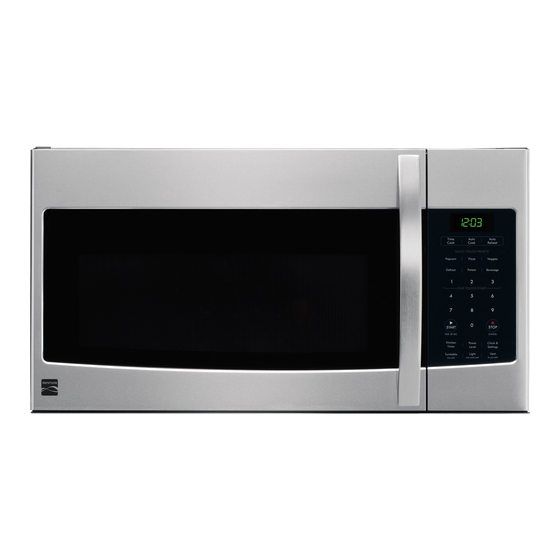

Related Manuals for Kenmore 790.8032


Summary of Contents for Kenmore 790.8032
- Page 1 Use & Care Guide Manual de uso y cuidada English / Espa5ol Models / Modelos: 790.8032* P/N 316495105 Sears Brands Management Corporation Hofl:man Estates, IL 60179 U.S.A. www.kenmore.com www.sears.com www.kmart.com...
- Page 2 .......... Troubleshooting ............Setting Timed Cook ............ Sears Service ............30-31 Microwave Hood Combination Warranty Kenmore One Year Limited Warranty When installed, operated and maintained according to all supplied instructions, if this appliance fails due to a defect in material...
- Page 3 Microwave Oven Safety Your safety and the safety of others is very important. We have provided many important safety messages in this manual and on your microwave oven. Always read and obey all safety messages. This is the safety alert symbol. This symbol alerts you to hazards that can kill or hurt you and others.
- Page 4 iMPORTANT SAFETY iNSTRUCTiONS " The microwave oven should be serviced only • Do not store anything directly on top of the by qualified service personnel. Call an microwave oven when the microwave oven is in authorized service company for examination, operation.
- Page 5 PRECAUTIONS TO AVOID POSSIBLE EXPOSURE TO EXCESSIVE MICROWAVE ENERGY (a) Do not attempt to operate this oven with (c) Do not operate the oven if it is damaged. It is the door open. Doing so can result in harmful particularly important that the oven door closes properly exposure to microwave...
- Page 6 Getting to Know Your Microwave Oven This section discusses the concepts behind microwave cooking. It also shows the basics that you need to know in order to operate your microwave oven. Please read this information before using your oven. HOW YOUR MICROWAVE OVEN WORKS Microwave...
- Page 7 COOKWARE GUIDE Most heat resistant, nonmetallic cookware is safe for use in your microwave oven. However, to test cookware before using, follow these steps: 1. Place empty cookware in the microwave oven. 2. Measure I cup (250ml) of water in a glass measuring cup and place it in the oven beside the cookware.
- Page 8 SPECIFICATIONS Power Supply 120V AC_60 1550W Rated Power Consumption _1000W Microwave Output Rated Current 14.0A Overall Dimensions(WxHxD) 297/8"X 1613/32"X 151/4" 2015/16 '' X 913_6" X 1413/32" Oven Cavity Dimensions(WxHxD) 1.6 cu.ft Capacity of Oven Cavity _IEC 60705 RATING STANDARD Specifications subject to change without prior notice.
- Page 9 CONTROL PANEL FEATURES Your microwave oven control panel lets you select the desired cooking function quickly and easily. All you have to do is touch the necessary Command Pad. The following is a list of all the Command and Number Pads located on the control panel.
- Page 10 Microwave Cooking Tips Amount of Food Releasing Pressure in Foods * if you increase or decrease the amount of food * Several foods (for example: baked potatoes, sausages, you prepare, the time it takes to cook that food egg yolks, and some fruits) are tightly covered by a skin will also change.
- Page 11 Using Aluminum Foil NOTE:Metal containers should not be used in a microwave oven. There are, however, some exceptions. If you have purchased food prepackaged in an aluminum foil container, refer to the instructions on the package. When using aluminum foil containers, cooking times may be longer because microwaves...
-
Page 12: How To Use
SETTING CONTROL LOCI( ON/OFF ( Control Panel Using Your Microwave Oven Feature 16) This section gives instructions for operating each function. Please read this section carefully. To turn ON Control Lock touch Clock & Settings CLOCK & SETTINGS (Control Panel Feature twice. - Page 13 TURNING SOUND ON/OFF (Control Panel SETTING WEIGHT IB/KG (Control Panel Feature 16) Feature 16) Example: To toggle weight between pounds & Audible signals are available to guide you when kilograms. setting and using your oven. Touch: Display Shows: * A programming tone will sound each time you touch a pad.
-
Page 14: Setting Demo Mode On/Off
SETTING DEMO MODE ON/OFF (Control Panel SETTING KITCHEN TIMER (Control Panel Feature 14 Feature 16) Your microwave oven can be used as a kitchen timer. You can set up to 99 minutes, 99 seconds. The kitchen timer can be used while the microwave Example: Ta enter Dema made. - Page 15 iNTERRUPTiNG COOKING USING COOKTOP LIGHT (Control Panel Feature 18 The pad controls the cooktop light. If the light is OFF You can stop the oven during a cycle by opening the first touch of the light pad will turn the light ON the door.
- Page 16 USING ADD 30 SEC. (Control Panel Feature 1:2) SETTING TWO-STAGE COOKING This is a time-saving pad. It is a simplified feature For best results, some recipes call for different power levels during a cook cycle. You can that lets you quickly set and start microwave program your oven for two power level stages...
- Page 17 MICROWAVE POWER LEVELS For best results, some recipes call for different The table also tel& you when to use each cook power. cook powers. The lower the cook power, the slower the Follow recipe or food package instructions available. cooking. Each number from I to 9 stands for a different percentage...
- Page 18 USING AUTO DEFROST OPERATING TiPS • For best results, remove fish, shellfish, meat, and Three defrost sequences are preset in the oven. poultry from its original closed paper or plastic The auto defrost feature provides you with the best package (wrapper).
- Page 19 AUTO DEFROST TABLE NOTE:Meat of irregular shape and large, fatty cuts of meat should have the narrow or fatty areas shielded with foil at the beginning of the defrost sequence. MEAT SETTINGS FOOD SETTING AT BEEP SPECIAL INSTRUCTIONS BEEF Ground Beef, MEAT Remove thawed portions...
- Page 20 AUTO DEFROST TABLE (CONTINUED) POULTRY SETTINGS AT BEEP FOOD SETTING SPECIAL iNSTRUCTiONS CHICKEN POULTRY Turn over breast side down. Cover warm Place chicken breast-side up in a Whole areas with aluminum foil. microwave safe dish. Finish defrosting (up to 6 Ibs) by immersing in cold water.
- Page 21 DEFROSTING TIPS • When using Auto Defrost, the weight to be entered is the USING AUTO COOK (Control Panel Feature 3 net weight (the weight of the food minus the container). • Before starting, make sure to remove any and all metal Auto Cook provides four preset categories twist-ties...
- Page 22 USING AUTO REHEAT (Control Panel Feature 4) Auto Reheat provides three preset categories reheating. Example: To reheat two Rolls or Muffins. Touch: Display Shows: SEEMENU LABEL Auto r _-e - Reheat SEEMENU _BEL Auto Reheat o- _-, - ,_ SEEMEnu_EL Auto Reheat I- _-I -...
- Page 23 USING QUICK TOUCH SETTING PIZZA (Control Panel Feature 6) Your microwave has preprogrammed selections to The Pizza quick touch pad lets you reheat up to cook food automatically. three slices of pizza (based on a 5 ounce slice). SETTING POPCORN (Control Panel Feature 5) NOTE: * Place on a plate and paper towel...
- Page 24 SETTING VEGGIES (Control Panel Feature 7) SETTING POTATO (Control Panel Feature 9) The Potato quick touch pad lets you cook potatoes The Veggies quick touch pad lets you cool< different with preset times and cook powers. You can choose size fresh and frozen vegetable cups without from one to four potatoes.
- Page 25 Caring for Your Microwave Oven In order to ensure that your microwave oven looks good and works well for a long time, you should maintain it properly. For proper care, please follow these instructions carefully. Far interior surfaces: Far exterior surfaces and control Wash often with warm, sudsy panel:...
- Page 26 CARING FOR THE FILTERS The grease filters should be removed and cleaned often; at least once a month. NOTE: Models are shipped for recirculafing exhaust (To duct air outside reference the Installation Instructions book included with your microwave.). Some models have a disposable charcoal filter installed to help remove...
- Page 27 REPLACING THE COOKTOP OVEN CAVITY LIGHTS 4. Lift the bottom of the charcoal filter. Slide the filter The cookfop llghts straight out. 1. Unplug microwave oven or disconnect power. Mounting &Lift up the bulb holder. 2. Remove the bulb cover mounting screw for the specific bulb you want to replace.
- Page 28 Questions and Answers QUESTIONS ANSWERS Can I operate my microwave oven without the glass No. If you remove or turn over the glass turntable, turntable or turn the turntable over to hold a will get poor cooking results. large dish? You can use aluminum foil for shielding (use small, flat pieces), Can I use either metal...
- Page 29 Troubleshooting Most cooking problems often are caused by little things that you can find and fix without tools of any kind. Check the lists below and on the next page before calling for assistance or service. If you still need help, call Sears Service at 1-800-4-MY-HOME.
- Page 30 Sears Service Master Protection Agreement Congratulations on making a smart purchase.Your new KenmoreQ product is designed and manufactured years of dependable operation. But like all products, it may require preventive maintenance or repair from time to time.That's when having a Master Protection Agreement can save you money and aggravation.
- Page 31 Your Home For troubleshooting, product manuals and expert advice: managemylife www.managemylife.com For repair - in your home - of all major brand appliances, lawn and garden equipment, or heating and cooling systems, no matter who made it, no matter who sold it! For the replacement parts, accessories owner's manuals that you need to do-it-yourself.
Need help?
Do you have a question about the 790.8032 and is the answer not in the manual?
Questions and answers