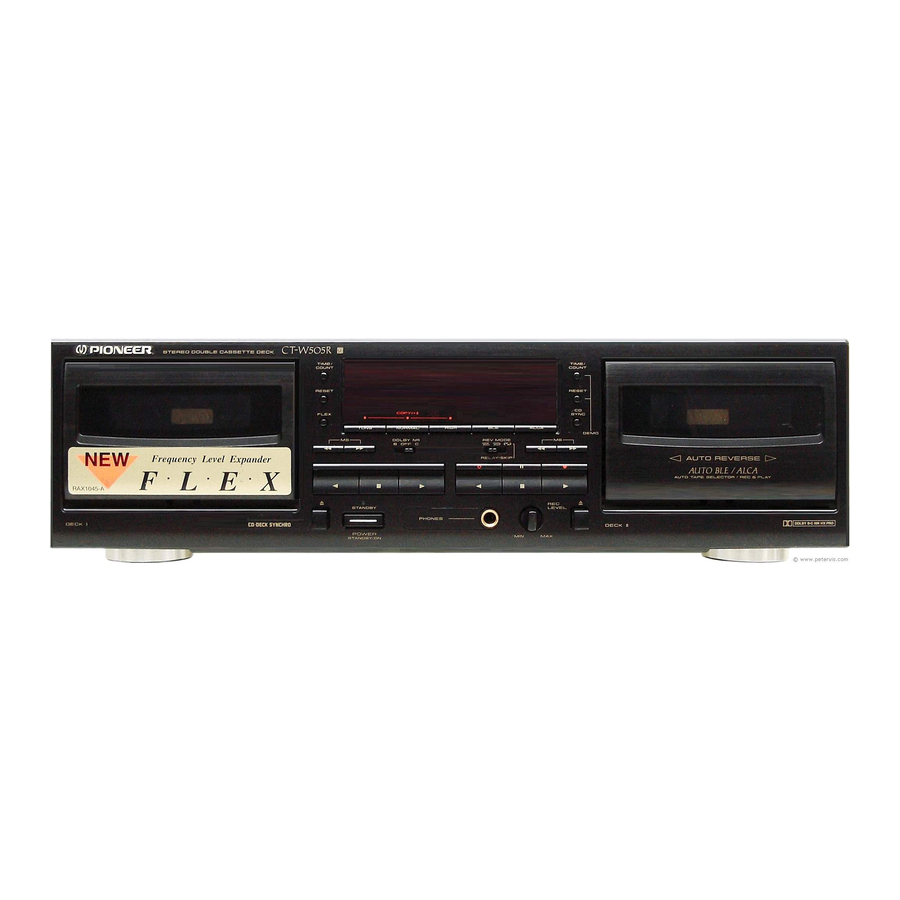
Pioneer CT-W505R Operating Instructions Manual

Pioneer CT-W505R Operating Instructions Manual

Stereo double cassette deck
Hide thumbs Also See for CT-W505R:

Advertisement

Advertisement

Table of Contents
loading

Frequently Asked Questions (9)

  • How do I clean the tape heads and pinch rollers on the Pioneer CT-W505R?

    To clean the tape heads, pinch rollers, and capstans on your Pioneer CT-W505R, follow these steps:

    1. Set the POWER switch to STANDBY.
    2. Press the eject button to open the cassette door.
    3. Dip a cleaning swab in cleaning fluid and use it to wipe the heads, capstans and pinch rollers.

    After cleaning, wait approximately two or three minutes for the cleaning fluid to dry completely before loading a tape.


    For more information, see page 6 of the manual.
    Was this helpful?
  • Why is there no sound coming from my Pioneer CT-W505R cassette player?

    If there is no sound coming from your Pioneer CT-W505R cassette player, the possible causes and remedies are:

    • Amplifier input selector not correctly set: Set the amplifier input selector correctly.
    • Amplifier volume level too low: Turn the amplifier volume control up.
    • Connection problems: Check for wrong connections, removed cords, poor contact, or broken wires. Connect securely as shown on page 7 of the manual.

    For more information, see page 27 of the manual.
    Was this helpful?
  • How do I connect the Pioneer CT-W505R to an audio receiver?

    To connect the Pioneer CT-W505R to an audio receiver, use the supplied connection cords with pin plugs. Connect the TAPE REC/PLAY jacks of the cassette deck to the LINE jacks of your amplifier. Specifically, connect the REC (INPUT) jacks of the deck to the recording (output) jacks of the amplifier, and the PLAY (OUTPUT) jacks of the deck to the play (input) jacks of the amplifier. Ensure the plugs are connected properly: the white plug for the left channel and the red plug for the right channel.


    For more information, see page 7 of the manual.
    Was this helpful?
  • What type of cassette tapes are compatible with the Pioneer CT-W505R?
    The Pioneer CT-W505R is compatible with TYPE IV (Metal), TYPE II (High/CrO2), and TYPE I (Normal) cassette tapes. It is not recommended to use TYPE III (FeCr) tapes. For optimal performance, ensure that TYPE IV (Metal) tapes have sensor holes and that the sensor holes on all compatible cassettes are not blocked, as this can affect the automatic tape selector mechanism.
    For more information, see pages 4 and 5 of the manual.
    Was this helpful?
  • How do I record audio onto a cassette tape with the Pioneer CT-W505R?

    To record audio onto a cassette tape with the Pioneer CT-W505R, follow these steps:

    1. Load a tape for recording in DECK II.
    2. If using AUTO BLE or ALCA, press the BLE or ALCA button.
    3. Set the DOLBY NR switch.
    4. Set the REV MODE switch to record on one side only ( ) or both sides ( or ).
    5. Press the recording (●) button.
    6. Prepare the audio source by turning on your stereo amplifier and selecting the desired audio source.
    7. Adjust the recording level by setting the REC LEVEL control so that the level meter's "-3 dB" indicator lights steadily most of the time. The "0 dB" indicator may light occasionally at peaks without harm. This step is unnecessary if ALCA is used, as the REC control is defeated.
    8. Press the playback (▸ or ◄) button or the pause (II) button to begin recording. If recording on both sides, press the playback button; if the pause button is pressed, recording will stop after only one side is recorded.

    To stop recording, press the stop (■) button.


    For more information, see page 19 of the manual.
    Was this helpful?
  • How do I operate the dual cassette decks on the Pioneer CT-W505R?

    The Pioneer CT-W505R features two cassette decks, DECK I and DECK II, which can be operated for various functions:

    • Single Playback: You can load a prerecorded tape in either DECK I or DECK II and press the playback button (▸ or ◄) for the respective deck.
    • Relay Playback: This function allows for continuous playback between both decks. Load prerecorded tapes in both DECK I and DECK II. Set the REV MODE switch to the relay playback position ( ). Then, press the playback button (▸ or ◄) of the deck you want to start playing first. When the tape in one deck finishes, the other deck will automatically begin playback.
    • Tape Copying: You can copy contents from DECK I to DECK II. Load a tape for playback in DECK I and a tape for recording in DECK II. Set the REV MODE switch and the tape transport direction. Then, press the SYNCHRO COPY button to select between NORMAL (normal speed), HIGH (double speed), or TDNS (noise reduction) copying modes.
    • CD-Deck Synchro Recording: This allows synchronized recording from a Pioneer CD player to DECK II. Load a compact disc in the CD player and a tape for recording in DECK II. Set the REV MODE switch and DOLBY NR switch. Press the play button of the CD player, adjust the recording level, and then press the CD SYNC button. The cassette deck will begin recording, and the CD player will begin playback.

    To stop any playback or recording operation, press the stop (■) button of the operating deck.


    For more information, see pages 16, 23 and 25 of the manual.
    Was this helpful?
  • What noise reduction systems are included in the Pioneer CT-W505R?

    The Pioneer CT-W505R includes the following noise reduction systems:

    • DOLBY NR Systems: This includes Dolby B-type and Dolby C-type NR systems, designed to reduce tape hiss and expand dynamic range. The Dolby B-type NR system reduces noise in the treble range, while the Dolby C-type NR system is more effective in reducing noise from the mid-range.
    • DOLBY HX PRO Headroom Extension System: This system controls the bias current during recording to maintain optimal levels, providing excellent recording quality, especially for signals with high-frequency components. It activates automatically when recording begins and helps maintain sound clarity even when played on other cassette decks without HX PRO.
    • TDNS System (Tape Duplication Noise Suppresser): This system reduces noise between songs when copying tapes by automatically reducing the amount of record bias when recording low-level music signals.

    For more information, see pages 10 and 11 of the manual.
    Was this helpful?
  • Does the Pioneer CT-W505R support high-speed dubbing?

    Yes, the Pioneer CT-W505R supports high-speed dubbing. When performing tape copying from DECK I to DECK II, you can select the HIGH speed copy mode using the SYNCHRO COPY button, which copies the entire tape in half the normal time.


    For more information, see page 25 of the manual.
    Was this helpful?
  • How do I troubleshoot tape jamming issues with the Pioneer CT-W505R?

    If the tape transport mechanism is locked up (m3 for DECK I or m4 for DECK II), which can cause tape jamming, it typically occurs if the eject button was pressed during a tape transport operation. To resolve this, remove the cassette tape and then turn the power back on.


    For more information, see page 29 of the manual.
    Was this helpful?
Need help?

Need help?

Do you have a question about the CT-W505R and is the answer not in the manual?

Questions and answers

Table of Contents

Save PDF