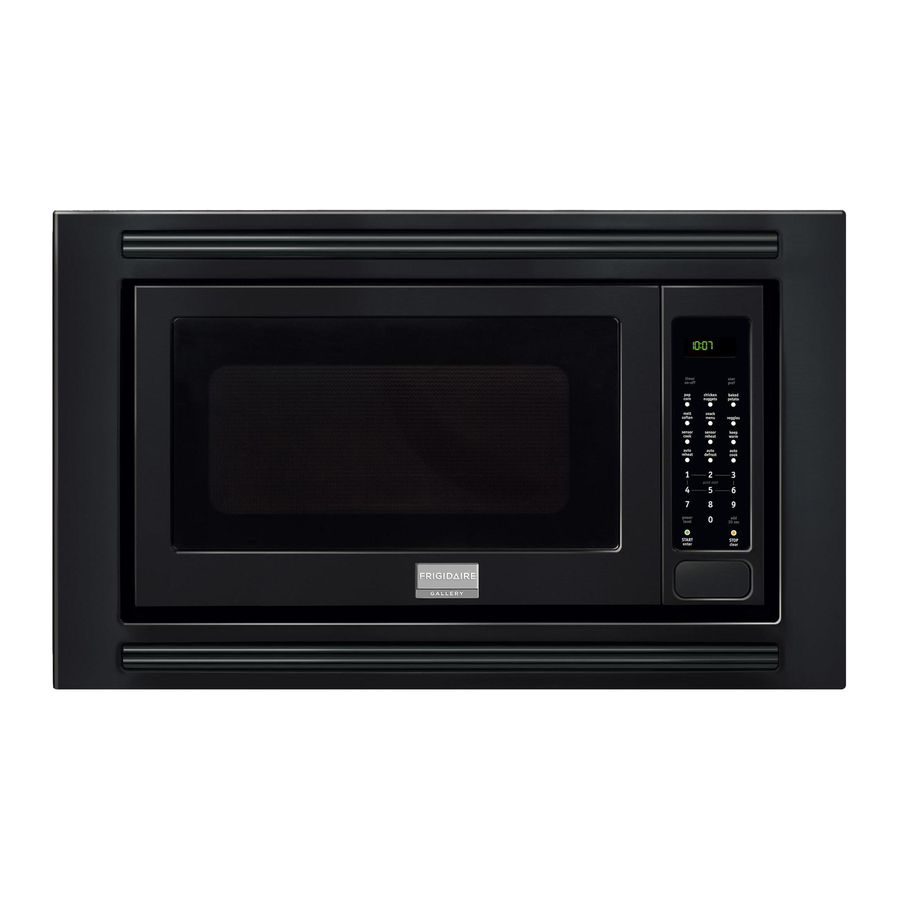
Frigidaire FPMO209 Use & Care Manual

Frigidaire FPMO209 Use & Care Manual

Frigidaire microwave oven use & care manual
All about the
Use
of your
WELCOME & CONGRATULATIONS ..........................2
IMPORTANT SAFETY INSTRUCTIONS ......................2
PART NAMES & CONTROL PANEL ...........................8
BEFORE OPERATING .............................................9
MANUAL OPERATION ............................................9
SENSOR COOkING ..............................................10
www.frigidaire.com USA 1-800-944-9044
&
Microwave Oven
TA B L E O F C O N T E N T S
www.frigidaire.ca Canada 1-800-265-8352
Care
AUTO COOkING ..................................................12
CONvENIENT FEATURES......................................17
CLEANING ANd CARE ..........................................19
SERvICE CALL ChECk .........................................20
SPECIFICATIONS.................................................20
Table of Contents
loading

Frequently Asked Questions (12)

  • Why is my Frigidaire 316495059 Microwave Oven not turning on?

    If your microwave oven is not turning on or not functioning properly (e.g., the microwave oven light does not come on, the cooling fan does not work, or the turntable does not rotate), you should:

    1. Check the electrical outlet.
    2. Check the fuse and/or circuit breaker.

    If these are functioning properly, you should contact your nearest Electrolux Authorized Servicer.


    For more information, see page 20 of the manual.
    Was this helpful?
  • Why is my Frigidaire 316495059 Microwave Oven not heating food?

    If your microwave oven is not heating food, you should first check the electrical outlet, fuse and/or circuit breaker. If these are functioning properly, you should contact your nearest Electrolux Authorized Servicer.


    For more information, see page 20 of the manual.
    Was this helpful?
  • How do I set the clock time on my Frigidaire 316495059 Microwave Oven?

    To set the clock time, follow these steps:

    1. Press the user pref pad and then the number
    2. Enter the desired time using the number pads (e.g., for 12:30, enter 1, 2, 3, 0).
    3. Press the START/enter pad.

    If an incorrect time is entered, "ERROR" will appear in the display. In this case, press the STOP/clear pad and re-enter the time.


    For more information, see page 17 of the manual.
    Was this helpful?
  • What is the best way to clean the interior of the Frigidaire 316495059 Microwave Oven?

    To clean the interior of your microwave oven:

    • Interior Surfaces: Wipe with a soft cloth and warm water. For heavier soil, use baking soda or a mild soap, then rinse thoroughly with hot water. DO NOT USE ABRASIVE OR HARSH CLEANERS OR SCOURING PADS.
    • Waveguide Cover: Keep the waveguide cover clean by carefully wiping any food spatters with a damp cloth immediately after they occur. DO NOT REMOVE THE WAVEGUIDE COVER.
    • Turntable and Support: The turntable and turntable support can be removed for easy cleaning. Wash them in mild, sudsy water. For stubborn stains, use a mild cleanser and non-abrasive scouring sponge. They are also dishwasher-proof (use the upper rack).
    • Odor Removal: To remove cooking odors, combine 1 cup water, grated peel and juice of 1 lemon, and several whole cloves in a 2-cup glass measuring cup. Boil using 100% power for several minutes. Allow it to cool in the oven, then wipe the interior with a soft cloth.

    For more information, see page 19 of the manual.
    Was this helpful?
  • Why is the turntable not spinning in my Frigidaire 316495059 Microwave Oven?

    If the turntable is not rotating, you should first check the electrical outlet, fuse and/or circuit breaker. If these components are functioning properly, then you need to contact your nearest Electrolux Authorized Servicer.


    For more information, see page 20 of the manual.
    Was this helpful?
  • What are the steps to install the Frigidaire 316495059 Microwave Oven?

    For countertop installation, follow these steps:

    1. Unpack: Remove all packing materials from inside the microwave oven cavity, but DO NOT REMOVE THE WAVEGUIDE COVER. Remove any feature sticker from the outside of the door.
    2. Inspect for Damage: Check the microwave oven for any damage such as a misaligned or bent door, damaged door seals, broken or loose door hinges and latches, or dents. If any damage is found, do not operate the microwave oven and contact your dealer or Electrolux AUTHORIZED SERVICER.
    3. Choose Location: Plan its location for ease of use, ensuring you have counter space on at least one side. Allow at least 2 inches on the sides, top and at the rear of the microwave oven for air circulation.
    4. Electrical Connection: Ensure the electrical requirements are a 120 volt 60 Hz, AC only, 15 amp or more protected electrical supply, preferably on a separate circuit. The microwave oven is equipped with a 3-prong grounding plug and must be plugged into a wall receptacle that is properly installed and grounded. DO NOT cut or remove the grounding pin from the plug.

    For installation over a wall oven, refer to your separate installation instructions.


    For more information, see page 4 of the manual.
    Was this helpful?
  • What are the exact dimensions of the Frigidaire 316495059 Microwave Oven?

    The exact dimensions of the Frigidaire 316495059 Microwave Oven are:

    • Outside Dimensions: 24" (W) x 13-3/8" (H) x 19-1/8" (D)
    • Cavity Dimensions: 17-3/8" (W) x 10-1/2" (H) x 18-5/8" (D)

    For more information, see page 20 of the manual.
    Was this helpful?
  • How do I unlock the control panel on my Frigidaire 316495059 Microwave Oven?

    To unlock the control panel, which is part of the Child Lock feature, press the user pref pad and then the START/enter pad.


    For more information, see page 17 of the manual.
    Was this helpful?
  • What are the common cooking settings and power levels on the Frigidaire 316495059 Microwave Oven?

    The Frigidaire 316495059 Microwave Oven offers various cooking settings and power levels:

    Cooking Settings:

    • Sensor Cook: Includes options for Frozen Entrees, Ground Meat, Rice, Chicken Breast, and Fish/seafood.
    • Auto Cook: Provides settings for Pizza, Hot Dogs, and Beverage.
    • Auto Reheat: Used for Fresh Rolls/Muffins, Frozen Rolls/Muffins, and Pasta.
    • Auto Defrost: Features settings for Ground Meat, Steaks/Chops/Fish, Chicken Pieces, Roast, Casserole, and Soup.
    • Snack Menu: Offers options for Hand-held Snacks and Frozen Kid's Meal.
    • Melt/Soften: Designed for Butter, Chocolate, Ice Cream, and Cream Cheese.
    • Instant Sensor buttons: Allows cooking or reheating by pressing a single pad for Baked Potato, Popcorn, and Veggies.
    • Quick Start: A shortcut method to set cooking times from 1 to 6 minutes at power level 10.
    • Add 30 Sec: Adds 30 seconds to cooking time at 100% power.
    • Keep Warm: Keeps food warm for up to 30 minutes.

    Power Levels:
    The oven has eleven preset power levels that range from 100% to 0%:

    • Power Level x 1: 100% (High)
    • Power Level x 2: 90%
    • Power Level x 3: 80%
    • Power Level x 4: 70% (Medium High)
    • Power Level x 5: 60%
    • Power Level x 6: 50% (Medium)
    • Power Level x 7: 40%
    • Power Level x 8: 30% (Med Low/Defrost)
    • Power Level x 9: 20%
    • Power Level x 10: 10% (Low)
    • Power Level x 11: 0%
    Was this helpful?
  • Why does my Frigidaire 316495059 Microwave Oven stop working randomly during operation?

    Your microwave oven may stop working during operation due to several reasons:

    • Power Interruption: If the electrical power supply to your microwave oven is interrupted, the program will be erased, and the display will show "ENJOY YOUR OVEN PRESS CLEAR" after power is reinstated.
    • Sensor Cooking Interruption: During the initial phase of Sensor Cooking, if the microwave oven door is opened or the STOP/clear pad is pressed, the vapor measurement will be interrupted, and an error message may appear. Also, if the sensor does not detect vapor properly when popping popcorn, the oven will turn off and display the correct time of day.
    • General Malfunction: If the oven is not functioning at all (e.g., the light, cooling fan, turntable, or heating is not working), you should check the electrical outlet, fuse, and/or circuit breaker. If these are working, contact an authorized servicer.
    • Internal Ignition: If materials inside the microwave oven should ignite, you must keep the door closed, turn the oven off, and disconnect the power cord or shut off power at the fuse or circuit breaker panel.
    Was this helpful?
  • How do I replace the handle on my Frigidaire 316495059 Microwave Oven door?

    The microwave oven should not be adjusted or repaired by anyone except properly qualified service personnel. If the handle needs replacement, you should contact the nearest Electrolux Authorized Servicer for examination, repair, or adjustment.


    For more information, see pages 2, 3 and 20 of the manual.
    Was this helpful?
  • How do I activate or deactivate the child lock feature on the Frigidaire 316495059 Microwave Oven?

    To activate or deactivate the Child Lock feature:

    • To Set (Activate): Press the user pref pad, then the number 1, and then the START/enter pad. The display will show "LOCKED" if a pad is touched while locked.
    • To Cancel (Deactivate): Press the user pref pad and then the START/enter pad.

    For more information, see page 17 of the manual.
    Was this helpful?
Need help?

Need help?

Do you have a question about the FPMO209 and is the answer not in the manual?

Summarization of Contents

Manual Operation
Manual Defrost
Procedure for defrosting foods not listed in the chart.
Sensor Cooking
Using Sensor Cooking
Guide on how to utilize the sensor cooking feature.
Covering Foods
Recommendations for covering foods during sensor cooking.
Auto Cooking
Auto Reheat
Automatically computes warming and heating time for foods.
Convenient Features
User Preference
Features for customizing microwave oven operation and settings.
Help (In Display)
Accessing cooking and operating hints from the interactive display.
Multiple Sequence Cooking
Programming up to four automatic cooking sequences.
Quick Start
Short-cut method to set time for 1-6 minutes at power level 10.
Demonstration Mode
Demonstrates cooking operations and special features without oven power.
More or Less Time Adjustment
Adjusting SENSOR COOKING or AUTO COOKING times.
Timer On/Off
Using the oven as a timer for external activities.
Cleaning and Care
Cleaning Exterior Surfaces
Instructions for cleaning the oven's exterior, door, and control panel.
Cleaning Interior Components
Procedures for cleaning the oven's interior and waveguide cover.
Accessory and Odor Care
Methods for cleaning turntable and removing odors.

Table of Contents