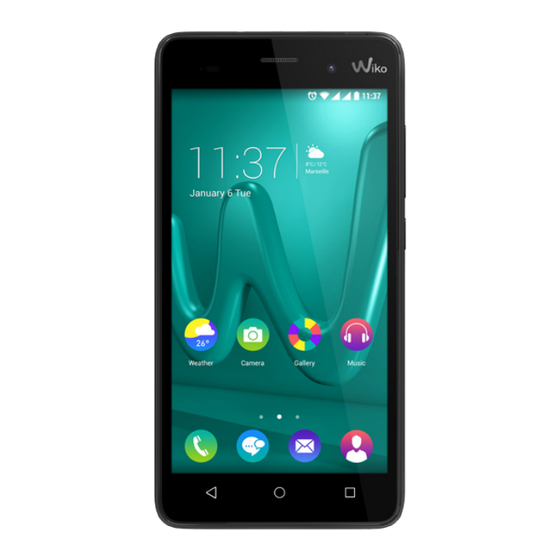

Related Manuals for Wiko Lenny 3


Summary of Contents for Wiko Lenny 3
- Page 1 Guide d’utilisateur Manuale d’uso Guía de usuario Guia de utilização Bedienungsanleitung Gebruikershandleiding Instrukcja obsługi...
- Page 3 User guide The contents of this manual may differ in certain respects from the description of your phone depending on its software version and your telephone operator.
- Page 4 WIKO reserves the right to change or modify the yourself, we hope, with the world of WIKO. information contained in this manual at any time. Copyright © 2016 WIKO Limitation of Liability...
- Page 5 THIRD PARTY CONTENT AND SERVICES ARE WIKO has no control over the content and PROVIDED “AS IS.” WIKO DOES NOT GUARANTEE services provided by third parties via networks THE CONTENT OR SERVICES SO PROVIDED, EITHER or transmission devices. Moreover, third-party...
-
Page 6: Hands-Free Kit
WIKO LENNY3 mobile phone (mobile or other). The responsibility of WIKO and its AC adaptor authorised after-sales service is limited only to the Micro USB cable cost of repair and/or replacement of the unit during the warranty period. -
Page 7: Getting To Know Your Phone
Getting to Know Your Phone Micro USB port 3.5 mm Receiver headphone jack Rear camera Flash LED Front camera Volume +/- On-Off/Lock Touch screen Home Return Overview Loud speaker... - Page 8 The buttons on your phone Button Function Press and hold the button to turn the phone on or off. On/Off Press the button lightly to lock the touch screen. Returns to the home screen and opens Google NOW (press and Home hold the button).
-
Page 9: Getting Started
Getting Started Inserting the SIM cards In order to use your telephone, you need to insert your SIM Card. The back cover of the phone is clipped on. Please unclip it using the notch on the cover, following the contour of the phone. You may insert 1 Micro SIM and 1 Mini SIM. -
Page 10: Installing Memory Card
Installing Memory Card Charging the Battery Your phone takes a MicroSD memory card of up to A flashing red light indicates that the battery level is 64 GB. very low: the battery should be recharged because, Insert the microSD memory card following the dia- if the level is too low, it may shorten the life of the gram below. -
Page 11: Turning The Phone On And Off
Turning the Phone On and Off To turn the phone on, press on the ON/OFF button and hold it down until the phone switches on. If your SIM card is locked, you must enter the correct PIN code to unlock the SIM card when the phone is powered up. -
Page 12: Basic Operations
Basic Operations Network Connection SIM Management • APN Not Available When you turn on your phone for the first time, If your operator does not appear in the list or the various items of information about the SIM card(s) are list is empty, ask your operator how to configure the displayed. - Page 13 • Enabling Data Connection • Data Roaming To check your data connection settings: Note that for roaming SIM cards, you must enable the Go to Settings > Wireless & networks > More > data roaming in the Settings > Wireless & networks > Mobile networks >...
-
Page 14: Notification Icons On The Status Bar
Notifications Notification icons on the status bar Bluetooth enabled Signal strength GPS in use Connected to HSPA+ (3G++) Voice call in progress Connected to HSPA (3G+) Call waiting Connected to 3G Missed call Connected to GPRS/ EDGE Synchronising No signal New mail Roaming Alarm on... -
Page 15: Notifications Panel
Notifications Panel Downloading Drag the status bar downwards to see details of all Connected to computer your notifications. Information about new messages received, upcoming calendar events, download status, Battery level etc. will then be displayed. Press on to clear all temporary notifications New SMS or MMS (applications that are running are still listed). -
Page 16: Safety Information
Safety Information Please read this safety information carefully so that minimise the risk of accidents. Using a mobile phone you can use your phone in complete safety: can distract the user and result in an accident. You must fully comply with the local regulations and Children: Be very careful with children and your laws in force regarding the use of cell phones whilst phone. - Page 17 Avoid dropping your phone. Do not Use only WIKO-approved accessories. The use of touch the screen with sharp objects.
- Page 18 Electric shock: Do not try to dismantle your phone so called power USB is prohibited. The power adapter is the disconnect device for as there is a very real risk of electric shock. this equipment. The socket-outlet shall be near the Maintenance: If you want to clean your handset, equipment and easily accessible.
- Page 19 If the battery is damaged, contact the after-sales service or the nearest authorised WIKO To increase the life of your battery, only use WIKO chargers and batteries. Replacing the battery with dealer.
- Page 20 guidelines (ICNIRP ) on exposure to radio frequencies. In addition, all models of phone must undergo tests These guidelines, which are based on various studies before being marketed to ensure compliance with the and research, have been developed by independent European R&TTE directive.
- Page 21 If you give your device to non-qualified personnel for tissue. SAR values may vary according to the repair, the phone will not be covered by WIKO’s warranty. standards for reporting information that are in force The IMEI code is the serial number used to identify in different countries.
- Page 22 WIKO phone. It is necessary to gather this data in order for WIKO to This may result in connection costs, at your expense, propose appropriate updates for your mobile phone.
- Page 23 The information obtained is processed electronically in order to access the physical data on your phone. They will be kept by WIKO in a dedicated, secure location for a maximum of three years from the date of collection, depending on the nature of the data. The data recipient is WIKO SAS.
- Page 24 Recycling The symbol of a crossed-out wheelie-bin, as found in this manual, indicates that the item is subject to European Directive 2002/96/EC, which states that electrical and electronic equipment, batteries, accumulators and accessories must undergo selective waste management. Make sure that, when your phone is no longer usable, you put it in a suitable waste bin or return it to a mobile phone retailer.
-
Page 25: Statement Of Compliance
STATEMENT OF COM- PLIANCE We, WIKO SAS - 1, rue Capitaine Dessemond - 13007 - Marseille - FRANCE, here by declare that the LENNY3 mobile phone complies with the standards and provisions of the Directives. SAFE T Y : EN 60950-1: 2006 +A11: 2009+A1: 2010+A12: 2011+A 2 :2013/ EMC : EN 301 4 89-1 V1.9.2; EN 301 4 89-3 V1.6.1; EN 301 4 89-7 V1.3.1;... - Page 26 Customer service information Wiko MEA FZE – P.O Box 372035 Dubai – U.A.E. wikomobile.com WIKO SAS 1, rue Capitaine Dessemond 13007 Marseille Prolonged listening to the music player FRANCE at full power may damage the user’s www.wikomobile.com hearing.
- Page 27 Guide d’utilisateur Le descriptif de ce guide peut contenir certaines différences avec celui de votre téléphone en fonction de la version du logiciel ou de votre opérateur.
- Page 28 Marques commerciales lectuelle). Ces services sont réservés à votre usage WIKO est une marque déposée de WIKO SAS. personnel et non pour une utilisation commerciale. Il est impossible d’utiliser ces contenus ou services sans demande écrite au propriétaire du contenu. Vous...
- Page 29 à la capacité du réseau ou système (cellulaire ou sont transmis par des tiers via des réseaux ou des dispo- autre). La responsabilité de WIKO et de son service sitifs de transmission. Par ailleurs, les services de tiers après-vente agréé se limite uniquement au coût de la peuvent être interrompus ou résiliés à...
-
Page 30: Adaptateur Secteur
Contenu du coffret : WIKO NE SERA PAS RESPONSABLE EN CAS DE NÉ- GLIGENCE, QUE CE SOIT AU NIVEAU DE LA RESPON- Mobile WIKO LENNY3 SABILITÉ CONTRACTUELLE OU DÉLICTUELLE, DES Adaptateur secteur DOMMAGES DIRECTS OU INDIRECTS, ACCESSOIRES, Câble micro USB SPÉCIAUX, DES HONORAIRES D’AVOCAT, DES FRAIS... -
Page 31: Découvrir Votre Téléphone
Découvrir votre téléphone Port micro USB Prise casque de 3,5 mm Écouteur Objectif photo Flash LED Appareil photo frontal Volume +/- Marche-Arrêt/ Verrouillage Écran tactile Accueil Retour Aperçu Haut-parleur... - Page 32 Les boutons du téléphone Boutons Fonction Maintenir le bouton enfoncé : Allumer / arrêter le téléphone. Marche/Arrêt Appuyer légèrement : verrouiller l’écran tactile. Revenir à l’écran d’accueil, ouvrir Google NOW (maintenir Accueil le bouton enfoncé). Ouvrir la liste des applications récentes. Aperçu Revenir à...
- Page 33 Préparer la mise en route Insertion des cartes SIM L’utilisation de votre téléphone nécessite l’insertion de votre carte SIM. La coque arrière du téléphone est fixé avec des clips. Veuillez la déclipser à l’aide de l’encoche de la coque et en suivant le contour du télé- phone.
-
Page 34: Installation De La Carte Mémoire
Installation de la carte mémoire Chargement de la batterie Votre téléphone prend en charge une carte mémoire Votre téléphone est alimenté par une batterie re- jusqu’à 64 Go. chargeable. Insérez la carte mémoire en suivant le schéma ci-dessous. Le rouge clignotant indique que la batterie est très faible, veuillez recharger la batterie, un trop faible niveau de charge risque de réduire sa durée de vie. -
Page 35: Démarrage Et Arrêt
Démarrage et arrêt Pour allumer le téléphone, appuyez sur le bouton MARCHE/ARRÊT de manière prolongée jusqu’à ce que le téléphone s’allume. Si votre carte SIM est verrouillée, vous devrez saisir le code PIN correct pour déverrouiller la carte SIM lors de la mise sous tension du téléphone. -
Page 36: Opérations Basiques
Opérations basiques Connexion réseau Gestion SIM • APN non disponible Si votre opérateur ne figure pas sur la liste ou que la liste Lorsque vous allumez votre téléphone pour la est vide, renseignez-vous auprès de votre opérateur pour première fois, diverses informations sur la/les cartes SIM s’affichent, vous êtes invité... - Page 37 • Activer la connexion des données Pour vérifier votre configuration de connexion des Quand vous choisissez la connexion de données pour données : une carte SIM, le réseau 3G ne peut être activé que Accédez aux Paramètres > Sans fil et réseaux > pour cette carte SIM.
- Page 38 Itinérance des données • Notez que pour les cartes SIM en itinérance, vous devez activer son Itinérance des données dans le menu Paramètres > Sans fil et réseaux > Plus > Réseaux mobiles > SIM1 ou SIM2 > Activer Itinérance des données. Autrement la connexion internet sera désactivée par défaut.
-
Page 39: Mode Avion
Mode Avion Wi-Fi Pour activer / désactiver le mode avion, faites glisser Pour activer / désactiver le Wi-Fi, faites glisser le pan- le panneau des notifications vers le bas et cliquez sur neau des notifications vers le bas et cliquez sur l’icône l’icône signifie que le mode avion est activé. - Page 40 Notifications Icônes de notification sur la barre d’état Bluetooth activé Puissance du signal GPS en service HSPA+ (3G++) connecté Appel vocal en cours HSPA (3G+) connecté Appel en attente Réseau 3G connecté Appel manqué Réseau GPRS/ EDGE connecté Synchronisation Aucun signal Nouvel e-mail En itinérance Alarme activée...
- Page 41 Le panneau de notifications Téléchargement Pour connaître le détail de toutes vos notifications, Connecté à l’ordinateur glissez la barre d’état vers le bas de l’écran. Les infor- mations concernant l’arrivée de nouveaux messages, Niveau de charge de la batterie d’évènements d’agenda à venir, l’état des télécharge- ments etc.
-
Page 42: Consignes De Sécurité
Consignes de sécurité Afin d’utiliser ce téléphone en toute sécurité. pour réduire au maximum le risque d’accident. Veuillez lire attentivement les consignes de sécurité : Utiliser un téléphone portable peut distraire son utilisateur et le conduire à un accident. Il s’agit Enfants : Soyez très vigilant avec les enfants. - Page 43 N’utilisez pas votre appareil dans une WIKO. station-essence, à proximité de carburants. L’utilisation d’accessoires non homologués peut Il est dangereux d’utiliser votre téléphone à l’intérieur détériorer votre téléphone ou provoquer des risques. d’un garage professionnel. Ne détruisez pas les batteries et les chargeurs.
- Page 44 Décharge électrique : Ne cherchez pas à L’adaptateur doit être installé à proximité de démonter votre téléphone, les risques de décharge l’appareil et doit être facile d’accès. électriques sont réels. Le chargeur est conçu pour un usage en intérieur Entretien : Si vous voulez nettoyer votre combiné, uniquement.
-
Page 45: Consignes D'utilisation Importantes
Si la batterie est endommagée, veuillez la rapporter au service après- Afin d’augmenter la durée de vie de votre batterie, vente ou au revendeur WIKO agréé le plus proche. utilisez uniquement les chargeurs et batteries WIKO. Afin de réduire votre consommation d’énergie, débranchez le chargeur de la prise murale lorsque... - Page 46 place par des organismes scientifiques indépendants sa commercialisation doit subir des tests visant à à partir d’études et de recherches visant à garantir garantir sa conformité à la directive européenne la sécurité de toutes les personnes ayant recours à R&TTE. l’utilisation d’un téléphone portable.
- Page 47 Conseils pour réduire le niveau d’exposition de votre appareil à des personnes non habilitées, Afin de diminuer la quantité de rayonnements reçus, WIKO n’assure pas la garantie du téléphone. nous vous recommandons d’utiliser votre téléphone Le code IMEI est le numéro de série qui permet dans de bonnes conditions de réception.
- Page 48 La collecte de ces informations est nécessaire de votre opérateur de téléphonie mobile. Nous vous pour permettre à WIKO de proposer les mises à jour recommandons d’utiliser une connexion Wi-Fi. appropriées pour votre téléphone.
- Page 49 6 janvier 1978 modifiée en 2004, vous bénéficiez d’un droit d’accès de rectification ou de suppression des informations personnelles transmises lors de l’enregistrement qui vous concernent, que vous pouvez exercer en vous adressant à WIKO SAS, 1, rue Capitaine Dessemond, 13007 MARSEILLE, FRANCE.
- Page 50 Recyclage Sur ce manuel, le symbole de la poubelle barrée d’une croix, indique que le produit est soumis à une directive européenne 2002/96/EC : les produits électriques, électroniques, les batteries, et les accumulateurs, accessoires doivent impérativement faire l’objet d’un tri sélectif. Veillez à déposer le téléphone hors d’usage dans une poubelle appropriée, ou le restituer dans un magasin de téléphone portable.
-
Page 51: Déclaration De Conformité
DÉCLARATION DE CONFORMITÉ Nous, WIKO SAS - 1, rue Capitaine Dessemond, 13007 Marseille, FRANCE, déclarons par la présente que le téléphone mobile LENNY3 est en conformité avec les standards et dispositions des directives. SAFE T Y : EN 60950-1: 2006 +A11: 2009+A1: 2010+A12: 2011+A 2 :2013/ EMC : EN 301 4 89-1 V1.9.2; EN 301 4 89-3 V1.6.1; EN 301 4 89-7 V1.3.1;... - Page 52 Service Client WIKO: Téléphone :04.88.08.95.25 Mail : sav.particulier@wikomobile.com WIKO SAS 1, rue Capitaine Dessemond 13007 Marseille A pleine puissance, l’écoute prolongée du FRANCE baladeur peut endommager l’oreille de www.wikomobile.com l’utilisateur.
- Page 53 Manuale d’uso I contenuti del presente manuale potrebbero variare dal prodotto finale, dal software fornito dal produttore o dal gestore telefonico.
- Page 54 Nella presente guida sono elencate le informazioni ai sensi del codice del consumo (D.Lgs.206/2005). relative all’uso del tuo smartphone allo scopo di WIKO si riserva il diritto di modificare in qualsiasi aiutarti a familiarizzare con l’universo WIKO. momento le informazioni contenute in questo manuale.
- Page 55 (cellulare o altro). La responsabilità di momento. A questo titolo, WIKO non rilascia nessuna WIKO e del suo servizio post-vendita autorizzato si dichiarazione o garanzia riguardante la disponibilità...
-
Page 56: Contenuto Della Confezione
Contenuto della confezione : W I KO N O N È R E S P O N S A B I L E I N CA S O D I NEGLIGENZA, INDIPENDENTEMENTE DAL LIVELLO Dispositivo WIKO LENNY3 DI RESPONSABILITÀ CONTRATTUALE O EXTRA- Adattatore... -
Page 57: Componenti Del Dispositivo
Componenti del dispositivo Porta micro Connettore da 3,5 mm Ricevitore per auricolare Flash LED Obiettivo fotocamera principale Obiettivo fotocamera frontale Volume +/- Accensione- spegnimento/ blocco Touch screen Tasto home Tasto Tasto applicazioni indietro Altoparlante recenti... - Page 58 I tasti del dispositivo Tasti Funzione Accensione/ Tenere premuto il tasto per accendere/spegnere il telefono. spegnimento Premere brevemente per bloccare/sbloccare il touch screen. Home Consente di ritornare alla schermata principale o aprire Google NOW (tenere premuto il tasto). Applicazioni Consente di aprire l’elenco delle applicazioni recenti. recenti Tasto Consente di ritornare alla schermata precedente.
-
Page 59: Operazioni Preliminari
Operazioni preliminari Installazione SIM L’utilizzo del telefono necessita l’inserimento delle SIM. La scocca posteriore del telefono è fissata con delle clip, va staccata partendo dalla piccola scanalatura sulla scoc- ca e seguendo il contorno del telefono. Inserire le schede SIM in base agli schemi qui sotto. -
Page 60: Caricamento Della Batteria
Installazione della Micro SD Caricamento della batteria Il dispositivo è predisposto per schede Micro SD fino Il dispositivo è alimentato da una batteria ricaricabile. a 64 GB. La luce rossa intermittente indica che il livello di carica Inserire la Micro SD come indicato nella figura sotto. della batteria è... -
Page 61: Accensione E Spegnimento
Accensione e spegnimento Per accendere il dispositivo, tenere premuto per qualche secondo il tasto di ACCENSIONE/ SPEGNIMENTO fino a quando il dispositivo si accende. Se la SIM è protetta, inserire il codice PIN per sbloccarla al momento dell’accensione del dispositivo. Il PIN viene fornito dal gestore telefonico; in caso di smarrimento contattare il gestore telefonico. -
Page 62: Operazioni Di Base
Operazioni di base Gestione delle SIM Connessione Internet Quando si accende il dispositivo per la prima volta op- • APN non disponibile pure se si cambia la SIM, vengono visualizzate nume- Se l’operatore di servizi internet desiderato non è pre- rose informazioni che suggeriscono il cambiamento o sente nell’elenco oppure se l’elenco è... - Page 63 • Roaming • Attivare la connessione dati Per le SIM in roaming è necessario attivare il roaming Per controllare le impostazioni della connessione dati: nel menu Impostazioni > Altro > Reti cellulari > Vai su Impostazioni > Altro > Reti cellulari > SIM1 o SIM1 o SIM2 >...
- Page 64 Notifica Icone di notifica sulla barra di stato Bluetooth attivato GPS in servizio Potenza del segnale Chiamata vocale in corso HSPA (3G++) connessa Chiamata in attesa HSPA (3G+) connessa Chiamata persa Rete 3G connessa Sincronizzazione Rete GPRS/ EDGE connessa Nuova e-mail Nessun segnale Allarme attivato In roaming...
- Page 65 Il pannello delle notifiche Download Consente di conoscere il dettaglio di tutte le notifiche Connesso al computer che saranno visualizzate all’arrivo di nuovi messaggi, eventi futuri in agenda e lo stato dei download. Livello di carica della batteria Premere per cancellare tutte le notifiche, le ap- Nuovo SMS o MMS plicazioni in corso vengono mantenute nell’elenco.
-
Page 66: Precauzioni Di Sicurezza
Precauzioni di sicurezza Prima di utilizzare il presente dispositivo, leggere Alla guida : Essere prudenti quando si è alla guida. attentamente le informazioni sulla sicurezza: L’uso di un dispositivo mobile durante la guida può causare distrazione con il rischio di provocare inci- Bambini : Prestare molta attenzione in presenza denti. - Page 67 WIKO. distributore di benzina, in vicinanza di carburanti. L’utilizzo di accessori non omologati può deteriorare È pericoloso utilizzare il dispositivo all’interno di il dispositivo o provocare dei rischi. un’officina meccanica. Non distruggere le batterie e il caricabatterie. Impianti elettronici e pace-maker : I portatori di...
- Page 68 Scariche elettriche : Non tentare di smontare il Durante la ricarica della batteria assicurarsi che dispositivo, i rischi di scariche elettriche sono reali. la presa di corrente sia vicina al cellulare e in un punto Manutenzione : Per pulire il dispositivo, utilizza- di facile accesso.
- Page 69 Nel caso in cui la batteria fosse danneggiata, Per aumentare la durata della batteria, utilizzare riportarla all’assistenza post vendita. unicamente i caricabatterie e le batterie WIKO. So- Per ridurre il consumo di energia, scollegare il cari- catore dalla presa di alimentazione dopo aver caricato stituire la batteria con un modello non conforme può...
- Page 70 Un dispositivo è concepito per funzionare a diversi nel rispetto delle direttive internazionali (ICNIRP ) in livelli di potenza in modo da utilizzare unicamente materia di esposizione alle onde radio ed elettriche. la potenza necessaria per essere collegato alla rete. Le direttive menzionate sono state adottate da enti Inoltre, qualsiasi modello di dispositivo mobile, prima scientifici indipendenti a partire da studi e ricerche...
- Page 71 I valori di SAR possono variare secondo le dispositivo fosse riparato da tecnici non autorizzati, norme di presentazione delle informazioni in vigore WIKO non riconoscerebbe la garanzia del dispositivo. nei diversi paesi. Il codice IMEI è il numero di serie che permette l’identificazione del tuo apparecchio e il controllo del...
- Page 72 IMEI. (Per le batterie autorizzare Wiko e i suoi tecnici a raccogliere, con- non rimovibili, consultare l’etichetta sul guscio po- servare, analizzare e utilizzare informazioni di dia- steriore del telefono) gnostica, tecniche, d’uso e afferenti, comprese senza...
- Page 73 . Saranno conservate da WIKO in uno spazio dedicato e protetto, per un tempo massimo di tre anni a partire dal momento della loro raccolta, in base alla natura dei dati. Il destinatario dei dati è...
-
Page 74: Corretto Smaltimento Del Prodotto (Rifiuti Elettrici Ed Elettronici)
Corretto smaltimento del prodotto (rifiuti elettrici ed elettronici) Nella presente guida, il simbolo del cassonetto bar- rato con una croce indica che il prodotto è soggetto alla direttiva europea 2002/96/ EC : i prodotti elettrici, elettronici, le batte- rie e gli accumulatori e gli accessori devo- no essere accuratamente separati. -
Page 75: Dichiarazione Di Conformità
DICHIARAZIONE DI CONFOR- MITÀ La società WIKO SAS - 1, rue Capitaine Dessemond - 13007 Marsiglia - FRANCIA, dichiara qui di seguito che il dispositivo mobile LENNY3 è conforme ai requisiti e alle disposizioni delle direttive. SAFE T Y : EN 60950-1: 2006 +A11: 2009+A1: 2010+A12: 2011+A 2 :2013/ EMC : EN 301 4 89-1 V1.9.2; EN 301 4 89-3 V1.6.1; EN 301 4 89-7 V1.3.1;... - Page 76 Servizio Clienti Wiko SMART srl - Via Tintoretto, 12, 21012 Cassano Magnago (VA) Call Center Assistenza Clienti: 199 240618 Supporto clienti: info@wikomobile.it WIKO SAS 1, rue Capitaine Dessemond 13007 Marsiglia A volume alto, l’ascolto prolungato FRANCIA dell’auricolare può danneggiare l’udito www.wikomobile.com...
-
Page 77: Guía De Usuario
Guía de usuario El contenido de esta guía podrá diferir de las funcionalida - des de tu teléfono en función de la versión del software o de tu operador telefónico... - Page 78 De ninguna manera puedes copiar, publi- transmitir ni reproducir en ningún formato ni en car, transferir, vender o explotar utilizando cualquier ningún caso sin la autorización por escrito de WIKO. medio, los contenidos o servicios editados utilizando este aparato, ni producir formas derivadas de los Marcas comerciales mismos.
- Page 79 Ade- (telefónico u otro). La responsabilidad de WIKO y su más, los servicios de terceros pueden interrumpirse servicio post-venta autorizado se limita únicamente o cancelarse en cualquier momento.
- Page 80 Contenido de la caja : WIKO NO SE HACE RESPONSABLE EN CASO DE NE- GLIGENCIA, YA SEA EN RELACION CON LA RESPON- Móvil WIKO LENNY3 SABILIDAD CONTRACTUAL O EXTRACONTRACTUAL, Adaptador de corriente DE NINGÚN DAÑO DIRECTO, INDIRECTO, ACCIDEN- Cable micro USB...
- Page 81 Introducción Conector micro USB Conector auriculares Auricular de 3,5 mm Cámara principal Cámara frontal Volume +/- On-Off/ Bloqueo Pantalla táctil Inicio Aplicaciones Volver activas Altavoz...
- Page 82 Teclas del teléfono Teclas Función On / Off / Al mantener pulsada esta tecla se enciende o apaga el Bloqueo teléfono. Al pulsarla ligeramente se bloquea la pantalla táctil. Inicio Al pulsar esta tecla ligeramente se muestra la pantalla de inicio. Al pulsar esta tecla se abre el listado de aplicaciones Menú...
-
Page 83: Antes De Empezar
Antes de empezar Instalación de tarjetas SIM La carcasa trasera del móvil está fijada con clips, desencájalos con la ayuda de la muesca de la carcasa y siguiendo el contorno del teléfono. Para las tarjetas SIM deberás utilizar las ranuras ubicadas a la derecha, marcadas como SIM1 (micro SIM) y SIM2 (mini SIM). -
Page 84: Instalación De La Tarjeta De Memoria
Instalación de la tarjeta de memoria Recarga de la batería Tu telefono admite una tarjeta de memoria Micro SD Este teléfono está alimentado por una batería recargable de hasta 64 Gigas. extraíble. Inserta la tarjeta SIM de memoria siguiendo siguien- El indicador parpadeará... - Page 85 Puesta en marcha y desconexión Para encender el teléfono, mantén pulsada la tecla ON/OFF. Si tu tarjeta SIM está bloqueada por PIN, introduce el código PIN correspondiente para desbloquearla al poner en funcionamiento el teléfono. El código PIN es suministrado por tu operador telefónico, si no dispo- nes del mismo o lo has extraviado, ponte en contacto con tu operador.
-
Page 86: Funciones Básicas
Funciones básicas Administración de las tarjetas SIM Conexión de datos Al poner en marcha el teléfono por primera vez, se mostra- • APN (Nombre del Punto de Acceso) no disponible rán diferentes mensajes acerca de la tarjeta o tarjetas SIM, Si tu operador telefonico no figura en la lista o si la lis- ta esta vacia, ponte en contacto con tu operador para los cuales te invitarán a modificar o no los ajustes propios... - Page 87 • Activar la conexión de datos Itinerancia de datos • Para verificar la configuración de la conexión de Ten en cuenta que para las tarjetas SIM en itineran- datos: cia debes activar su Itinerancia de datos en el menú Accede a Ajustes > Conexiones inalámbricas > Ajustes >...
-
Page 88: Barra De Estado
Barra de estado Iconos de notificación en la barra de estado Bluetooth activado GPS en servicio Potencia de la señal Llamada en curso HSPA+ (3G++) conectada Llamada en espera HSPA (3G+) conectada Llamada perdida Red 3G conectada Sincronización Red GPRS/ EDGE conectada Nuevo e-mail Sin señal Alarma activada... -
Page 89: Panel De Notificaciones
Panel de notificaciones Descarga en curso Para conocer las notificaciones. La información rela- Conectado al ordenador tiva a la llegada de nuevos mensajes, de futuros acon- tecimientos de la agenda, el estado de las descargas… Nivel de carga de la batería se mostrarán de esta manera. - Page 90 Seguridad Para utilizar este teléfono en plenas condiciones Al volante : Sé cauto mientras conduces. La con- de seguridad, lee atentamente las siguientes con- ducción exige una atención extrema e ininterrumpida, signas : reduciéndose así el riesgo de accidentes. Utilizar un teléfono móvil puede distraer la atención del usua- Niños : Presta especial atención a los niños.
- Page 91 Utiliza exclusivamente accesorios homologados No olvides apagar tu teléfono en las estaciones de por WIKO. La utilización de accesorios no homologa- servicio. No utilices tu móvil en una gasolinera ni en dos puede deteriorar tu teléfono o provocar riesgos.
- Page 92 de caída o de fuertes impactos. Evita que se pueda Debido al material utilizado para la fabricación caer tu teléfono. Nunca toques la pantalla con objetos de la carcasa del teléfono móvil, es necesario utilizar puntiagudos. una conexión a una interfaz Power USB de versión 2.0 Descarga eléctrica : No intentes desmontar tu o superior.
- Page 93 únicamente cargadores y bate- o al distribuidor WIKO más próximo. rías WIKO. Sustituir la batería original por una batería Con objeto de reducir el consumo de energía, des- conecta el cargador de la toma de corriente una vez no conforme puede provocar que ésta explote.
- Page 94 Además, todo modelo de teléfono antes de su comer- radioeléctricas, directivas que vienen siendo imple- cialización es sometido a tests destinados a garanti- mentadas por organismos científicos independientes zar su conformidad con la directiva europea R&TTE, la a partir de estudios e investigaciones destinados a cual establece reglas estrictas al objeto de garantizar garantizar la seguridad de todas las personas que la seguridad de los usuarios y de prevenir todo riesgo...
- Page 95 Si se confía la reparación del te- teléfono, no ha de contener piezas metálicas y el léfono a una persona no habilitada, WIKO no asumirá dispositivo ha de estar al menos a 1,5 cm del cuerpo. la garantía del teléfono.
- Page 96 WIKO registra tu teléfono de forma gratuita. Este cliente (si esto fuera servicio le permite a los técnicos de WIKO estar co- necesario) relacionados con el software de tu aparato. nectados con los datos de tu teléfono para conocer WIKO puede utilizar esta información, sin revelar la...
- Page 97 WIKO las conservará en un espacio específico y seguro, por una duración máxima de tres años desde el día en que se obtengan; según la natu- raleza de los datos.
- Page 98 Reciclaje En el presente manual, el símbolo del contenedor ta- chado indica que el producto está someti- do a una directiva europea, la 2002/96/EC : los productos eléctricos o electrónicos, las baterías, los acumuladores y otros acce- sorios necesariamente han de ser objeto de una recogida selectiva.
-
Page 99: Declaración De Conformidad
DECLARACIÓN DE CONFORMIDAD El abajo firmante, WIKO SAS con sede social en 1, rue Capitaine Dessemond - 13007 Marsella - FRANCIA,declara por la presente que el teléfono móvil LENNY3 cumple las normas y disposiciones de las directivas. SAFE T Y : EN 60950-1: 2006 +A11: 2009+A1: 2010+A12: 2011+A 2 :2013/ EMC : EN 301 4 89-1 V1.9.2; EN 301 4 89-3 V1.6.1; EN 301 4 89-7 V1.3.1;... - Page 100 Wikomobile Iberia S.L. Parque Técnológico de Álava C/ Leonardo Da Vinci, 14 · 01510 Miñano (Álava) ESPAÑA Teléfono de Atención al Cliente: 947 593 979 Soporte Técnico: sat@wikomobile.es WIKO SAS 1, rue Capitaine Dessemond 13007 Marsella La escucha prolongada a fuerte potencia a través FRANCIA de cascos o auriculares puede provocar daños en...
-
Page 101: Guia De Utilização
Guia de utilização A descrição deste manual pode conter algumas diferenças em relação ao seu telemóvel em função da versão do sof - tware ou do seu operador móvel... - Page 102 Wiko. terceiros e protegidos pelas leis inerentes (direitos de autor, patente, licença e demais leis acerca da proprie- Copyright ©...
- Page 103 à capacidade da rede ou do sistema (móvil ou rescindidos a todo momento. Dessa forma, WIKO ou outro). A responsabilidade da WIKO e do seu ser- não assegura quaisquer representações ou garantias viço pós-venda certificado limita-se exclusivamente quanto à...
- Page 104 Conteúdo da embalagem : PRÓPRIO OU DE TERCEIROS DOS CONTEÚDOS OU SERVIÇOS ACESSÍVEIS POR MEIO DESTE APARELHO. Telemóvel WIKO LENNY3 ALGUNS PAÍSES NÃO AUTORIZAM A EXCLUSÃO DAS Carregador GARANTIAS IMPLÍCITAS OU A LIMITAÇÃO DOS DIREI- Cabo micro USB TOS LEGAIS DO CONSUMIDOR, ASSIM, É POSSÍVEL Kit de mãos livres...
- Page 105 Descubra o seu telemóvel Porta micro Auscultador Entrada auscultadores de 3,5 mm Luz de flash Máquina fotográfica Máquina traseira fotográfica frontal Volume +/- On-Off/Bloqueio Ecrã táctil Início Voltar Menu Altifalante...
- Page 106 Os botões do telemóvel Botões Função Ligar/ Pressionar o botão de maneira contínua : Ligar/desligar o te- Desligar lemóvel. Pressionar para bloquear o ecrã. Início Volta ao ecrã principal e abre o Google NOW (premir e manter premido o botão). Abrir a lista das aplicações recentes.
- Page 107 Preparar a instalação Inserção dos cartões SIM A capa traseira do telefone é presa por intermédio de cli- pes, desencaixe-os com o auxílio da fenda sobre a capa e siga o contorno do telefone. Tem a possibilidade de inserir 2 cartões SIM (1 Micro SIM + 1 Mini SIM). Insira os cartões SIM conforme indicado nos esquemas abaixo.
-
Page 108: Carregamento Da Bateria
Instalação do cartão de memória Carregamento da bateria O seu telemóvel está preparado para um cartão de O seu telemóvel é alimentado por uma bateria recarre- memória gável. MicroSD até 64 Gb. A luz vermelha intermitente indica que a bateria está mui- Insira o cartão de memória no lugar previsto. -
Page 109: Ligar E Desligar
Ligar e desligar Para ligar o telemóvel, pressione o botão ON/OFF de forma prolongada até que o telemóvel acenda. Se o seu cartão SIM estiver bloqueado, deve digitar o código PIN correcto para desbloquear o cartão SIM durante a colocação em tensão do telefone. Depois de três tentativas erradas de introdução do código PIN, o telemóvel bloqueia e é... -
Page 110: Operações Básicas
Operações básicas Gestão SIM Ligação à rede • APN não disponível Quando ligar o seu telemóvel pela primeira vez, ou Se o seu operador não constar na lista ou se a lista mudar de cartão SIM, aparecerão informações diver- estiver vazia, informe-se junto do seu operador para sas relativas ao(s) cartão(ões) SIM. - Page 111 • Activar a ligação dos dados • Itinerância dos dados Para verificar a sua configuração de conexão de dados: Repare que, em relação aos cartões SIM itinerantes, Vá até Definições > Redes sem fios e outras > deverá activar a sua Itinerância de dados no menu Mais >...
- Page 112 Notificação Símbolos de notificação na barra de estado Bluetooth ativado GPS em serviço Potência do sinal Chamada verbal em curso HSPA+ (3G++) ligado Chamada em espera HSPA (3G+) ligado Chamada não atendida Rede 3G ligada Sincronização Rede GPRS/ EDGE ligada Sem sinal Novo e-mail Em itinerância...
- Page 113 O painel de notificações Descarregamento Para visualizar os detalhes de todas as suas notifi- Ligado ao computador cações. As informações relativas ao recebimento de novas mensagens, de futuros eventos da agenda, o Nível de carga da bateria estado dos downloads… serão então mostrados. Pressione em para apagar todas as notificações Novo SMS ou MMS...
-
Page 114: Instruções De Segurança
Instruções de segurança Para utilizar este telemóvel com toda a segurança, Ao volante : Tenha cuidado quando conduz.A con- leia atentamente as instruções de segurança : dução exige uma atenção extrema e regular para reduzir ao máximo os riscos de acidente. A utilização Crianças : Esteja muito atento em relação às de um telemóvel pode distrair o seu utilizador e le- crianças. - Page 115 Pense em desligar o seu telemóvel nas estações de Utilize exclusivamente acessórios homologados serviço. Não utilize o seu aparelho numa estação de pela WIKO. A utilização de acessórios não homologa- serviço, perto de combustíveis. É perigoso utilizar o dos pode deteriorar o seu telefone ou provocar riscos.
- Page 116 objeto pontiagudo. energia USB é proibida. Descarga elétrica : Não tente desmontar o seu O adaptador de alimentação é o dispositivo para desligar o aparelho. A tomada elétrica deverá estar telemóvel. Os riscos de descarga elétrica são reais. Conservação e limpeza : Se quiser limpar o seu perto do aparelho e ser facilmente acessível.
- Page 117 Se a bateria estiver danificada, leve-a ao Para aumentar o tempo de vida da sua bateria, uti- serviço pós-venda ou ao revendedor WIKO autorizado lize apenas carregadores e baterias WIKO. A substi- mais perto de si. Para reduzir o seu consumo de energia, desligue tuição de uma bateria por um modelo não conforme...
- Page 118 Além disso, qualquer modelo de telemóvel deve a respeitar as diretivas internacionais (ICNIRP ) em submeter-se a testes antes da sua comercialização termos de exposição às frequências radioelétricas. com vista a garantir a sua conformidade à directiva Estas diretivas foram estabelecidas por organismos europeia R&TTE.
- Page 119 Se confiar a reparação do formações em vigor em diferentes países. seu aparelho a pessoas não habilitadas, a WIKO não assegura a garantia do telefone. Conselhos para reduzir o nível de exposição O código IMEI é...
- Page 120 (baterias, ecrãs, teclados, objectivas de máquina lho WIKO, os seus softwares de base e as suas aplicações; nós fotográfica, etc.). recolheremos essas informações para facilitar a disponibiliza- ção das atualizações de softwares, da assistência relativamente...
- Page 121 Estes dados serão mantidos pela WIKO num espaço dedicado e seguro, por um período máximo de três anos a partir da data da sua recolha, conforme a natureza dos mesmos. O destinatário dos dados é WIKO SAS. Beneficia de um direito de acesso, retificação ou eliminação dos seus dados pessoais transmitidos...
- Page 122 Reciclagem Neste manual, o símbolo do caixote do lixo barrado com uma cruz indica que o produto está submetido a uma directiva europeia 2002/96/EC :os produtos elétri- cos, eletrónicos, as baterias e os acumu- ladores e acessórios devem obrigatoriamente ser alvo de uma triagem seletiva.
-
Page 123: Declaração De Conformidade
DECLARAÇÃO DE CONFORMI- DADE Nós, WIKO SAS - 1, rue Capitaine Dessemond - 13007 Marselha - FRANÇA, declaramos pela presente que o telefone móvel LENNY3 está em conformidade com as normas e as disposições das directivas. SAFE T Y : EN 60950-1: 2006 +A11: 2009+A1: 2010+A12: 2011+A 2 :2013/ EMC : EN 301 4 89-1 V1.9.2; EN 301 4 89-3 V1.6.1; EN 301 4 89-7 V1.3.1;... - Page 124 Wikomobile Iberia S.L. Parque Técnológico de Álava c/ Leonardo Da Vinci, 14 · 01510 Miñano (Álava) ESPANHA Apoio ao Cliente: 707 201 553 Suporte Técnico: suportewiko@tamet.pt WIKO SAS 1, rue Capitaine Dessemond 13007 Marselha Quando o som está na potência máxima, a utilização FRANÇA prolongada do leitor de música pode provocar danos...
- Page 125 Bedienungsanleitung Die Beschreibung dieses Handbuchs kann in einigen Punk - ten, je nach Software-Version oder Telefonanbieter, leicht von Ihrem Gerät abweichen.
- Page 126 WIKO LENNY3. Empfehlungen unterliegen nach anwendbarem Recht In dieser Anleitung finden Sie alle notwendigen Infor- keiner Garantie. WIKO behält sich das Recht vor, die mationen zur Benutzung des Mobiltelefons, um sich in diesem Handbuch aufgeführten Informationen zu möglichst schnell mit dem WIKO-Umfeld vertraut verändern.
- Page 127 Außerdem können die Dienstleistungen Dritter je- derzeit unterbrochen oder gekündigt werden. Aus DIE DIENSTLEISTUNGEN ODER INHALTE DRITTER diesem Grund leistet WIKO keine Vertretung oder Ga- WERDEN IN IHREM ORIGINALZUSTAND ZUR VER- rantie hinsichtlich der Verfügbarkeit aller Inhalte und FÜGUNG GESTELLT. WIKO ÜBERNIMMT FÜR AUF Dienstleistungen Dritter und übernimmt hinsichtlich...
- Page 128 VERBRAUCHERRECHTE RECHTLICH NICHT MÖG- higkeiten für das Netz oder Übertragungssystem (für LICH. ES KANN DAHER SEIN, DASS DIE OBENSTE- Mobiltelefone oder andere) ab. Die Haftung von WIKO HENDEN AUSSCHLÜSSE UND EINSCHRÄNKUNGEN und seines anerkannten Kundendiensts beschränkt FÜR SIE NICHT ZUTREFFEN.
-
Page 129: Beschreibung Ihres Gerätes
Beschreibung Ihres Gerätes Micro-USB Kopfhöreranschluss Anschluss Hörer 3,5 mm Kamera- LED-Fotolicht objektiv Front- Kamera Lautstärke +/ - EIN-AUS Taste / Sperre Touchscreen Home-Taste Übersi- Zurück- Taste cht-Taste Lautsprecher... - Page 130 Tasten auf dem Telefon Tasten Funktion EIN/AUS- Taste gedrückt halten : Ein-/Ausschalten des Telefons. Taste Leichtes Antippen : Sperren des Touchscreens Home- Rückkehr zur Startseite, Öffnen der Google Now Dienste (Taste gedrückt halten) Taste Übersicht- Öffnen der Liste der letzten Anwendungen Taste Zurück- Rückkehr zum vorherigen Menü.
-
Page 131: Vor Der Inbetriebnahme
Vor der Inbetriebnahme Einlegen der SIM-Karten Die Rückseite des Telefons ist an das Gehäuse geklippt. Bitte lösen Sie die Rückseite an der Oberseite über die eingelassene Rille. Sie können bis zu 2 SIM-Karten (1 Micro SIM + 1 Mini SIM) einlegen. Legen Sie die SIM-Karten gemäß... -
Page 132: Einsetzen Der Speicherkarte
Einsetzen der Speicherkarte Aufladen des Akkus Ihr Telefon ist für MicroSD-Speicherkarten bis zu 64 Ihr Telefon wird über einen aufladbaren Akku mit Strom GB ausgelegt. versorgt. Setzen Sie nun die Speicherkarte in die dafür vorge- Ein rotes Blinklicht zeigt an, wenn der Akku schwach ist. sehene Aussparung ein. -
Page 133: Ein- Und Ausschalten Des Geräts
Ein- und Ausschalten des Geräts Halten Sie zum Einschalten des Geräts die Ein/ Aus-Taste so lange gedrückt, bis das WIKO-Logo erscheint. Wenn Ihre SIM-Karte gesperrt ist, müs- sen Sie diese zunächst durch Eingabe des korrekten PIN-Codes entsperren. Ihren PIN-Code erhalten Sie von Ihrem Telefonanbieter. -
Page 134: Grundlegende Bedienvorgänge
Grundlegende Bedienvorgänge SIM-Management Netzwerkverbindung • APN nicht verfügbar Wenn Sie Ihr Telefon zum ersten Mal einschal- Steht Ihr Anbieter nicht auf der Liste oder ist die Liste ten, werden verschiedene Informationen über die leer, wenden Sie sich bitte an Ihrer Anbieter, um die SIM-Karte(n) angezeigt. - Page 135 • Aktivieren der Datenverbindung Daten-Roaming • Überprüfen der Verbindungs-Einstellungen: Für Roaming-SIM-Karten müssen Sie das Daten- Gehen Sie zu Einstellungen >Drahtlos & Netzwerke Roaming im Menü Einstellungen > Drahtlos & > Mehr > Mobilfunknetze > SIM1 oder SIM2 > netzwerke > Mehr > Mobilfunknetze > SIM1 oder Zugangspunkte und geben Sie den Zugangspunkt für SIM2 >...
- Page 136 Benachrichtigung Benachrichtigungssymbole in der Statusleiste Bluetooth aktiviert GPS aktiviert Signalstärke Laufender Anruf Mit HSPA+ (3G++) verbunden Anklopfen Mit HSPA (3G+) verbunden Anruf in Abwesenheit Mit 3G-Netz verbunden Synchronisierung Mit GPRS/EDGE Neue E-Mail Kein Signal Alarm aktiviert Roaming Stumm-Modus aktiviert Verfügbare WLANs Neue Sprachnachricht Mit WLAN verbunden...
- Page 137 Das Benachrichtigungsfeld Download Streichen Sie auf dem Startbildschirm mit Ihrem Fin- Mit Computer verbunden ger an einer beliebigen Stelle von oben nach unten. Akku-Ladezustand Nun werden Einzelheiten über neu eingegangene Mit- teilungen, fällige Termine, den Status von Downloads Neue SMS oder MMS usw.
- Page 138 Sicherheitshinweise Bitte lesen Sie für einen sicheren Gebrauch Ihres Mobiltelefons kann ablenken und zu Unfällen führen. Geräts nachstehende Sicherheitshinweise auf- Die gesetzlichen Bestimmungen und vor Ort geltende merksam durch : Vorschriften über Nutzungsbedingungen von Mobilte- lefonen am Steuer sind daher genauestens einzuhal- Kinder : Behalten Sie Kinder stets im Auge.
- Page 139 Händen, durch Wasser verursachte Schäden wirkung zerbrechen können. Achten Sie darauf, dass sind vielfach irreparabel. Ihr Gerät nicht herunterfällt. Berühren Sie den Bild- Benutzen Sie nur von WIKO zugelassene Zube- schirm nicht mit spitzen Gegenständen. hörteile. Die Benutzung nicht zugelassener Zubehörteile kann...
- Page 140 Elektrische Entladung : Versuchen Sie nicht, Ihr len, Version 2.0 oder höher, angeschlossen werden. Gerät in Einzelteile zu zerlegen, es besteht Strom- Der Adapter sollte sich in der Nähe des Geräts schlaggefahr. befinden und leicht zugänglich sein. Pflege : Reinigen Sie den Hörer nur mit einem tro- Das Ladegerät ist nur zum Gebrauch in Innen- ckenen Tuch (keine Lösungsmittel wie Benzol oder räumen vorgesehen, der Name des Gerätetyps lautet:...
- Page 141 Akku aufgeladen ist, so können Sie Ihren Stromverbrauch reduzieren. Um die Lebensdauer Ihres Akkus zu verlängern, sollten ausschließlich WIKO-Akkus und –Ladege- Lassen Sie den Akku nie länger als eine Woche am räte verwendet werden.Wird der Akku durch ein Ladegerät angeschlossen, die eventuell entstehende...
- Page 142 Den Sicherheitsbestimmungen über Funkwellen- nutzer und zur Vermeidung von Gesundheitsrisiken belastung liegt die Maßeinheit SAR (spezifische strenge Regeln festgelegt. Absorptionsrate) zugrunde. In den internationalen Bestimmungen wurde dieser Grenzwert auf 2W/kg* Der für dieses Modell getestete SAR-Höchstwert liegt festgelegt. Bei den Tests zur Bestimmung der SAR bei einer Nutzung nahe am Ohr bei 0.358 W/kg und bei einer Nutzung nahe am Körper bei 0.295 W/kg.
- Page 143 Bauch zu halten. des Produktes (Akkus, Displays, Tastaturen, Kamera- Die Reparatur Ihres Gerätes muss von einem zuge- objektive, usw.). lassenen Fachspezialisten durchgeführt werden.Wenn Sie eine nicht zugelassene Person mit der Reparatur beauftragen, übernimmt WIKO keine Garantie mehr für das Telefon.
- Page 144 Kunden offen zu legen, um ihm Produkte und Hardware-Spezifikation und Ihr Modell in Echtzeit Dienstleistungen anzubieten bzw. diese zu verbessern. bekannt, so dass WIKO Sie über für Ihr System ver- Mit diesem Service haben wir keinen Zugang auf Ihre fügbare Updates oder eventuelle technische Probleme persönlichen Inhalte und Dateien.
- Page 145 Besitzen Sie das Recht auf Zugang, Berichtigung oder Löschung hinsichtlich Ihrer persönlichen Da- ten, die Sie bei der Anmeldung übermittelt haben. Sie können von diesem Recht Gebrauch machen, indem Sie sich an die WIKO SAS, 1, rue Capitaine Dessemond, 13007 MARSEILLE, FRANCE.
- Page 146 Recycling Das in diesem Handbuch verwendete Symbol einer durchgestrichenen Müll- tonne weist darauf hin, dass das Produkt der EU-Richtlinie 2002/96/EC unterliegt : Elektrische und elektronische Altgeräte, Batterien, Akkus und Zubehörteile müssen unbedingt vom restlichen Müll getrennt werden. Bringen Sie Ihr Altgerät nach Ende der Gebrauchs- dauer an eine zugelassene Sammelstelle oder in ein Ladengeschäft für Mobiltelefone.
- Page 147 Fon +49(0)5235-9500-0 / Fax +49(0)5235-9500-10 Den vollständigen Text der Konformitätserklärung für das Gerät schicken wir Ihnen gerne auf Anfrage per Post unter folgender Adresse zu : WIKO SAS - 1, rue Capitaine Dessemond - 13007 Marseille - FRANKREICH 23/01/2016 Michel ASSADOURIAN / CEO (Datum) (Name und Unterschrift der bevollmächtigten Person)
- Page 148 Kundenservice Service Hotline: 040 / 8000 49 444 Technischer Support: support@wikomobile.de Reparatur Center Transerv 2000 Wiko Repair Service Center Robert-Bosch-Straße 35 D-64625 Bensheim ACHTUNG WICHTIG Um Ihren Anspruch auf Service und Reparatur geltend zu machen, legen Sie bitte bei einer Rücksendung eine Kopie der Kaufrechnung bei (Ohne Rechnung erfolgt keine Bearbeitung;...
- Page 149 Gebruikershandleiding De beschrijving in deze handleiding kan verschillen met die van uw telefoon afhankelijk van de softwareversie of uw te - lefoonoperator.
- Page 150 WIKO behoudt zich vertrouwd te raken met het WIKO universum. het recht voor om op ieder moment de informatie in dit handboek te wijzigen.
- Page 151 Daarbij kun- problemen betreffende de werking, beschikbaarheid, nen diensten van derden willekeurig onderbroken of bereikbaarheid, diensten of capaciteit van het net- ontbonden worden. Om deze redenen kan WIKO geen werk of systeem (cellulair of anders). De verantwoor-...
- Page 152 Inhoud van de doos : delijkheid van WIKO en zijn erkende klantenservice is beperkt tot de reparatiekosten en/of vervanging van Mobiele telefoon WIKO LENNY3 het apparaat tijdens de garantieperiode. Netspanningsadapter Micro USB-kabel WIKO KAN NIET AANSPRAKELIJK GESTELD WORDEN Hoofdtelefoon IN GEVAL VAN VERWAARLOZING, OF DIT NU DE CON-...
- Page 153 Uw telefoon ontdekken Micro USB-poort Hoofdtelefoonaansluiting Oortelefoon van 3,5 mm Cameralens flits Camera aan de voorkant Volume +/ - Aan-uit / Vergrendelen Aanraak- scherm Startscherm Menu Terug Luidspreker...
- Page 154 Telefoontoetsen Toetsen Functie De toets ingedrukt houden : De telefoon in-/uitschakelen. Aan/Uit Een lichte druk : het toetsscherm vergrendelen. Starts- Keer terug naar het startscherm en open Google NU (druk en houd de cherm knop in). Menu Open de lijst met de laatste toepassingen. Terug Terug naar het vorige scherm.
- Page 155 Eerste inbedrijfneming voorbereiden Simkaart invoegen De achterkant van de telefoon is vastgemaakt met clips, klik ze los met behulp van de inkeping op het deksel en volg de contour van de telefoon. U heeft de mogelijkheid om 2 simkaarten (1 Micro SIM + 1 Mini SIM). Te plaatsen de simkaart volgens het onderstaande schema.
-
Page 156: De Batterij Opladen
De geheugenkaart installeren De batterij opladen Uw telefoon kan een MicroSD geheugenkaart van Uw telefoon wordt gevoed door een oplaadbare batterij. maximaal 64 GB bevatten. Het rode knipperlicht geeft aan dat de batterij bijna leeg Installeer de geheugenkaart in de hiervoor bestemde is. -
Page 157: Aan- En Uitzetten
Aan- en uitzetten Om de telefoon in te schakelen, geeft u een lange druk lang op de AAN/UIT knop totdat de telefoon schakelt. Als uw simkaart vergrendeld is, moet u de juiste pincode opgeven om de simkaart te ontgrendelen wanneer de telefoon wordt ingeschakeld. Na drie mislukte ingaven van de pincode wordt de mobiele telefoon geblokkeerd en moet u hem deblokkeren met uw pukcode (bij de simkaart... - Page 158 Basisfuncties Netwerkverbinding Simbeheer • APN niet beschikbaar Wanneer u uw telefoon voor de eerste keer inschakelt Als uw operator niet op de lijst staat of de lijst leeg is, of van simkaart verandert, verschijnt er informatie informeert u bij uw operator hoe u de APN handmatig over de simkaarten.
- Page 159 • De dataverbinding activeren • Dataroaming Controleer uw instellingen voor gegevensverbinding: Op simkaarten met roaming moet u Gegevensroaming Ga naar Instellingen > Draadloos en netwerken activeren in het menu Instellingen > Draadloos > Meer > Mobiele netwerken > SIM1 of SIM2 > en netwerken >...
- Page 160 Meldingen Meldingspictogrammen op de statusbalk Bluetooth Aan GPS in dienst Signaalsterkte Spraakoproep in uitvoering Ingelogd op HSPA+ Oproep in de wachtrij Ingelogd op HSPA (3G) Gemiste oproep Ingelogd op GPRS/ EDGE- Synchronisatie Ingelogd op 3G- Nieuwe e-mail Geen signaal Alarm Aan Roaming Geluid uit Beschikbare Wi-Fi...
- Page 161 Het meldingenvenster Downloads Aangesloten op de PC Trek de statusbalk bovenaan naar beneden voor detailinformatie over de meldingen. Informatie over Batterijniveau nieuw binnengekomen berichten, opkomende agen- da-evenementen, downloadstatus enz. wordt dan Sms of mms weergegeven. Druk op om alle eenmalige meldingen te wissen, Vliegtuig-modus Aan de actieve applicaties worden dan opgeslagen in de lijst.
- Page 162 Veiligheidsvoorschriften Om deze telefoon veilig te gebruiken, wordt u ver- Rijden : Wees voorzichtig wanneer u rijdt. Rijden zocht de veiligheidsinstructies aandachtig door te vereist extreme en regelmatige aandacht om het ri- lezen : sico van een ongeval zo veel mogelijk te beperken. Het gebruik van een mobiele telefoon kan de gebruiker Kinderen : Wees extra voorzichtig met kinderen.
- Page 163 Waterschade kan onherstelbaar zijn. ziekenhuizen en zorgcentra dienen daarom strikt te Gebruik alleen accessoires die zijn goedgekeurd worden gevolgd. door WIKO. Vergeet niet om uw telefoon uit te schakelen in Het gebruik van niet-goedgekeurde accessoires kan benzinestations. Gebruik het apparaat niet in een uw telefoon beschadigen of risico’s veroorzaken.
- Page 164 breken door een val of een grote schok. Laat het ap- Vanwege het materiaal dat werd gebruikt voor de paraat niet vallen. Raak het scherm niet aan met een behuizing, kan de gsm/mobiele telefoon alleen wor- scherp voorwerp. den aangesloten op een USB-Interface van versie 2.0 Elektrische ontlading : Probeer uw telefoon niet of hoger.
- Page 165 Batterijen - sim - Noodoproepen - DAS - Reparaties ties van de fabrikant. Als de batterij is beschadigd, brengt u hem naar de Gebruik alleen laders en batterijen van WIKO om klantenservice of naar de meest dichtbijgelegen er- de levensduur van uw batterij te verlengen. Als u de kende WIKO dealer.
- Page 166 Bovendien moet elk telefoonmodel, voordat het in nen werden samengesteld door onafhankelijke we- de handel wordt gebracht, proeven ondergaan om tenschappelijke instanties op grond van studies en te garanderen dat het in overeenstemming is met onderzoek naar de veiligheid van alle personen die de Europese richtlijn R&TTE.
- Page 167 Tips om het niveau van blootstelling te verlagen geeft WIKO geen garantie op de telefoon. O m d e h o eve e l h e i d o n t va n g e n st ra l i n g te...
- Page 168 De verzameling van deze informatie is nodig om WIKO in staat te stel- LET OP len de voor uw telefoon bestemde updates te bieden.
- Page 169 Voor de registratie van uw WIKO telefoon is een korte verbinding nodig met het mobiel internet netwerk. Dat kan kosten met zich meebrengen die, afhankelijk van het abonnement bij uw mobiele provider, voor uw rekening zijn. Wij adviseren u een Wifi verbinding te gebruiken.
- Page 170 Recyclage In deze handleiding geeft het symbool van de vuilnis- bak met een kruis er doorheen aan dat het product is onderworpen aan de Europese richtlijn 2002/96/EG : elektrische en elektronische producten, batterijen, accu’s en accessoi- res moeten altijd worden onderworpen aan afvalsortering.
- Page 171 CONFORMITEITSVERKLARING Wij, WIKO SAS - 1, rue Capitaine Dessemond - 13007 Marseille - FRANKRIJK, verklaren hiermee dat de mobiele telefoon LENNY3 in overeenstemming is met de bepalingen van de richtlijnen en normen. SAFE T Y : EN 60950-1: 2006 +A11: 2009+A1: 2010+A12: 2011+A 2 :2013/ EMC : EN 301 4 89-1 V1.9.2; EN 301 4 89-3 V1.6.1; EN 301 4 89-7 V1.3.1;...
- Page 172 WIKO SAS 1, rue Capitaine Dessemond Als men langere tijd met het volle 13007 Marseille geluidsvolume naar de muziekspeler FRANKRIJK luistert, kan dit het gehoor van de www.wikomobile.com luisteraar beschadigen.
- Page 173 دليل االستعمال قد يحتوي الوصف الذي يتضمنه هذا الكتيب على بعض االختالفات بينه .وبين هاتفك؛ وذلك تبع ا ً لنسخة البرمجية أو شركة الجوال الخاصة بك...
- Page 174 في هذا الدليل، سوف تجد جميع المعلومات المتعلقة باستخدام هذا الهاتف ّالفكرية، براءة اختراع، رخصة وقوانين أخرى تتع ل ّ ق بالملكية الفكرية). إن WIKO المحمول؛ والتي نتمنى أن تساعدك على التعرُّ ف على عالم .هذه الخدمات مصممة الستعمالكم الشخصي فقط وليس الستعمال تجاري...
- Page 175 مسؤولة في حال اهمال، سواء على مستوى المسؤولية WIKO لن تكون ال يمكن بأي شكل من األشكال تحميل مسؤولية عالج ومتابعة محتويات وخدمات الغير المتوفرة من خالل هذا الجهاز. يجب تقديم أي سؤال أو ،التعاقدية و الجزائية، وعن األضرار المباشرة أو غير المباشرة...
- Page 176 : محتويات الصندوق WIKO LENNY3 جهاز هاتف محمول محوّ ل كهربائي كابل يو إس بي سماعة أذن دليل االستعمال بطارية سية...
- Page 177 اكتشف هاتفك م َ نفذ يو إس بي مقبس سماعة سماعة 5,3 مم مم عدسة الكاميرا فالش إل إي دي /كاميرا تصوير فوتوغرافي امامية رفع / خفض الصوت تشغيل - إيقاف / إقفال شاشة باللمس الشاشة الرئيسية عودة القائمة مكبر صوت...
- Page 178 أزرار الهاتف الوظيفة الزر الضغط المستمر على الزر:تشغيل / إيقاف الهاتف.الضغط الخفيف: إقفال الشاشة العاملة تشغيل / إيقاف باللمس العودة إلى الشاشة الرئيسية، فتح قائمة التطبيقات الحديثة (الضغط المستمر على الشاشة الرئيسية .)الزر عرض قوائم الخيارات المتاحة على التطبيق المفتوح القائمة...
- Page 179 بدء االستخدام SIM إدخال بطاقات الـ إنّ الغطاء الخلفي للهاتف مث ب ّت بمشابك، قم بإزالتها باستعمال الفتحة الموجودة على . على النحو المب ي ّن أدناهSIM الغطاء مع اتباع تصميم الهاتف. ادخل بطاقات...
- Page 180 تثبيت بطاقة الذاكرة شحن البطارية 64 يقبل هاتفك تثبيت بطاقة ذاكرة مايكرو إس دي تصل سعتها إلى .يتم تزويد هاتفك بالطاقة بواسطة بطارية قابلة للشحن يشير الضوء األحمر الوامض إلى أن البطارية ضعيفة جد ا ً ، ي ُرجى إعادة .جيجابايت...
- Page 181 التشغيل واإليقاف لتشغيل الهاتف، يجب الضغط على زر التشغيل / اإليقاف لفترة طويلة (رقمPIN الخاصة بك م ُقفلة، يجب إدخال رمزSIM إن كانت بطاقة الـ . عند تشغيل الهاتفSIM التعريف الشخصي) الصحيح لفتح بطاقة الـ (رقم التعريف الشخصي) من شركةPIN يمكنك الحصول على رمز الجوال...
- Page 182 العمليات األساسية َ االفتراضية بوضع خط تحتها. إذا قمتSIM تود استخدامها. سيتم تمييز بطاقة الـ بإختيار «إسأل دائم ا ً »، ستظهر أيقونة مطابقة بجانب إشارات قوة الشبكة، عندما .تدخل على قائمة االتصال والرسائل النصية القصيرة / الرسائل متعددة الوسائط SIM ضبط...
- Page 183 تجوال البيانات • تشغيل توصيل البيانات • في التجوال، يجب تفعيلSIM ي ُرجى مالحظة أنه عند استخدام بطاقات الـ أدخل إلى اإلعدادات > الالسلكي والشبكات > المزيد ... > شبكات > ضبطSIM تجوال البيانات من قائمة اإلعدادات > ضبط بطاقة الـ الجوال...
- Page 184 ة...
- Page 185 اإلشعارات أيقونات اإلشعارات على شريط الحالة متصل بالواي فاي تحميل تم تفعيل البلوتوث قوة الشبكة متصل بالكمبيوتر تم تشغيل نظام تحديد المواقع )3G++( +تم االتصال بهسبا مستوى شحن البطارية مكالمة صوتية جارية )3G+( تم االتصال بهسبا رسالة نصية قصيرة / متعددة الوسائط جديدة انتظار...
- Page 186 لوحة اإلشعارات لمعرفة تفاصيل جميع اإلشعارات التي تتلقاها،حرِّ ك إصبعك من أعلى إلى أسفل على أي جزء من الشاشة الرئيسية. حيث سيتم عرض المعلومات المتعلقة بوصول رسائل جديدة ومذكرة المناسبات المرتقبة، وحالة .التحميالت لمسح جميع اإلشعارات المحددة، بينما يتم حفظ التطبيقات إضغط...
- Page 187 إرشادات السالمة لتتمكن من استخدام هذا الهاتف بشكل آمن تمام ا ً ؛ يرجى قراءة إرشادات :السالمة بعناية .األطفال : يجب توخي الحذر الشديد مع األطفال يحتوي الهاتف المحمول على عدة قطع قابلة للفصل، لذا يجب توخي الحذر الشديد عندما يصل هاتف ا ً محمو ال ً لمتناول يد الطفل. يحتوي المنتج على قطع .صغيرة...
- Page 188 .حيث أن جميع الخسائر التي يسببها الماء ال يمكن عالجها .ذلك إلى إتالف بيانات األشرطة المغناطيسية .WIKO ال تستخدم إال اإلكسسوار المتعمد من ق ِ ب َ ل قد يتسبب استخدامك إلكسسوار غير معتمد في تدهور حالة هاتفك أو ينتج...
- Page 189 ال م ُص ن ّ ع في هذا الصدد. إذا تعرضت البطارية للتلف، تأكد من إحضارها االمارات العربية المتحدة TN-050100B4 .WIKO لخدمة ما بعد البيع أو إلى أقرب متجر تجزئة م ُعتمد من ق ِ ب َ ل 2 المنطقة المملكة العربية السعودية...
- Page 190 .إمسحها باستخدام قطعة قماش ناعمة ً مكالمات الطوارئ: قد ال يكون الوصول إلى أرقام الطوارئ متاح ا على جميع شبكات الهاتف الجوال أو في المناطق المنعزلة أو خارج .التغطية؛ استعلم مسبق ا ً لدى شركة الجوال الخاصة بك : للترددات الالسلكية تستخ...
- Page 191 بحمل الهاتف بعيد ا ً عن أسفل البطن، كما ننصح النساء الحوامل بحمل .الهاتف بعيد ا ً عن البطن WIKO الخاص بك هو خدمة مجانية تسمح لتقنييWIKO تسجيل هاتف يجب إصالح هاتفك على يد تقني م ُعتمد. إذا عهدت إصالح هاتفك إلى...
- Page 192 طبق ا ً لقانون «تكنولوجيا المعلومات والحريات» الصادر في 6يناير وفريقها التقني جمع وحفظWIKO بتسجيل هاتفك، أنت ت ُ قرّ بأنه ي ُمكن لـ 8791، والمعدل في 4002، يحق لك الدخول إلى المعلومات الشخصية ،وتحليل واستخدام معلومات تشخيصية وتقنية ومعلومات خاصة باالستخدام...
- Page 193 إقرار مطابقة مارسيليا - فرنساWIKO SAS - 1, rue Capitaine Dessemond - 13007 ،نقر نحن S A F E T Y : E N 6 0 9 5 0 - 1 : 2 0 0 6 + A 1 1 : 2 0 0 9 + A 1 : ....
- Page 194 معلومات خدمة العمالء Wiko MEA FZE – P.O Box 372035 Dubai – U.A.E. wikomobile.com .مصلحة ما بعد البيع ويكو الجزائر Cité bois des cars 1, n°119 Dely Brahim, Alger, Algérie CP 16000. 16000 حي بو اديكار 1، رقم911 دالي برهيم، الجزائر...
-
Page 195: Instrukcja Obsługi
Instrukcja obsługi W zależności od oprogramowania lub operatora sieci niektóre fragmenty podręcznika mogą nie odpowiadać funkcjom tego telefonu. - Page 196 W tym podręczniku znajdziesz niezbędne in- gwarancji w ramach obowiązującego prawa. Spółka LENNY3 formacje do użytkowania tego telefonu komórkowego WIKO zastrzega sobie prawo do zmiany w każdej chwili i poznania świata WIKO. informacji zawartych w niniejszej instrukcji. Copyright © 2016 WIKO Ograniczenie odpowiedzialności...
- Page 197 Z tego tytułu spółka WIKO nie zapew- w okresie gwarancyjnym. nia żadnych oświadczeń ani gwarancji odnośnie dostępności wszelkiej treści czy usługi strony trzeciej...
- Page 198 N I E D B A N I A , Z A R Ó W N O N A P O Z I O M I E Telefon WIKO LENNY3 O D P OW I E D Z I A L N O Ś C I W Y N I K A J Ą C E J Z Ładowarka...
- Page 199 Opis Twojego telefonu Złącze micro USB Gniazdo Głośnik słuchawkowe 3,5 mm słuchawki Obiektyw Flesz LED aparatu Aparat Głośność +/- Przycisk Włączania Ekran Wyłączania / Blokowania dotykowy Ekran główny Przycisk Przycisk Menu Wstecz Głośnik...
- Page 200 Przyciski telefonu Przyciski Funkcja Przycisk włączania/ Naciśnij i przytrzymaj przycisk: włącz/wyłącz telefon. wyłączania Naciśnij lekko: blokada ekranu dotykowego. Powrót do ekranu głównego i aplikacji Google Ekran NOW (naciśnij i przytrzymaj klawisz). główny Menu Otwieranie listy ostatnio używanych aplikacji. Powrót do poprzedniego ekranu. Zamykanie klawiatury Wstecz ekranowej.
- Page 201 Wprowadzenie Instalowanie karty SIM Zdejmij tylną pokrywę telefonu za pomocą otworu znajdującego się wzdłuż brzegów telefonu. Włóż 2 karty SIM (1 microSIM + 1 miniSIM). Włóż kartę SIM jak na rysunku.
-
Page 202: Wkładanie Karty Pamięci
Wkładanie karty pamięci Ładowanie baterii Źródłem zasilania telefonu jest naładowana bateria. Telefon obsługuje karty pamięci do 64 GB. Dioda migająca na czerwono wskazuje bardzo niski Włóż kartę pamięci do odpowiedniego gniazda. poziom naładowania baterii. Należy ją wówczas naładować, ponieważ zbyt niski poziom naładowania baterii może mieć... -
Page 203: Włączanie I Wyłączanie Telefonu
Włączanie i wyłączanie telefonu Aby włączyć telefon naciśnij i przytrzymaj przycisk WŁĄCZ/WYŁĄCZ, aż telefon zacznie się uruchamiać. Jeśli karta SIM jest zablokowana, podaj kod PIN przy uruchamianiu telefonu, aby odblokować kartę SIM. Po trzykrotnym wprowadzeniu błędnego kodu PIN telefon zostanie zablokowany. Możesz go odblokować za pomocą... -
Page 204: Karta Sim
Konfiguracja telefonu Karta SIM Połączenie internetowe Przy pierwszym uruchamianiu telefonu wyświetlane APN niedostępny • są informacje o karcie/kartach SIM, możesz wówczas Jeśli Twój operator sieci nie znajduje się na liście, albo zmienić (lub nie) ustawienia połączeń, wiadomości lista jest pusta, skontaktuj się z operatorem sieci, aby i połączenia internetowego. - Page 205 • Uruchom przesyłanie danych Transmisja danych w roamingu • Aby sprawdzić ustawienia przesyłania danych: Aby uruchomić transmisję danych w roamingu, Przejdź do Ustawienia > Sieci zwykłe i bezprzewo- należy przejść do menu Ustawienia > Sieci zwykłe i dowe > Więcej > Sieci komórkowe > SIM1 lub SIM2 bezprzewodowe >...
- Page 206 Powiadomienia Ikony powiadomień wyświetlane są na panelu powiadomień Moc sygnału Funkcja Bluetooth włączona Nawigacja GPS Połączenie z siecią HSPA+ (3G++) Trwa połączenie Połączenie z siecią HSPA (3G+) Połączenie zawieszone Połączenie z siecią 3G Nieodebrane połączenie Połączenie z siecią GPRS/ EDGE Synchronizacja danych Brak sygnału Nowa wiadomość...
-
Page 207: Panel Powiadomień
Pobieranie danych Panel powiadomień Telefon jest podłączony do komputera Aby zobaczyć szczegółowo wszystkie powiadomienia, wyświetlone zostaną informacje o nowych wiadomoś- Poziom naładowania baterii ciach, nadchodzących wydarzeniach, stanie pobieranych plików. Nowa wiadomość SMS lub MMS Wciśnij , aby usunąć wszystkie pojedyncze powia- domienia, otwar te aplikacje zostaną... -
Page 208: Informacje O Bezpieczeństwie
Informacje o bezpieczeństwie W czasie jazdy: Zachowaj ostrożność w czasie jazdy. Aby bezpiecznie używać telefonu, należy przeczytać Aby maksymalnie zmniejszyć ryzyko wypadków, należy uważnie informacje o bezpieczeństwie: zachować szczególną ostrożność podczas kierowania Małe dzieci: Zachowaj szczególną ostrożność z małymi pojazdem. Używanie telefonu komórkowego w czasie dziećmi. - Page 209 Nie należy używać telefonu na stacji benzynowej w nieodwracalne. pobliżu dystrybutorów. Używaj tylko akcesoriów zatwierdzonych przez firmę Używanie telefonu na terenie stacji obsługi pojazdów WIKO. Używanie niezatwierdzonych akcesoriów może jest niebezpieczne. Implanty elektroniczne i rozruszniki serca: Osoby, spowodować uszkodzenie telefonu.
- Page 210 Aby uniknąć uszkodzeń chroń telefon od wstrząsów i ko. Odpowiednia temperatura dla telefonu wynosi od uderzeń. Niektóre elementy telefonu wykonane są ze -10°C do +45°C, maksymalna temperatura podczas szkła, które może się rozbić podczas upadku lub moc- ładowania, określona przez producenta wynosi +40°C. nego uderzenia.
- Page 211 Aby zwiększyć żywotność baterii, należy używać punktu sprzedaży lub serwisu WIKO. wyłącznie ładowarek i baterii firmy WIKO. Użycie nie- Aby zmniejszyć zużycie energii, po naładowaniu baterii zatwierdzonych do użytku baterii wiąże się z ryzykiem odłącz ładowarkę...
- Page 212 człowieka. Standardy te zostały opracowane przez Telefon został zaprojektowany tak, aby emitował tylko niezależne organizacje naukowe na podstawie badań niezbędną ilość energii wymaganą do połączenia mających na celu zagwarantowanie bezpieczeństwa z siecią. Każdy model telefonu przed wejściem na wszystkim osobom, które będą posługiwały się rynek, musi przejść...
- Page 213 10 gramów tkanki. Wartości SAR mogą telefonu przez osoby nieupoważnione spowoduje się różnić zależnie od krajowych wymogów. unieważnienie gwarancji przez firmę WIKO. Numer IMEI, to indywidualny numer identyfika- cyjny telefonu komórkowego i serwisu po sprzedaży. Jak zmniejszyć poziom narażenia na fale radiowe: Aby zmniejszyć...
- Page 214 WIKO, Zgoda na przetwarzanie danych systemach operacyjnych i aplikacjach, przez firmę WIKO i jej pracowników. Regularnie zbieramy te informacje, aby Rejestracja telefonu WIKO jest darmową usługą, ułatwić dostęp do aktualizacji programów oraz wsparcie która pozwala specjalistom firmy WIKO na dostęp...
- Page 215 Odbiorcą danych jest firma WIKO SAS. Sprostowania lub usunięcia swoich informacji osobistych, przekazanych przez w chwili rejestracji. Prawo to można wykorzystać zwracając się do firmy WIKO SAS, pod adres 1, rue Capitaine Dessemond, 13007 MARSYLIA, FRANCE.
-
Page 216: Prawidłowe Usuwanie Produktu
Prawidłowe usuwanie produktu Symbol przekreślonego pojemnika na śmieci w niniejszym podręczniku oznacza, że produkt jest objęty dyrektywą 2002/96/ WE - produkty elektryczne i elektroniczne, baterie, akumulatory i akcesoria muszą być składowane w specjalnie przeznaczonym do tego punkcie. Pamiętaj, aby bezużyteczny telefon umieścić w odpowiednim pojemniku na śmieci lub oddać... -
Page 217: Deklaracja Zgodności
DEKLARACJA ZGODNOŚCI Firma WIKO SAS - 1, rue Capitaine Dessemond, 13007 Marsylia, FRANCJA, deklaruje z pełną odpowiedzialnością, że telefon komórkowy LENNY3, którego dotyczy niniejsza deklaracja, jest zgodny z niżej wymienionymi standardami i dokumentami normatywnymi. SAFE T Y : EN 60950-1: 2006 +A11: 2009+A1: 2010+A12: 2011+A 2 :2013/ EMC : EN 301 4 89-1 V1.9.2; EN 301 4 89-3 V1.6.1; EN 301 4 89-7 V1.3.1;... - Page 218 Regenersis (Warszawa) Sp. z o. o. Janki, ul. Falencka 1B 05-090 Raszyn Polska +48 22 703 41 00 http://www.regenersis.pl/kontakt.html WIKO SAS 1, rue Capitaine Dessemond 13007 Marseille FRANCE Dłuższe słuchanie bardzo głośnej muzyki www.wikomobile.com może spowodować uszkodzenie słuchu.
- Page 220 Wiko SAS | 1, rue Capitaine Dessemond - 13007 Marseille - France Tel +33 4 88 08 95 15 | Fax +33 4 88 08 95 20 wikomobile.com | SIRET 530 072 206 00028 - APE 4652Z...
Need help?
Do you have a question about the Lenny 3 and is the answer not in the manual?
Questions and answers