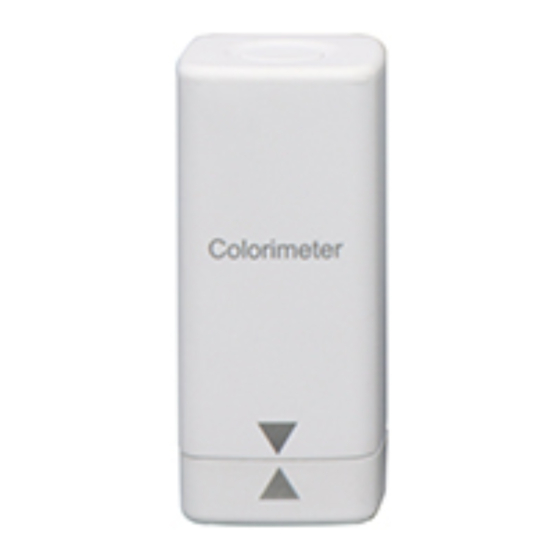

Related Manuals for LSHTEC 86170


Summary of Contents for LSHTEC 86170
- Page 1 86170 Colorimeter User Manual V2.0 QR code for app installation https://www.lshtec.com/a/170/ Please read this manual carefully before using and reserve it for reference. 2022-06-25 Page 1 of 14...
-
Page 2: Mobile App Installation
I. Mobile App Installation The colorimeter APP supports Android operating system 7.0 and above or iOS 7.0 and above. Choose one of the following methods to install: Scan the QR code on the cover with a mobile browser or WeChat, follow the prompts to download and install LScolor application. - Page 3 Illumination light source Full spectrum LED light source Measuring aperture Measurement conditions Light source D65, field of view 10° Measuring time About 1s Color space CIE Lab, Luv, LCh, Yxy, CMYK, RGB, Hex Color difference formula ΔE*ab, ΔE*uv, ΔE*94, ΔE*cmc(2:1), ΔE*cmc(1:1), ΔE*00 Standard deviation within ΔE*ab 0.03 (Measurement Repeatability conditions: after calibration, the average value of 30...
-
Page 4: Operation
Built-in compensation optical path makes the values stable, allowing long-period calibration. Built-in rechargeable lithium battery, can be used continuously for 10,000 times under full charge. V. Operation 1. Power on/off Power on: Short press the power button to turn on the colorimeter, after that, the indicator light will flash. Shut down: Long press the power button to turn off the colorimeter;... -
Page 5: Color Measurement
the factory for inspection and repair. Skip calibration The colorimeter skips the calibration operation and enters the measurement interface. When the colorimeter has not been used for a long time, it is recommended to calibrate. 4. Measurement After the App is successfully connected to the colorimeter, enter the main measurement interface. There are two measurement modes: "Color Scan"... -
Page 6: Color Compare
You can continue other operations as follows: Enter name After measuring the color, you can enter a name for saving or sharing. Save The user can enter name and click the "Save" icon to save the measured color. The color is saved in "My Colors". - Page 7 Click the "Scan Standard " button and the current measured value will be used as the standard color. Sample color measurement Click the "Scan Sample" button and the current measured value is used as the sample color. The display interface after color difference comparison is as follows: When the standard color is measured or added and the sample color is measured or added, then a comparison measurement is completed (a comparison record is automatically stored).
- Page 8 ΔE setting Set the formula of ΔE calculation and threshold of QC testing. Save standard Users can enter the name of the color and save the standard color in “My Colors”. Input standard Users can input Lab or LCh values as the standard color. ...
-
Page 9: Parameters Settings
5.1 Parameters settings "Parameter Setting" can set the color format, ΔE formula, QC mode and matching color chart. Color format The color format corresponding to the color space includes: Lab, Luv, LCh, Yxy, CMYK, RGB and Hex. Users can select different format to tick according to their needs. Up to 3 items can be selected. Lab is ticked by default. - Page 10 QC mode The QC mode is the parameter setting for QC testing. The QC testing function can be selected according to the needs. The threshold can be set in the range of 0.1-50. After the QC testing function is turned on, the QC judgment result will appear in the "Color Compare"...
-
Page 11: Device Information
Compare History "Comparison History" saves the result of color difference comparison. Display the measurement time, ΔE value and QC testing result of each comparison result. Single item deletion or all deletion can be performed and the comparison result can also be shared in data format. ... - Page 12 6. Color import Users can import the colors shared by others into their own App, but the colors must be tested by the same model of colorimeter and the file shared by selecting "Export Data" can be imported. The specific method of importing colors is as follows: Take WeChat sharing and import as an example, find the file to be imported on WeChat, the file name is "import_mycolor"...
- Page 13 (3) If the import is successful, it will prompt "Import successful". After the import is successful, the last record in the folder is the imported data. (4) If the model does not match, it will prompt "Unmatched device model". You need to connect to the corresponding model of the colorimeter before importing.
-
Page 14: Packing List
The recommended calibration cycle is one year, and the company provides calibration services. Due to the different mobile phone displays, there may be a slight color difference between the actual color and the color displayed on the mobile phone App. VII.
Need help?
Do you have a question about the 86170 and is the answer not in the manual?
Questions and answers