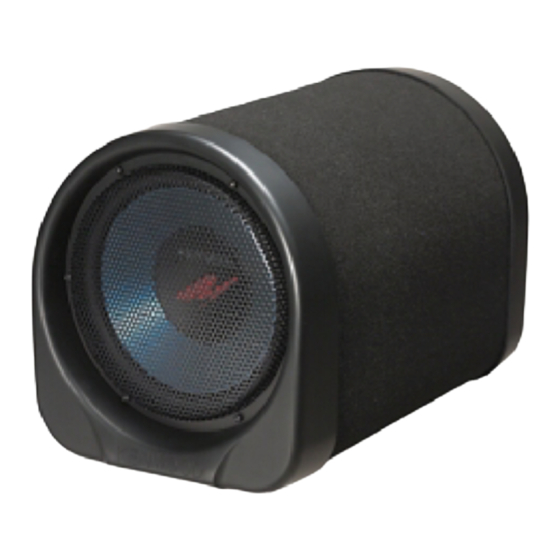
Kenwood KSC-WA100 Instruction Manual

Kenwood KSC-WA100 Instruction Manual

Kenwood ksc-wa100: user guide
Hide thumbs Also See for KSC-WA100:
Table of Contents
loading

Frequently Asked Questions (13)

  • What should I do if my Kenwood KSC-WA100 subwoofer is not working?

    If your Kenwood KSC-WA100 subwoofer is not working, refer to the Troubleshooting Guide in the manual. Common issues and their remedies include:

    • No sound: Refer to Chart 1 in the troubleshooting guide, which advises checking the ignition switch of the car, the fuse in the car body, the center unit, the INPUT SENSITIVITY switch, the subwoofer's fuse, and the power supply cords connections.
    • The level is too low (or high): The input sensitivity adjusting knob may not be set to the correct position. Adjust it correctly by referring to the "Operation" section.
    • The sound quality is bad (the sound is distorted): A speaker cord might be pinched by a screw in the car body. Check the speaker wiring.

    For more information, see page 10 of the manual.
    Was this helpful?
  • How to install Kenwood KSC-WA100 subwoofer?

    To install the Kenwood KSC-WA100 subwoofer, follow these steps:

    1. Place a wooden plate with sufficient thickness and size below the floor carpet.
    2. Attach the provided fixing hardware parts using the supplied tapping screws.
    3. Pass the provided belts through the fixing hardware parts and tighten them to secure the unit, preventing it from rattling.

    Before fixing the speaker in its position, ensure to check the sound while it is connected preliminarily. For safety, always secure the speaker onto the chassis as shown in the manual.


    For more information, see page 7 of the manual.
    Was this helpful?
  • How do I troubleshoot common audio issues with the Kenwood KSC-WA100?

    To troubleshoot common audio issues with the Kenwood KSC-WA100, refer to the Troubleshooting Guide in the manual. It provides a table of symptoms, causes, and remedies, as well as a flowchart for "No sound" issues.

    Common issues and troubleshooting steps include:

    • No sound:
      • Check the ignition switch of your car.
      • Inspect the fuse in your car body.
      • Verify the center unit (e.g., cassette receiver).
      • Check the INPUT SENSITIVITY Switch of the subwoofer.
      • Examine the fuse of the KSC-WA100/WA80.
      • Check the power supply cords connections of the subwoofer.
      • Check the Input connections of the subwoofer.
    • The level is too low (or high): The input sensitivity adjusting knob may not be set correctly. Adjust it as described in the "Operation" section.
    • The sound quality is bad (the sound is distorted): A speaker cord might be pinched by a screw in the car body. Check the speaker wiring.

    For more information, see page 10 of the manual.
    Was this helpful?
  • How do I connect the Kenwood KSC-WA100 subwoofer to a car stereo?

    To connect the Kenwood KSC-WA100 subwoofer to a car stereo, ensure you first remove the negative (-) cable from the car battery to prevent electrical shorting. The unit can be connected in various ways to enhance the bass sound of your car stereo system, including:

    • General connection with the center unit, front speakers, and rear speakers.
    • Connection of two KSC-WA100/WA80 units.
    • Connection to an additional power amplifier.
    • Connection to an audio equalizer unit.

    When making connections, connect the ground leads to a metal part of the car chassis that acts as an electrical ground. Do not turn the power ON if the ground leads are not connected. After all connections are completed, double check their correctness and then reconnect the negative (-) cable to the car battery.


    For more information, see pages 4, 5 and 7 of the manual.
    Was this helpful?
  • How do I adjust the sound settings on the Kenwood KSC-WA100 subwoofer?

    You can adjust the sound settings on the Kenwood KSC-WA100 subwoofer using the controls on the unit:

    1. Set the turn-over frequency: Use the LOW PASS FREQUENCY control knob to balance the bass from the rear speakers and the subwoofer.
    2. Adjust the low frequency level: Turn knob ① to the desired level.
    3. Adjust the low frequency phase: Change the position of the PHASE switch ③ to adjust the low frequency tone, which can vary depending on the unit's position, orientation, or turn-over frequency.

    For more information, see page 8 of the manual.
    Was this helpful?
  • Is the Kenwood KSC-WA100 a powered subwoofer?

    Yes, the Kenwood KSC-WA100 is a Powered Subwoofer. This is indicated on the front cover of the instruction manual and in the specifications section.


    For more information, see pages 1 and 11 of the manual.
    Was this helpful?
  • What is the peak power output of the Kenwood KSC-WA100 subwoofer?

    The peak power output of the Kenwood KSC-WA100 subwoofer is 50W/2Ω + 50W/2Ω (Dual Voice-Coil Drive).


    For more information, see page 11 of the manual.
    Was this helpful?
  • Where can I find the wiring diagram for the Kenwood KSC-WA100?

    The wiring diagrams for the Kenwood KSC-WA100 can be found in the "Examples of Connections" section of the instruction manual, specifically on pages 4, 5, and 6. These pages illustrate various application examples for connecting the subwoofer to your car stereo system.


    For more information, see page 4 of the manual.
    Was this helpful?
  • What are the physical dimensions of the Kenwood KSC-WA100 subwoofer?

    The physical dimensions (W x H x D) of the Kenwood KSC-WA100 subwoofer are 307 x 322 x 482 mm (12-1/16" x 12-11/16" x 19").


    For more information, see page 11 of the manual.
    Was this helpful?
  • How do I turn on the Kenwood KSC-WA100 subwoofer?

    The Kenwood KSC-WA100 subwoofer does not have a specific power button. The unit is designed to turn on when power is supplied after proper connection to your car's electrical system. The Power Indicator will light red when the power supply is "ON" and go out when it's "OFF".

    Ensure that all ground leads are connected to a metal part of the car chassis before turning on the power. After completing all connections, reconnect the negative (-) cable to the car battery.


    For more information, see pages 5, 7 and 9 of the manual.
    Was this helpful?
  • Does the Kenwood KSC-WA100 include a remote control?

    No remote control is listed in the "Parts included" section of the manual for the Kenwood KSC-WA100.


    For more information, see page 3 of the manual.
    Was this helpful?
  • Does the Kenwood KSC-WA100 come with a wiring harness?

    The Kenwood KSC-WA100 includes a Power Supply Cord and a Speaker cord (4.5 m) as listed in the "Parts included" section of the manual.


    For more information, see page 3 of the manual.
    Was this helpful?
  • What types of audio inputs does the Kenwood KSC-WA100 support?

    The Kenwood KSC-WA100 supports RCA Pin Jack (for RCA pin-plugs) and Speaker input (for Speaker Cords) audio inputs.


    For more information, see pages 8 and 11 of the manual.
    Was this helpful?
Need help?

Need help?

Do you have a question about the KSC-WA100 and is the answer not in the manual?

Questions and answers

Dylan Wilson
March 31, 2025

Which wires are power and ground coming off the 10 pin connector

User image 67ea1d419d75a
1 comments:
Mr. Anderson
March 31, 2025

For the Kenwood KSC-WA100 10-pin connector:

- Power wire (B+ / 12V constant): Yellow
- Ground wire: Black

These are the standard wire colors for power and ground in many Kenwood audio components.

This answer is automatically generated
This manual is also suitable for:

Ksc-wa80

Table of Contents