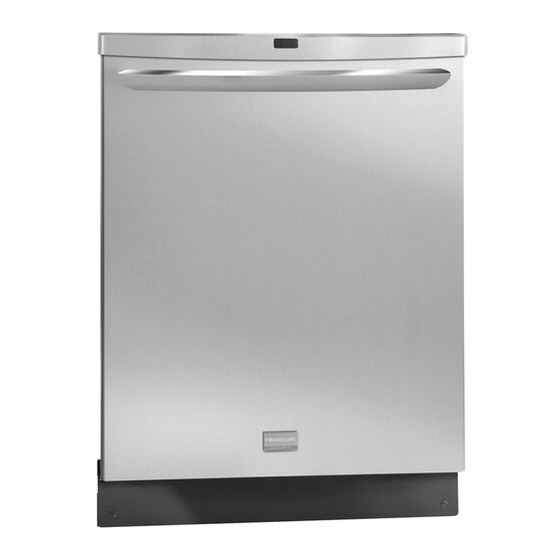
Frigidaire FGHD2433KF1 Use & Care Manual

Frigidaire FGHD2433KF1 Use & Care Manual

Hide thumbs Also See for FGHD2433KF1:

Advertisement

All about the
Use
of your
Important Safety Instructions .............................. 2
Product Registration ........................................... 3
Dishwasher Features ......................................... 4
Operating Instructions ..................................... 5-8
Preparing and Loading Dishes ........................ 9-11
www.frigidaire.com USA 1-800-944-9044
&
Dishwasher
TA B L E O F C O N T E N T S
www.frigidaire.ca Canada 1-800-265-8352
Care
Factors Affecting Performance .......................... 13
Care and Cleaning ....................................... 14-15
Warranty ........................................................ 19

Advertisement

Table of Contents
loading

Frequently Asked Questions (23)

  • Why is my Frigidaire FGHD2433KF1 dishwasher not draining water?

    If your dishwasher is not draining water properly, consider the following:

    • If the unit is hooked up to a food waste disposer, make sure the disposer is empty.
    • Check to see if the knockout plug has been removed from inside the food waste disposer inlet.
    • Check to see if the drain hose is kinked.
    • Make sure the cycle is complete and not in a pause.

    For more information, see page 18 of the manual.
    Was this helpful?
  • Why is my Frigidaire FGHD2433KF1 dishwasher leaking?

    If your dishwasher is leaking, consider the following:

    • Use only fresh detergent designed for automatic dishwashers and measure detergent carefully. Try a different brand.
    • If rinse aid has spilled, it can cause foam and lead to overflowing. Wipe up any spills with a damp cloth.
    • Check to see if the dishwasher is level.

    For more information, see page 17 of the manual.
    Was this helpful?
  • Why are there spots or film on my dishes after washing in the Frigidaire FGHD2433KF1 dishwasher?

    Spots or film on dishes can be caused by:

    To remove buildup, spots, and film, load clean dishes and glasses (no metal utensils), do not add detergent, select the NORMAL WASH cycle, close and latch the door, and press START/CANCEL. Allow the dishwasher to run until the second water fill (approximately 10 minutes), then unlatch and open the door and pour 2 cups of white vinegar into the bottom. Close and latch the door and allow the cycle to finish. If these conditions persist, a home water softener should be considered.

    Was this helpful?
  • How do I start my Frigidaire FGHD2433KF1 dishwasher?

    To start your dishwasher, follow these steps:

    1. Load dishwasher with dishes.
    2. Add detergent.
    3. Add rinse aid.
    4. Select desired CYCLE. The indicator light above the pad will glow when selected.
    5. Select desired OPTIONS. The indicator light above the pad will glow when selected.
    6. Run hot water faucet nearest the dishwasher until the water is hot. Turn the water off.
    7. Press START/CANCEL pad.
    8. Close door to latch.

    The dishwasher is programmed to remember your last cycle, so you can just press the START/CANCEL pad to use the same cycle and options again.


    For more information, see page 5 of the manual.
    Was this helpful?
  • Why is my Frigidaire FGHD2433KF1 dishwasher not filling with water?

    If your dishwasher is not filling with water, check to see if the water supply is turned on.

    Was this helpful?
  • Why are dishes not drying properly in my Frigidaire FGHD2433KF1 dishwasher?

    If dishes are not drying properly, consider the following:

    • Select the heat dry option.
    • Make sure the rinse aid dispenser is filled.
    • Increase the amount of rinse aid dispensed.
    • Check the incoming water temperature; it should be at least 120°F (49°C).
    • Check for proper loading to avoid nesting items.
    • Plastic items may need to be towel dried.
    • Cups with a concave bottom will collect water.

    For more information, see page 16 of the manual.
    Was this helpful?
  • Why are dishes not getting clean in my Frigidaire FGHD2433KF1 dishwasher?

    If dishes are not getting clean, consider the following:

    • Choose another cycle for longer washing time.
    • Check rack loading to avoid nesting items.
    • Ensure home water pressure is between 20 to 120 pounds per square inch (psi).
    • Check incoming water temperature; it should be at least 120°F (49°C).
    • For extremely hard water, it may be necessary to install a water softener.
    • Use fresh detergent.
    • Check to make sure the funnel in the top rack is not blocked.
    • Make sure items are not blocking the spray arms, preventing them from rotating.

    For more information, see page 16 of the manual.
    Was this helpful?
  • What is the correct way to load dishes in a Frigidaire FGHD2433KF1 dishwasher?

    To correctly load dishes, follow these guidelines:

    • Dish Preparation: Scrape away large pieces of food, bones, pits, etc. from dishes. Loosen burned-on foods. Empty liquids from glasses and cups. If not operating the dishwasher at once, it's best to rinse off food soils.
    • General Loading: Load racks so large items do not prevent the detergent dispenser from opening. Check manufacturer's recommendations for washing items. If the dishwasher drains into a food disposer, ensure the disposer is completely empty before starting.
    • Top Rack: Designed for flexibility. Load cups, glasses, stemware, small plates, bowls. Load glasses in top rack only. Load plastic items in top rack only. Load items with open ends facing down for better cleaning and draining. Avoid delicate items touching each other. Ensure nothing protrudes through the bottom of the rack to block the middle spray arm rotation.
    • Adjustable Upper Rack (if available): The top rack height can be adjusted without dishes in the racks. There are 2 positions available to accommodate taller dishes in the bottom rack.
    • Bowl Tines: Offer flexibility. When closed, load with saucers or small dishes. Open halfway for small casseroles. Open completely for hard-to-fit items like coffee pots or food processors.
    • Fold-down Tines: In the lower rack, they make loading easy for extra-large and hard-to-fit items. They can be left up for normal use or folded down for more flexible loading, such as for large pots or pans.
    • Bottom Rack: Best for plates, saucers, bowls, and cookware. Place large items along the edge to not block spray arm rotation. Place bowls, casseroles, and saucepans with soiled surface facing down or toward the center. Tilt slightly for better drainage. Ensure tall items do not block spray arm rotation and pan handles do not protrude through the bottom of the rack.
    • Silverware Basket: Load while in the bottom rack or take it out. Place small items like baby bottle caps, jar lids, corn cob holders in a covered section. Use suggested loading patterns to increase washability. Ensure nothing protrudes through the bottom of the basket or rack to block the spray arm. Do not mix silver and stainless. Load silverware in all sections or just one. When covers are up, mix items with some pointing up and some down to avoid nesting. Load sharp items (knives, skewers, etc.) pointing down to prevent injury.
    • Adding a Dish: To add or remove items after the wash cycle starts, unlatch the door and wait a few seconds until wash action stops. Add the item and wait a few seconds for cold air to slowly expand inside. Close the door firmly to latch and resume the cycle.
    Was this helpful?
  • What should I do if my Frigidaire FGHD2433KF1 dishwasher has a bad odor?

    If your dishwasher has a bad odor, consider the following:

    • Soiled dishes left in the dishwasher too long can create an odor. Use the Rinse & Hold cycle.
    • A "new" smell when first installed is normal.
    • Check to see if the unit is draining properly.

    For more information, see page 18 of the manual.
    Was this helpful?
  • Why does a wash cycle take so long on my Frigidaire FGHD2433KF1 dishwasher?

    A wash cycle may take a long time due to the following reasons:

    Additionally, the Smart Soil Sensor checks the soil level and may determine if additional water fills are needed, which can extend the cycle time. If the incoming water temperature is not hot enough, the timer will be delayed for automatic water heating in the main wash of all cycles.

    Was this helpful?
  • Why is my Frigidaire FGHD2433KF1 dishwasher blinking and not starting?

    If your dishwasher is blinking and not starting, and "Cd" is flashing on the display, it is informing you to close the door so the cycle can continue. If "PF" appears in the window, it means the dishwasher was first installed or power was interrupted. To clear this, touch the START/CANCEL pad.

    Was this helpful?
  • How do I clean the filter in my Frigidaire FGHD2433KF1 dishwasher?

    To clean the filter in your dishwasher, follow these steps:

    1. Remove the lower rack.
    2. Rotate the Cylinder Filter as shown in the manual.
    3. Lift out the Cylinder Filter, empty it, and clean it by rinsing it under running water.
    4. Remove the Fine Filter from the dishwasher tub bottom. To do this, you must first remove the bottom spray arm.
    5. Flush the Fine Filter by holding it under running water.
    6. Replace both filters.
    Was this helpful?
  • How do I clean the interior of my Frigidaire FGHD2433KF1 dishwasher?

    To clean the interior of your dishwasher:

    • Stainless Steel Inner Door and Tub: The tub is made of Stainless Steel and will not rust or corrode if scratched or dented.
    • Cylinder Filter: The Cylinder Filter collects large items. Remove the lower rack, rotate the Cylinder Filter, lift it out, empty, and clean by rinsing it under running water.
    • Fine Filter: Take out the Cylinder Filter and remove the Fine Filter from the tub bottom by first removing the bottom spray arm. Flush the Fine Filter by holding it under running water and replace.
    • Drain Air Gap: If installed, check to make sure it is clean so the dishwasher drains properly.
    • Spots and Film: Hard water can cause lime deposit buildup. To remove buildup, spots, and film, load clean dishes and glasses (no metal utensils), do not add detergent, select the NORMAL WASH cycle, close and latch the door, and press START/CANCEL. Allow the dishwasher to run until the second water fill (approximately 10 minutes), then unlatch and open the door and pour 2 cups of white vinegar into the bottom. Close and latch the door and allow the cycle to finish.
    Was this helpful?
  • What wash cycles are available on the Frigidaire FGHD2433KF1 dishwasher?

    The available wash cycles are:

    • Heavy Wash: For pots, pans, casseroles, and dinnerware with dried-on or baked-on soils. HI-TEMP WASH is automatically provided.
    • Normal Wash: For regularly soiled dishes and silverware.
    • Light Wash: A fast wash for lightly soiled dishes and silverware.
    • China Crystal: For lightly soiled china and crystal.
    • Energy Saver: For lightly soiled and pre-rinsed dishes and silverware.
    • Rinse Only: For rinsing dishes that will be washed later. Do not use detergent with this cycle.

    For more information, see page 7 of the manual.
    Was this helpful?
  • How can I tell when a wash cycle is finished on my Frigidaire FGHD2433KF1 dishwasher?

    The CLEAN light will come on at the end of the cycle. When the door is opened at the end of the cycle, the CLEAN light will remain on for 30 seconds.

    Was this helpful?
  • How do I unlock the controls on my Frigidaire FGHD2433KF1 dishwasher?

    To unlock the controls, press the DELAY START pad until the indicator light goes out.

    Was this helpful?
  • How do I set the delay start feature on my Frigidaire FGHD2433KF1 dishwasher?

    To set the delay start feature, press the DELAY START pad until the desired delay time (1-24 hours) shows in the STATUS window. A light will come on indicating the delay start hours and will remain on until the cycle starts.

    Was this helpful?
  • How do I add rinse aid to my Frigidaire FGHD2433KF1 dishwasher?

    To add liquid rinse aid:

    1. Turn the dispenser cap 1/4 turn counterclockwise and lift it out.
    2. Pour in rinse aid until the liquid touches the indicated fill level.
    3. Replace the cap.

    Do not overfill, as this can cause oversudsing. Wipe up any spills with a damp cloth. The dispenser holds enough for 35 to 140 washes, depending on the setting. The add RINSE AID light will come on at the end of a cleaning cycle when the reservoir is low and will remain on through 5 successive cycles or until filled.

    Was this helpful?
  • Can I use dishwasher pods or liquid detergent in my Frigidaire FGHD2433KF1 dishwasher?

    You should use only fresh automatic dishwashing detergent. If using automatic dishwashing detergent tabs, place one tab in the main wash cup and close. Store detergent in a cool, dry location as moist or caked detergent will not dissolve properly.


    For more information, see page 12 of the manual.
    Was this helpful?
  • How do I open the door of my Frigidaire FGHD2433KF1 dishwasher?

    To open the door of your dishwasher after a wash cycle has started, unlatch the door and wait a few seconds until the wash action stops before opening. After adding or removing items, close the door firmly to latch and resume the cycle.


    For more information, see page 11 of the manual.
    Was this helpful?
  • How do I bypass the child lock on my Frigidaire FGHD2433KF1 dishwasher?

    To bypass the child lock, press and release the DELAY START pad for 3 seconds. An indicator light on the lock graphic pad will illuminate when the controls are locked. To unlock the controls, press the DELAY START pad until the indicator light goes out.


    For more information, see page 6 of the manual.
    Was this helpful?
  • Is the silverware basket adjustable in the Frigidaire FGHD2433KF1 dishwasher?

    Yes, the silverware basket can be separated and placed in several locations in the bottom rack. You can load silverware in all sections or just one, depending on your load.

    Was this helpful?
  • What is the best way to pre-rinse dishes before loading them into the Frigidaire FGHD2433KF1 dishwasher?

    To pre-rinse dishes:

    • Scrape away large pieces of food, bones, pits, and toothpicks.
    • Empty liquids from glasses and cups.
    • If the dishwasher is not to be operated at once, it is best to rinse off food soils to prevent discoloration of stainless steel and plastics from high acid foods like mustard, mayonnaise, vinegar, lemon juice, and tomato-based products.

    For more information, see page 9 of the manual.
    Was this helpful?
Need help?

Need help?

Do you have a question about the FGHD2433KF1 and is the answer not in the manual?

Questions and answers

jeff
September 13, 2025

we start the normal cycle and an error occurs

User image 68c57df4a489b
Gail Beeson
August 5, 2025

What year was this dishwasher built? FGHD2433KF1

Summary of Contents for Frigidaire FGHD2433KF1

  • Page 1: Table Of Contents

    Factors Affecting Performance ......13 Dishwasher Features ......... 4 Care and Cleaning ........14-15 Operating Instructions ........5-8 Solutions to Common Dishwashing Problems .. 16-18 Preparing and Loading Dishes ......9-11 Warranty ............19 www.frigidaire.com USA 1-800-944-9044 www.frigidaire.ca Canada 1-800-265-8352...
  • Page 2: Important Safety Instructions

    IMPORTANT SAFETY INSTRUCTIONS Read all instructions before using this appliance. Save these instructions for future reference. WARNING • Do not wash plastic items unless marked “dishwasher safe” or the equivalent. Check with manufacturer for This symbol will help alert you to such dangers as recommendations, if not marked.
  • Page 3: Product Registration

    The next sound you will hear is the splashing water as it enters the tub. Registering your product with Frigidaire enhances our ability to serve you. You can register online at PLEASE BE ADVISED: If you compare this www.frigidaire.com or by dropping your Product...
  • Page 4: Dishwasher Features

    DISHWASHER FEATURES Your dishwasher cleans by spraying a mixture of hot water and detergent through the spray arms against soiled surfaces. Each cycle begins by filling with water covering the filter area. Next, the dishwasher fills with water covering the filter area.
  • Page 5: Operating Instructions

    OPERATING INSTRUCTIONS Getting Started NOTE 1. Load dishwasher (See Preparing and Loading Lights and Display on top of console will shut off when the Dishes). door is closed. They will light up when the door is opened 2. Add detergent (See Dishwasher Dispenser & and display time remaining will be displayed for several Detergents).
  • Page 6 OPERATING INSTRUCTIONS Sanitize Option Air Dry To sanitize your dishes and glassware, select the The unit defaults to heated dry when it is started with any SANITIZE option. When selected, the light above the pad cycle selected. This drying uses a combination of the will come on.
  • Page 7 OPERATING INSTRUCTIONS The Smart Soil Sensor checks the soil level on your dishes in the Heavy Wash, Light Wash, and Normal Wash cycles. Depending on soil level, the sensor will determine if additional water fills are needed to clean the dishes or if water fills can be deleted.
  • Page 8 "CE". If one of these codes are displayed contact the fills are needed or if water fills can be deleted. 800-944- Frigidaire Customer Care Center at 9044 They will be able to provide assistance in troubleshooting the problem and/or locating an authorized...
  • Page 9: Preparing And Loading Dishes

    PREPARING AND LOADING DISHES Dish Preparation Scrape away large pieces of food, bones, pits, toothpicks, etc. The continuous filtered wash system will remove remaining food particles. Burned-on foods should be loosened before loading. Empty liquids from glasses and cups. Foods such as mustard, mayonnaise, vinegar, lemon juice and tomato based products may cause discoloration of stainless steel and plastics if allowed to sit for a long period of time.
  • Page 10 PREPARING AND LOADING DISHES Bowl Tines To raise the rack to the middle or upper position, simply The bowl tines offer the ultimate in flexibility. When lift the rack. The lever is spring loaded to engage the closed, load with saucers or small dishes. Open halfway upper position.
  • Page 11 PREPARING AND LOADING DISHES Loading the Bottom Rack Loading the Silverware Basket Features and appearance of racks and silverware basket Features and appearance of racks and silverware basket may vary from your model. may vary from your model. The lower rack is best for plates, saucers, bowls, and Load the silverware basket while it is in the bottom rack or cookware.
  • Page 12: Dishwasher Dispenser And Detergents

    DISHWASHER DISPENSER & DETERGENTS Filling the Detergent Dispenser How much Detergent to use The detergent dispenser has one covered and one The amount of detergent to use depends on the water uncovered cup. Detergent in the uncovered cup falls into hardness.
  • Page 13: Factors Affecting Performance

    FACTORS AFFECTING PERFORMANCE Rinse Aid Water Pressure Rinse aid greatly improves drying and reduces The hot water line to dishwasher must provide water water spots and filming. Water "sheets" off dishes pressure between 20 and 120 psi. rather than forming water droplets that cling and leave Low water pressure may occur when laundry or showers spots.
  • Page 14: Care And Cleaning

    CARE AND CLEANING WARNING Burn Hazard Allow heating element to cool before cleaning the interior. Failure to do so can result in burns. Outside — Occasionally wipe with a mild nonabrasive detergent and water. Rinse and dry. Clean the Stainless Steel Inner Door and Tub The tub is made of Stainless Steel, it will not rust or corrode if the dishwasher should be scratched or dented.
  • Page 15 CARE AND CLEANING Clean the Fine Filter Take out the Cylinder Filter and remove the Fine Filter from the dishwasher tub bottom. To remove the Fine Filter you must first remove the bottom spray arm as shown below. Flush the Fine Filter by holding it under running water and replace.
  • Page 16: Solutions To Common Dishwashing Problems

    SOLUTIONS TO COMMON DISHWASHING PROBLEMS Dishes not Dry Before calling for service, review this list. It may save you both time and expense. • Select heat dry option. This list includes common experiences • Make sure the rinse aid dispenser is filled. that are not the result of defective •...
  • Page 17 SOLUTIONS TO COMMON DISHWASHING PROBLEMS Dishwasher Leaks Water in Bottom of Tub • Use only fresh detergent designed for automatic • Water left in bottom of tub after cycle is complete is dishwashers. Measure detergent carefully. Try a not normal. If water remains in the bottom of the tub, different brand.
  • Page 18 SOLUTIONS TO COMMON DISHWASHING PROBLEMS Dishwasher Does Not Drain Removing Spots and Film Properly Hard water can cause lime deposit buildup on the interior of the dishwasher. Dishes and glasses may also • If unit is hooked up to a food waste disposer, make get spots and film for a number of reasons.
  • Page 19: Warranty

    WARRANTY Your appliance is covered by a one year limited warranty. For one year from your original date of purchase, Electrolux will pay all costs for repairing or replacing any parts of this appliance that prove to be defective in materials or workmanship when such appliance is installed, used and maintained in accordance with the provided instructions.

This manual is also suitable for:

Fphd2491kf

Table of Contents

Save PDF