Advertisement
Advertisement
To load film into your camera:
The camera automatically rewinds the film a few seconds after it reaches the end of a roll. During rewind, the frame counter [14] counts down, and the rewind stops when the roll is completely rewound.
To remove the film:
If you wish to remove the film before reaching the end of a roll, press the film rewind button [19]. You can use the projection on the neckstrap's rubber pad to press this button.
The Canon Sure Shot Supreme film camera requires one lithium battery (2CR5, 6 V).
To use the Canon Sure Shot Supreme film camera, follow these basic steps:
You should replace the battery when only one bar mark is indicated, or five years after purchase. To replace the battery:
If your Canon Sure Shot Supreme is not turning on or taking pictures, consider the following:
Pictures from the Canon Sure Shot Supreme may come out blurry due to focusing issues or camera shake:
You can open the Canon Sure Shot Supreme film camera in two ways:
If the shutter button on your Canon Sure Shot Supreme is not working, consider the following:
You can confirm film loading through the film load check window [22]. If a flashing "0" appears in the frame counter, the film has not advanced correctly. After each picture, the frame counter [14] will increment by one, indicating proper film advance.
The camera does not have a distinct power on/off switch. It becomes operational for shooting when the lens cover is fully open.
Yes, the Canon Sure Shot Supreme has a built-in electronic self-timer. It starts by pressing the self-timer button [2] and provides a 10-second delay before the shutter is released. The red self-timer indicator [3] will blink, blinking faster two seconds before the shutter release.
The built-in flash on the Canon Sure Shot Supreme works automatically. It operates when subject luminance is below a certain level and also functions as an automatic daylight flash when backlighting is detected. When you press the shutter button halfway, the red mark flashes briefly, and after approximately a 1.2 second charging time, it lights up with the green lamp, indicating the flash has finished charging. The camera also features automatic fill-in flash for dim or backlit subjects, ensuring faces are not underexposed. For flash-on photography in any lighting situation, you can attach the rubber flash cap [24] to the exposure metering window [8].
You can check the remaining battery indicator [15] on the frame counter [14] located on the back cover. A new lithium battery shows four bar marks, and the number of bar marks decreases as the battery discharges. The remaining battery charge is indicated at 4 levels on the 4-segment indicator on the LCD panel.
The Canon Sure Shot Supreme uses a Canon ACTIVE auto-focus system. The shooting distance range is from 0.55 m (1.8 ft.) to infinity. The camera focuses when you press the shutter button halfway.
Yes, the Canon Sure Shot Supreme can be used in low light without flash by disabling the flash. However, when doing so, if the red mark (camera shake warning) blinks in the viewfinder, you should be careful to shoot while holding the camera steady to avoid camera shake.
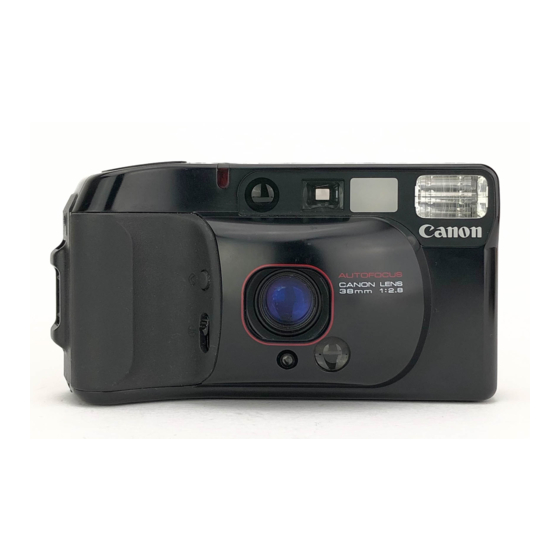
The lens on the Canon Sure Shot Supreme is a Canon 38 mm f/2.8. It has a construction of 4 elements in 4 groups and features spectra coating.
Need help?
Do you have a question about the Sure Shot Supreme and is the answer not in the manual?
Questions and answers