Sign In
Upload
Manuals
Brands
PS Engineering Manuals
Control Panel
PMA450A
PS Engineering PMA450A Manuals
Manuals and User Guides for PS Engineering PMA450A. We have
2
PS Engineering PMA450A manuals available for free PDF download: System Installation And Operation Manual, Pilot's Manual And Operation Manual
PS Engineering PMA450A System Installation And Operation Manual (45 pages)
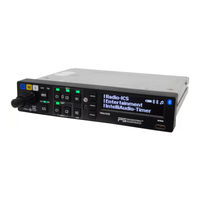
Audio Selector Panel with Marker Beacon Receiver High-fidelity Stereo Intercom, USB Charging Port
Brand:
PS Engineering
| Category:
Control Panel
| Size: 4 MB
Table of Contents
Table of Contents
2
Section I - GENERAL INFORMATION
4
Introduction
4
Scope
4
Equipment Description
4
Approval Basis
5
Limitations
5
Specifications
5
Equipment Supplied
6
License Requirements
7
Section II - INSTALLATION
8
General Information
8
Scope
8
Certification Requirements
8
Unpacking and Preliminary Inspection
8
Equipment Installation Procedures
8
Cooling Requirements
8
Mounting Requirements
8
Audio Panel Mounting Rack Installation
9
Audio Panel Tray and Connector Assembly
9
Cable Harness Wiring
9
Electrical Noise
9
Existing Gma340 and Pma8000 Installations
10
Power
11
Communications Push-To-Talk
11
Audio Panel Interface
11
Transmit Interlock
11
Backlighting
11
Unswitched Inputs
12
Swap" Mode
12
Public Address Mode
12
Com Receive Active Output (J1, Pin 24)
13
Wired Telephone/Satellite Communication Input
13
Music Inputs
13
Playback Button Installation
14
Marker Beacon Installation (050-450-0101, -0102 Only)
14
Marker Antenna Installation
14
External Marker Lights
14
Middle Marker Sense
14
User Adjustments
14
Adjust Screen
15
Rename "Switched" Inputs
15
Volume Setup
16
Bluetooth® Menu
16
Communications Antenna Installation Notes
17
Note
17
Pma450A Pin Assignments
18
Wiring Checkout
19
Unit Installation
19
Operational Checkout
19
Required Test Equipment
19
Audio Panel Test
19
Marker Checkout (050-450-0101, -0102 Only)
20
Bluetooth Checkout
20
Internal Recorder Checkout
20
Final Inspection
20
Section III OPERATION
21
Scope
21
Power and Fail Safe (1)
21
Display Menu Selection (6)
21
Communications Transmit (Xmt) Selection (2)
22
Split Mode
22
Com Audio Selector (3)
22
Election (2)
22
Swap Mode (Switch from Com 1 to Com 2 Remotely)
23
Intelliaudio® Dimensional Audio
23
Com Monitor Mode
23
Navaid Selection (4)
24
Speaker Amplifier (7)
24
Public Address Function
24
Marker Beacon Operation (9) ( Unit Part Numbers 050-450-0101, -0102 Only )
25
Marker Beacon Sensitivity
25
Intercom Operation (8)
26
Intellivox® Intercom VOX-Squelch
26
Intercom Volume Control (1)
26
Intercom Modes (8)
27
Music Control, Distribution and Muting
28
Music Muting
29
Music Volume
29
Music in Pilot Iso Mode
30
Bluetooth® Connection
30
Pairing and Un-Pairing Bluetooth Devices
30
Bluetooth® Telephone Mode
31
Bluetooth Reset
31
Bluetooth Pin
32
Bluetooth Cellular Telephone Sidetone
32
Wired Satcom/Cell Phone Input
32
Internal Recorder and Playback
33
Ps Streamer Operation
33
Pairing
34
Streamer On/Off
34
Source Selection
34
Timer Functions (Serial Number E45A1373 and up Only)
36
Setting the Timer
36
Count down
36
Count up
36
User Setup Menus
36
Adjust Screen (OLED Adjustment)
37
Remembering Music Mute Mode
38
Rename "Switched" Inputs
38
Bluetooth Setup
38
Volume Setup
39
Usb Charging Port (10)
39
Section IV - Warranty and Service
40
Warranty
40
Factory Service
40
Appendix A - PMA450A Installation Drawings
41
Appendix B - J1 Connector Interconnect
42
Appendix C - J2 Connector Interconnect
43
Appendix D - Instructions for FAA Form 337 and Continuing Airworthiness
44
Instructions for Faa Form 337, Audio Panels
44
Instructions for Continuing Airworthiness, Audio System
44
Appendix E - RTCA DO160G Environmental Qualification Form
45
Advertisement
PS Engineering PMA450A Pilot's Manual And Operation Manual (21 pages)
Audio Selector Panel Marker Beacon Receiver Stereo Intercom System USB-C Charging System with Bluetooth Connectivity
Brand:
PS Engineering
| Category:
Intercom System
| Size: 0 MB
Table of Contents
Menu Display
2
Communications Transmit (XMT) Selection
3
Split Mode
3
COM Audio Selector
3
Swap Mode (Switch from Com 1 to Com 2 Remotely)
4
Intelliaudio® Dimensional Audio
4
Com Monitor Mode
4
Navaid Selection
5
Speaker Amplifier
5
Public Address Function
5
Marker Beacon Operation
6
Intercom Operation
7
Intercom Volume Control
7
Intercom Modes
8
Music Control, Distribution and Muting
9
Music Volume
10
Bluetooth Connection
10
Pairing and Unpairing Bluetooth Devices
10
Bluetooth® Telephone Mode
11
Cellular Telephone Sidetone
12
Bluetooth Reset
12
Internal Recorder and Playback
12
Display Timeout
14
Rename "Switched" Inputs
14
Recall Mute
14
Bluetooth Setup
15
Timer Operation
15
USB Charging Port
16
Streamer On/Off
18
Advertisement
Related Products
PS Engineering PMA6000C
PS Engineering PMA4000 TSO
PS Engineering PMA450
PS Engineering PMA450B Series
PS Engineering PMA450C
PS Engineering PMA7000M-S-CAP
PS Engineering PMA6000M
PS Engineering PMA7000B Series
PS Engineering PMA5000EX
PS Engineering PMA6000M-S-C
PS Engineering Categories
Intercom System
Recording Equipment
Stereo System
Receiver
Control Panel
More PS Engineering Manuals
Login
Sign In
OR
Sign in with Facebook
Sign in with Google
Upload manual
Upload from disk
Upload from URL