Sign In
Upload
Manuals
Brands
Kenwood Manuals
Home Theater System
Spectrum 860AV
Kenwood Spectrum 860AV Manuals
Manuals and User Guides for Kenwood Spectrum 860AV. We have
3
Kenwood Spectrum 860AV manuals available for free PDF download: User Manual, Install Manual
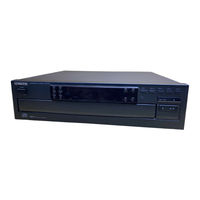
Kenwood Spectrum 860AV User Manual (56 pages)
Kenwood Spectrum 860AV: User Guide
Brand:
Kenwood
| Category:
Home Theater System
| Size: 2 MB
Table of Contents
Contents
3
Using the Receiver
6
Front Panel Controls and Display
6
Using the Remote
8
Loading and Replacing the Batteries
9
Power Button
9
Reverse Play
9
Disc Skip / Preset Call
9
The Basic Audio Functions
10
Selecting the Input Source
10
Selecting from the Remote
10
The Tape 2 Monitor Input
10
Adjusting the Volume
11
Adjusting from the Front Panel
11
Adjusting from the Remote
11
Adjusting the Tone
12
Making the Sound Fuller at Lower Volumes
12
Muting the Sound
13
Activating the Left and Right Speakers
13
Adjusting the Speaker Balance
14
Bypassing Tone Controls and Surround Circuitry
14
Using Headphones
15
About the Audio Modes
16
Dolby Pro Logic
16
Dolby 3 Stereo
16
Selecting an Audio Mode
16
Using SRS 3D Sound
17
Using the Tuner
18
Tuning Stations Automatically
18
Tuning from the Front Panel
18
Tuning from the Remote
18
Tuning Stations Manually
19
Storing Preset Stations
20
Tuning Preset Stations
20
Scrolling through Preset Stations
21
Scrolling from the Front Panel
21
Scrolling from the Remote
21
Using the Power Amplifier
22
The Front Panel Controls
22
Selecting Speakers
23
To Use the Center and Surround Speakers
23
To Use a Second Set of Speakers
23
Using the CD Player
24
Before Using the CD Player
26
Compatible Cds
26
Handling Cds
26
Storing Cds
26
Loading Cds
27
Displaying CD Time Information
27
Changing Cds
27
During Play
27
Playing Cds
28
From the Beginning
28
Playing from the Front Panel
28
Playing from the Remote
28
From a Specific Track
29
Playing a Combination of Tracks
30
Programming Tracks
30
To Check a Program
31
To Resume Normal Play
31
To Stop Play
31
Adding a Track to a Program
31
Playing Cds over
32
Repeating a Single CD
32
Repeating All Loaded Cds
32
Repeating Programmed Tracks
32
Playing Tracks in Random Order
33
Using a Timer to Play Cds
33
Random Play
33
To Cancel Random Play
33
Using the Cassette Deck
34
Before Using the Cassette Deck
36
Special Tapes
36
Maintaining Your Cassette Deck
36
Storing Cassettes
36
Listening to Tapes
37
Playing a Single Tape
37
About the Direction Indicators
37
Fast-Winding Tapes
38
Playing Tapes in both Cassette Wells
38
Relay Play
38
Finding and Playing a Specific Track
39
Repeating Tracks
39
Recording Tapes
40
Setting the Recording Level and Balance
40
Recording a Tape
41
To Pause Recording
41
To Stop Recording
41
To Record Again after a Mistake
41
Recording from a CD
42
To Cancel Automatic Recording
42
Creating Custom Tapes from Cds
44
Taping a Single CD
44
Taping Tracks from Multiple Cds
44
Clearing Tracks from the Selection
45
Checking the Tracks You've Selected
45
Using a Timer to Record from the Tuner
46
Recording from a Record
46
Copying a Tape
47
To Pause Dubbing
48
To Resume Dubbing
48
To Stop Dubbing
48
Troubleshooting
49
Specifications
53
Kenwood Spectrum 860AV User Manual (55 pages)
Audio/Video System
Brand:
Kenwood
| Category:
Stereo System
| Size: 1 MB
Table of Contents
Table of Contents
3
Welcome
5
Using the Receiver
6
Front Panel Controls and Display
6
Remote
8
Afew Tips
8
Loading and Replacing the Batteries
9
The Basic Audio Functions
10
Selecting the Input Source
10
The Tape 2 Monitor Input
10
Adjusting the Volume
11
Adjusting the Tone
12
Making the Sound Fuller at Lower Volumes 2.6006 Ee
12
Muting the Sound
13
Activating the Left and Right Speakers
13
Adjusting the Speaker Balance
14
Bypassing the Tone Controls and Surround Circuitry. Eee
14
Using Headphones
15
About the Audio Modes
16
Dolby Pro Logic
16
Dolby 3 Stereo
16
Stereo
16
Selecting an Audio Mode
16
Using SRS 3D Sound
17
Tuning Stations Automatically
18
Tuning Stations Manually
19
Storing Preset Stations
20
Tuning Preset Stations
20
Scrolling through Preset Stations
21
Using the Power Amplifier
22
The Front Panel Controls
22
Selecting Speakers
23
Using the CD Player
24
The Front Panel Controls and Display
24
Before Using the CD Player
26
Loading Cds
27
Changing Cds
27
Displaying CD Time Information
27
Playing Cds
28
From the Beginning
28
From a Specific Track
29
Playing a Combination of Tracks
30
Playing Cds over (Repeat Play)
32
Playing Tracks in Random Order (Random Play)
33
To Select Another Track During Random Play
33
To Cancel Random Play
33
Using Atimer to Play Cds
33
E Eee
33
Using the Cassette Deck
34
The Front Panel Controls and Display
34
Before Using the Cassette Deck
36
Maintaining Your Cassette Deck
36
Listening to Tapes
37
Playing a Single Tape
37
Fast-Winding Tapes
38
Playing Tapes in both Cassette Wells (Relay Play)
38
Enter Ene Eee
38
Finding and Playing a Specific Track
39
Repeating Tracks
39
Recording Tapes
40
Setting the Recording Level and Balance
40
Recording from a CD (with Automatic Start and Stop)
43
Creating Custom Tapes from Cds
44
Using a Timer to Record from the Tuner
46
Recording from Records
46
Copying (Dubbing) Atape
47
Troubleshooting Guide
49
Receiver
49
Receiver
50
Power Amplifier
50
CD Player
50
Cassette Deck
51
Cece
51
Specifications
53
Receiver (KR-897)
53
Power Amplifier (KM-897)
53
CD Player (DP-R797)
54
Cassette Deck (KX-W797)
54
Speakers
54
Kenwood Spectrum 860AV Install Manual (27 pages)
Audio/Video System
Brand:
Kenwood
| Category:
Home Theater System
| Size: 1 MB
Related Products
KENWOOD Spectrum 850 AV
KENWOOD Spectrum 855 AV
Kenwood SPECTRUM457AV
Kenwood SPECTRUM 1050 AV
Kenwood Spectrum 360
Kenwood Spectrum 460 AV
Kenwood Spectrum 560 AV
KENWOOD Spectrum 457 AV
KENWOOD Spectrum 550 AV
Kenwood 8402 - KAC Amplifier
Kenwood Categories
Car Receiver
Transceiver
CD Player
Amplifier
Receiver
More Kenwood Manuals
Login
Sign In
OR
Sign in with Facebook
Sign in with Google
Upload manual
Upload from disk
Upload from URL