Sign In
Upload
Manuals
Brands
Intellinet Manuals
Network Router
561051
Intellinet 561051 Manuals
Manuals and User Guides for Intellinet 561051. We have
2
Intellinet 561051 manuals available for free PDF download: User Manual, Quick Install Manual
Intellinet 561051 User Manual (178 pages)
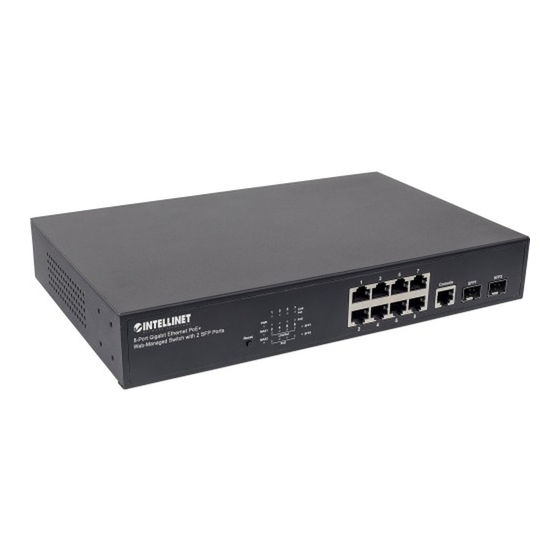
8-Port Gigabit Ethernet PoE Plus Web-Managed Switch 2 SFP Ports
Brand:
Intellinet
| Category:
Network Router
| Size: 14 MB
Table of Contents
Table of Contents
2
1 Product Introduction
6
Product Overview
6
Features
6
External Component Description
7
Front Panel
7
Rear Panel
9
Package Contents
9
2 Installing and Connecting the Switch
10
Installation
10
Desktop Installation
10
Rack-Mountable Installation in 11-Inch Cabinet
10
Power on the Switch
11
3 How to Login the Switch
12
Connecting Computer
12
How to Login to the Switch
12
4 Switch Configuration
14
Toolbar
15
Save
15
Logout
16
Reboot
16
Refresh
16
System
17
System Information
17
IP Configuration
17
User Configuration
18
Time Settings
19
Log Management
20
SNMP Management
23
Port Management
29
Port Configuration
29
Port Counters
30
Bandwidth Utilization
31
Port Mirroring
32
Jumbo Frame
33
Port Error Disabled Configuration
34
Protected Ports
35
EEE - Energy Efficient Ethernet
37
Link Aggregation
38
LAG Setting
39
LAG Management
40
LAG Port Settings
41
LACP Settings
42
LACP Port Settings
42
LAG Status
43
Vlan
45
What Is VLAN
45
Management VLAN
49
Create VLAN
49
Interface Settings
50
Port to VLAN
54
Port VLAN Membership
55
Protocol VLAN Group Settings
56
Protocol VLAN Port Settings
57
GVRP Setting
57
GVRP Port Setting
58
Gvrp Vlan
58
GVRP Statistics
59
Spanning Tree Protocol (STP)
60
What Is STP
60
STP Global Settings
67
STP Port Settings
68
CIST Instance Setting
70
CIST Port Settings
71
MST Instance Configuration
73
MST Port Settings
75
STP Statistics
76
Multicast
77
Properties
77
IGMP Snooping
77
IGMP Snooping Statics
87
MLD Snooping
88
MLD Snooping Statics
92
Multicast Throttling Setting
93
Multicast Filter
93
Qos - Quality of Service
96
General / What Is Qos
96
Qos Basic Mode
100
Qos Advanced Mode
102
Rate Limit
106
Voice VLAN
109
Security
113
Storm Control
113
DHCP Snooping
121
Dynamic ARP Inspection
127
Port Settings
128
Dynamic ARP Inspection Statistics
128
IP Source Guard
129
Dos
132
Authentication, Authorization, and Accounting (AAA)
134
TACACS+ Server
137
Radius Server
138
Access
140
Access Control List
142
What Is ACL
142
MAC-Based ACL
142
MAC-Based ACE
142
Ipv4-Based ACL
144
Ipv4-Based ACE
144
Ipv6-Based ACL
148
Ipv6-Based ACE
148
ACL Binding
149
MAC Address Table
149
What Is a MAC Address Table
149
Static MAC Settings
150
MAC Filtering
150
Dynamic Address Setting
150
Dynamically Learned
151
Link Layer Discovery Protocol (LLDP)
152
What Is LLDP
152
LLDP Global Setting
152
LLDP Port Settings
153
LLDP Local Device
155
LLDP Remove Device
156
LLDP MED Network Policy Settings
156
MED Port Settings
159
LLDP Overloading
160
LLDP Statistics
161
Diagnostics
162
Cable Diagnostics
162
System Status
163
Ipv4 Ping Test
163
Ipv6 Ping Test
163
Trace Route
164
Rmon
165
What Is RMON
165
RMON Statistics
165
RMON Event and Event Log
165
RMON Alarm
167
RMON History and History Log
170
Maintenance
171
Factory Default
171
Reboot Switch
172
Backup Manager
172
Upgrade Manager
173
Configuration Manager
174
Enable Password
174
5 Warranty
175
6 Copyright
176
7 Federal Communication Commission Interference Statement
177
Advertisement
Intellinet 561051 Quick Install Manual (12 pages)
8-PORT GIGABIT ETHERNET PoE+ WEB-MANAGED SWITCH WITH 2 SFP PORTS
Brand:
Intellinet
| Category:
Network Router
| Size: 2 MB
Table of Contents
Connections & Indicators
2
Installation
2
Instalación
4
Rackmount Installation
8
Advertisement
Related Products
Intellinet 561044
Intellinet 560535
Intellinet 560559
Intellinet 560405
Intellinet 560849
Intellinet 560931
Intellinet 523608
Intellinet 521246
Intellinet 525268
Intellinet 524636
Intellinet Categories
Switch
Adapter
Wireless Router
Network Router
Wireless Access Point
More Intellinet Manuals
Login
Sign In
OR
Sign in with Facebook
Sign in with Google
Upload manual
Upload from disk
Upload from URL