Sign In
Upload
Manuals
Brands
Huawei Manuals
Watch
WATCH 4 Series
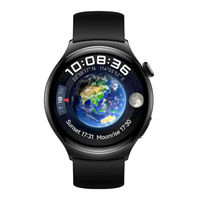
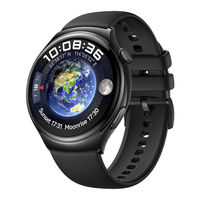
User Manuals: Huawei WATCH 4 Series Smartwatch
Manuals and User Guides for Huawei WATCH 4 Series Smartwatch. We have
5
Huawei WATCH 4 Series Smartwatch manuals available for free PDF download: Quick Start Manual, Manual, User Manual
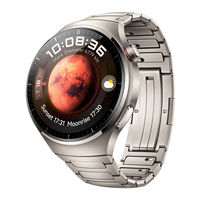
Huawei WATCH 4 - Smart Watch Manual
Brand:
Huawei
| Category:
Watch
| Size: 3 MB
Table of Contents
Getting Started
Appearance
HUAWEI WATCH 4
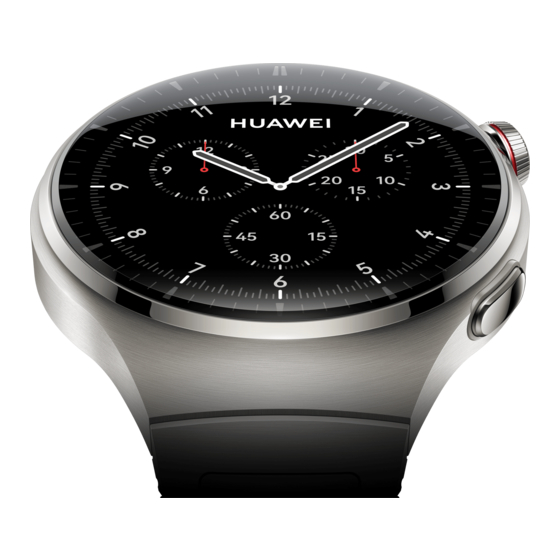
HUAWEI WATCH 4 Pro
Button features and touch operations
Up button
Down button
Touch operations
Turning off the screen
Turning on the screen
Pairing with an EMUI/Android phone
Pairing with an iPhone
Standalone communications on your watch
Activating eSIM One Number service
Activating eSIM Standalone Number service
Convenient lifestyle features on your watch
Sending and receiving SMS messages
HUAWEI Assistant·TODAY
Finding your phone using your watch
Health data on your watch
Activity rings
Health Glance
Sleep monitoring
SpO2 measurement
Basic settings on your watch
Changing the watch face
Customizing components of Universal cards
Customizing the Down button feature
Returning to ongoing apps
Ultra-long Battery Life mode
Health monitoring
Sounds & vibration
Internet access on your watch
Accessing the Internet via Bluetooth
Accessing the Internet via WLAN
Accessing the Internet via an eSIM
Ignoring the connected WLAN
Airplane mode
Setting the time format
eSIM subscription
Carriers and regions that support the eSIM/VoLTE service
Device support
Support from carriers
Carriers that support the eSIM service
Activating the eSIM service
Requirements
Activation
Making calls on your watch
Answering/Ending a call on your watch
Making a call on your watch
Configuring settings during a call
Viewing/Deleting call logs
Switching calls between your phone and watch
Using your watch to forward MeeTime calls to your HUAWEI Vision
eSIM number change or transfer
Assistant
SMS messaging
Viewing SMS messages
Sending SMS messages
Deleting SMS messages
HUAWEI Assistant·TODAY
Entering/Exiting HUAWEI Assistant·TODAY
Audio control
HUAWEI Assistant·TODAY settings
Voice assistant
Using the voice assistant
More settings
Adjusting the volume
Setting custom cards
Adding custom cards
Moving/Deleting cards
Universal cards
Editing components of Universal cards
Adding and deleting third-party components
Do Not Disturb mode
Enabling/Disabling Do Not Disturb
Scheduling Do Not Disturb
Finding your phone using your watch
Remote shutter
Remotely controlling your phone camera
Viewing photos
Message management
Enabling message notifications
Viewing unread messages
Replying to SMS messages
Customizing quick replies
Deleting unread messages
Music
Playing music online
Syncing music to your watch
Downloading music on your phone
Controlling phone music playback
Timer
Setting a quick timer
Setting a customized timer
Pausing, resetting, and exiting the timer
Pairing with a new phone
Health Management
Activity records
Health Glance
Stay Fit app
Setting your initial goal
Resetting your goal
Recording your weight
Recording your diet
Exercising
More settings
ECG measurement
Before you start
Preparing for measurement
Measuring your ECG
Result interpretation
Measuring SpO2
Individual SpO2 measurement
Automatic SpO2 measurement
Viewing your SpO2 data
Measuring heart rate
Individual heart rate measurement
Continuous heart rate monitoring
Resting heart rate measurement
Heart rate alerts
High heart rate alert during workouts
Measuring your skin temperature
Individual measurement
Continuous measurement
Emergency SOS
Setting emergency information
Viewing emergency information
Editing emergency information
Automatic Emergency SOS initiation
Manual Emergency SOS initiation
Sleep monitoring
Customizing sleep settings
Enabling/Disabling HUAWEI TruSleep
Viewing your sleep data
Cycle Calendar
Activating the app
Recording and viewing your periods on your watch
Recording your periods on the Huawei Health app
Exercise
Starting an individual workout
Starting a workout on your wearable device
Starting a workout on the Huawei Health app
Route back
Auto-detect workouts
More
App management
Installing/Uninstalling apps
Managing background apps
Managing installed apps
App settings
Reordering the app list
Charging
Charging your watch
Checking the battery level
Managing watch faces
Changing the watch face on your watch
Installing and changing the watch face on your phone
Deleting a watch face
Sharing a watch face
Setting watch faces via OneHop
Setting Gallery and video watch faces
Setting Gallery watch faces
Setting video watch faces
Deleting an image in Gallery watch faces
Setting time and language
Setting a PIN
Enabling PIN
Changing PIN
Disabling PIN
Forgetting your PIN
Sounds & vibration
Setting the ring volume
Setting the ringtone
Muting and unmuting
Crown haptics
Updates
On your watch
On your phone
Water-resistant and dust-resistant level definition and usage scenario description of wearable devices
Device information
Advertisement
Huawei WATCH 4 Series Quick Start Manual (172 pages)
Brand:
Huawei
| Category:
Watch
| Size: 0 MB
Huawei WATCH 4 Series Manual (55 pages)
Brand:
Huawei
| Category:
Watch
| Size: 3 MB
Table of Contents
Table of Contents
1
Getting Started
3
Appearance
3
Button Features and Touch Operations
4
Pairing with an Emui/Android Phone
6
Pairing with an Iphone
6
Standalone Communications on Your Watch
7
Convenient Lifestyle Features on Your Watch
7
Health Data on Your Watch
8
Basic Settings on Your Watch
9
Internet Access on Your Watch
11
Esim Subscription
14
Carriers and Regions that Support the Esim/Volte Service
14
Activating the Esim Service
19
Making Calls on Your Watch
19
Esim Number Change or Transfer
22
Assistant
23
SMS Messaging
23
HUAWEI Assistant·today
24
Voice Assistant
24
Setting Custom Cards
25
Universal Cards
25
Do Not Disturb Mode
26
Finding Your Phone Using Your Watch
26
Remote Shutter
27
Message Management
27
Music
28
Timer
30
Pairing with a New Phone
30
Health Management
32
Activity Records
32
Health Glance
32
Stay Fit App
33
ECG Measurement
34
Measuring Spo2
36
Measuring Heart Rate
36
Measuring Your Skin Temperature
39
Emergency SOS
39
Sleep Monitoring
41
Cycle Calendar
42
Starting an Individual Workout
44
Route Back
44
Auto-Detect Workouts
45
More
46
App Management
46
Charging
46
Managing Watch Faces
47
Setting Watch Faces Via Onehop
48
Setting Gallery and Video Watch Faces
49
Setting Time and Language
50
Setting a PIN
50
Sounds & Vibration
51
Updates
51
Water-Resistant and Dust-Resistant Level Definition and Usage Scenario Description of Wearable Devices
52
Device Information
55
Advertisement
Huawei WATCH 4 Series Manual (50 pages)
Brand:
Huawei
| Category:
Watch
| Size: 2 MB
Table of Contents
Table of Contents
1
Getting Started
3
Appearance
3
Button Features and Touch Operations
3
Pairing with an Emui/Android Phone
5
Pairing with an Iphone
6
Standalone Communications on Your Watch
6
Convenient Experience on Your Watch
7
Obtaining Health Information on Your Watch
7
Basic Settings on Your Watch
8
Connecting Your Watch to the Internet
10
Standalone Communications
12
Carriers and Regions that Support the Esim/Volte Service
12
Activating the Esim Service
17
Making Calls on Your Watch
18
Changing the Esim Number or the Watch
20
Assistant
21
Sending and Receiving SMS Messages
21
HUAWEI Assistant·today
22
Voice Assistant
22
Setting Custom Cards
23
Customising Service Widgets
23
Enabling or Disabling Do Not Disturb
23
Finding Your Phone Using Your Watch
24
Remote Shutter
24
Managing Messages
25
Music
26
Timers
27
Pairing with a New Phone
28
Health Management
29
Activity Records
29
Health Glance
29
Stay Fit App
30
Ecg
31
Measuring Spo2
32
Measuring Heart Rate
33
Measuring Your Skin Temperature
36
Emergency SOS
36
Sleep Monitoring
37
Cycle Calendar
38
Starting an Individual Workout
40
Route Back
41
Auto-Detect Workouts
41
More
42
Managing Apps
42
Charging
42
Managing Watch Faces
43
Setting Onehop Watch Faces
44
Configuring Gallery and Video Watch Faces
45
Setting Time and Language
45
Setting a PIN
46
Sounds & Vibration
46
Updates
47
Water-Resistant and Dust-Resistant Level Definition and Usage Scenario Description of Wearable Devices
47
Viewing Device Information
50
Huawei WATCH 4 Series Manual (46 pages)
Brand:
Huawei
| Category:
Watch
| Size: 1 MB
Advertisement
Related Products
Huawei Watch 4 Pro
Huawei Watch GT
Huawei WATCH W1
Huawei Watch FIT Mini
Huawei WATCH D
Huawei WATCH 3 Series
Huawei WATCH GT Runner
Huawei WATCH GT Cyber
Huawei Watch Buds
Huawei WATCH
Huawei Categories
Cell Phone
Network Router
Inverter
Wireless Router
Modem
More Huawei Manuals
Login
Sign In
OR
Sign in with Facebook
Sign in with Google
Upload manual
Upload from disk
Upload from URL