Sign In
Upload
Manuals
Brands
Hewlett Packard Enterprise Manuals
Switch
Aruba 2920
Hewlett Packard Enterprise Aruba 2920 Manuals
Manuals and User Guides for Hewlett Packard Enterprise Aruba 2920. We have
1
Hewlett Packard Enterprise Aruba 2920 manual available for free PDF download: Management And Configuration Manual
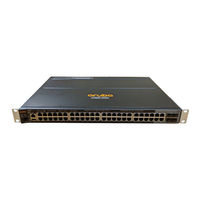
Hewlett Packard Enterprise Aruba 2920 Management And Configuration Manual (671 pages)
For ArubaOSSwitch 16.05
Brand:
Hewlett Packard Enterprise
| Category:
Switch
| Size: 6 MB
Table of Contents
Table of Contents
3
Chapter 1 About this Guide
24
Applicable Products
24
Switch Prompts Used in this Guide
24
Chapter 2 Time Protocols
25
General Steps for Running a Time Protocol on the Switch
25
Timep Time Synchronization
25
SNTP Time Synchronization
25
NTP Time Synchronization
26
Timesync Command
26
Selecting a Time Synchronization Protocol
26
Disabling Time Synchronization
27
SNTP: Selecting and Configuring
27
Viewing and Configuring SNTP (Menu)
28
Viewing and Configuring SNTP (CLI)
30
Configuring (Enabling or Disabling) the SNTP Mode
31
SNTP Client Authentication
37
Requirements
37
Configuring the Key-Identifier, Authentication Mode, and Key-Value (CLI)
37
Configuring a Trusted Key
38
Associating a Key with an SNTP Server (CLI)
39
Enabling SNTP Client Authentication
39
Configuring Unicast and Broadcast Mode for Authentication
40
Viewing SNTP Authentication Configuration Information (CLI)
40
Saving Configuration Files and the Include-Credentials Command
41
Timep: Selecting and Configuring
43
Viewing, Enabling, and Modifying the Timep Protocol (Menu)
44
Viewing the Current Timep Configuration (CLI)
45
Configuring (Enabling or Disabling) the Timep Mode
46
SNTP Unicast Time Polling with Multiple SNTP Servers
49
Displaying All SNTP Server Addresses Configured on the Switch (CLI)
50
Adding and Deleting SNTP Server Addresses
50
Adding Addresses
50
Deleting Addresses
50
Operating with Multiple SNTP Server Addresses Configured (Menu)
51
SNTP Messages in the Event Log
51
Network Time Protocol (NTP)
51
Commands
51
Timesync Ntp
51
Ntp
52
[No] Ntp
52
Ntp Enable
53
Ntp Authentication
53
Ntp Authentication Key-ID
54
Ntp Max-Association
54
Ntp Server
55
Ntp Server Key-ID
57
Ntp Ipv6-Multicast
57
Debug Ntp
58
Ntp Trap
58
Show Ntp Statistics
59
Show Ntp Status
60
Show Ntp Associations
60
Show Ntp Authentication
61
Validation Rules
62
Event Log Messages
64
Monitoring Resources
65
Displaying Current Resource Usage
65
Viewing Information on Resource Usage
66
Policy Enforcement Engine
66
Usage Notes for Show Resources Output
67
When Insufficient Resources Are Available
68
Chapter 3 Port Status and Configuration
69
Viewing Port Status and Configuring Port Parameters
69
Connecting Transceivers to Fixed-Configuration Devices
69
Viewing Port Configuration (Menu)
71
Configuring Ports (Menu)
72
Viewing Port Status and Configuration (CLI)
73
Dynamically Updating the Show Interfaces Command (Cli/Menu)
74
Customizing the Show Interfaces Command (CLI)
74
Error Messages Associated with the Show Interfaces Command
76
Viewing Port Utilization Statistics (CLI)
76
Operating Notes for Viewing Port Utilization Statistics
77
Viewing Transceiver Status (CLI)
77
Operating Notes
77
Enabling or Disabling Ports and Configuring Port Mode (CLI)
78
Enabling or Disabling Flow Control (CLI)
79
Port Shutdown with Broadcast Storm
81
Viewing Broadcast Storm
81
Snmp Mib
82
Configuring Auto-MDIX
85
Manual Override
85
Configuring Auto-MDIX (CLI)
86
Using Friendly (Optional) Port Names
87
Configuring and Operating Rules for Friendly Port Names
87
Configuring Friendly Port Names (CLI)
87
Configuring a Single Port Name (CLI)
88
Configuring the same Name for Multiple Ports (CLI)
88
Displaying Friendly Port Names with Other Port Data (CLI)
88
Listing All Ports or Selected Ports with Their Friendly Port Names (CLI)
89
Including Friendly Port Names in Per-Port Statistics Listings (CLI)
90
Searching the Configuration for Ports with Friendly Port Names (CLI)
90
Uni-Directional Link Detection (UDLD)
91
Configuring UDLD
92
Configuring Uni-Directional Link Detection (UDLD) (CLI)
92
Enabling UDLD (CLI)
93
Changing the Keepalive Interval (CLI)
93
Changing the Keepalive Retries (CLI)
93
Configuring UDLD for Tagged Ports
93
Viewing UDLD Information (CLI)
94
Viewing Summary Information on All UDLD-Enabled Ports (CLI)
94
Viewing Detailed UDLD Information for Specific Ports (CLI)
95
Clearing UDLD Statistics (CLI)
95
Uplink Failure Detection
96
Configuration Guidelines for UFD
98
UFD Enable/Disable
98
UFD Track Data Configuration
98
UFD Minimum Uplink Threshold Configuration
99
Show Uplink-Failure-Detection
99
UFD Operating Notes
100
Error Log
100
Invalid Port Error Messages
100
Chapter 4 Power over Ethernet (Poe/Poe+) Operation
101
Introduction to Poe
101
Poe Terminology
101
Planning and Implementing a Poe Configuration
101
Power Requirements
101
Assigning Poe Ports to Vlans
102
Applying Security Features to Poe Configurations
102
Assigning Priority Policies to Poe Traffic
102
Poe Operation
102
Configuration Options
103
PD Support
103
Power Priority Operation
104
When Is Power Allocation Prioritized
104
How Is Power Allocation Prioritized
104
Configuring Poe Operation
104
Disabling or Re-Enabling Poe Port Operation
104
Enabling Support for Pre-Standard Devices
105
Configuring the Poe Port Priority
105
Controlling Poe Allocation
105
Manually Configuring Poe Power Levels
106
Configuring Poe Redundancy
107
Changing the Threshold for Generating a Power Notice
108
Poe/Poe+ Allocation Using LLDP Information
109
LLDP with Poe
109
Enabling or Disabling Ports for Allocating Power Using LLDP
110
Enabling Poe Detection Via LLDP TLV Advertisement
110
LLDP with Poe
110
Overview
110
Poe Allocation
110
Viewing Poe When Using LLDP Information
111
Operating Note
113
Viewing the Global Poe Power Status of the Switch
113
Viewing Poe Status on All Ports
114
Viewing the Poe Status on Specific Ports
116
Using the HPE 2920 Switch with an External Power Supply
118
Overview
118
Supported Psus
118
Using the XPS for Additional Poe Power
119
Determining the Maximum Available Poe Power
119
Operating Rules
121
Using Redundant (N+1) Power
122
Providing Non-Poe Redundant Power
122
Configuring the HPE 2920 Poe Switches to Use the XPS
123
Enabling and Disabling Power from the XPS
123
Configuring Auto-Recovery
123
Restoring the Default External Power Supply Settings
124
Distributing Power to Specified Ports
125
Example: of the Power-Share Option
125
Example: of Adding a Switch
125
Example: of Using the Force Option
125
Reducing Allocated External Power
126
Example: Configurations
126
Non-Poe Configuration
127
Poe Configuration for Full Poe Power to One XPS Port
128
Poe Configuration for Multiple Switches
129
Viewing Power Information
131
Examples for Show External-Power-Supply
132
Examples for Show Power-Over-Ethernet Commands
135
Example: for Show Running-Config Command
136
Poe Event Log Messages
137
Chapter 5 Port Trunking
138
Overview of Port Trunking
138
Port Connections and Configuration
138
Port Trunk Features and Operation
139
Fault Tolerance
139
Trunk Configuration Methods
139
Dynamic LACP Trunk
139
Using Keys to Control Dynamic LACP Trunk Configuration
140
Static Trunk
140
Viewing and Configuring a Static Trunk Group (Menu)
144
Viewing and Configuring Port Trunk Groups (CLI)
146
Viewing Static Trunk Type and Group for All Ports or for Selected Ports
146
Viewing Static LACP and Dynamic LACP Trunk Data
147
Dynamic LACP Standby Links
147
Configuring a Static Trunk or Static LACP Trunk Group
148
Removing Ports from a Static Trunk Group
148
Enabling a Dynamic LACP Trunk Group
149
Removing Ports from a Dynamic LACP Trunk Group
149
Viewing Existing Port Trunk Groups (Webagent)
150
Trunk Group Operation Using LACP
150
Default Port Operation
152
LACP Notes and Restrictions
153
802.1X (Port-Based Access Control) Configured on a Port
154
Port Security Configured on a Port
154
Changing Trunking Methods
154
Static LACP Trunks
154
Dynamic LACP Trunks
154
Vlans and Dynamic LACP
154
Blocked Ports with Older Devices
155
Spanning Tree and IGMP
155
Half-Duplex, Different Port Speeds, or both Not Allowed in LACP Trunks
156
Dynamic/Static LACP Interoperation
156
Trunk Group Operation Using the "Trunk" Option
156
How the Switch Lists Trunk Data
156
Outbound Traffic Distribution Across Trunked Links
157
Trunk Load Balancing Using Port Layers
158
Enabling Trunk Load Balancing
159
Chapter 6 Port Traffic Controls
161
Rate-Limiting
161
All Traffic Rate-Limiting
161
Configuring In/Out Rate-Limiting
161
Displaying the Current Rate-Limit Configuration
162
Operating Notes for Rate-Limiting
164
ICMP Rate-Limiting
165
Guidelines for Configuring ICMP Rate-Limiting
166
Configuring ICMP Rate-Limiting
166
Using both ICMP Rate-Limiting and All-Traffic Rate-Limiting on the same Interface
167
Viewing the Current ICMP Rate-Limit Configuration
168
Operating Notes for ICMP Rate-Limiting
168
Notes on Testing ICMP Rate-Limiting
169
ICMP Rate-Limiting Trap and Event Log Messages
170
Determining the Switch Port Number Used in ICMP Port Reset Commands
170
Configuring Inbound Rate-Limiting for Broadcast and Multicast Traffic
171
Operating Notes
172
Configuring Egress Per-Queue Rate-Limiting (2920 and 5400R Switches Only)
173
Overview
173
Restrictions
173
Configuration Commands
173
Rate-Limit Queues out Command
174
Show Commands
174
Show Rate-Limit Queues
175
Rate-Limiting Unknown Unicast Traffic
176
Rate-Limit Unknown-Unicast in Percent
176
Rate-Limit Unknown-Unicast in Kbps
177
Show Rate-Limit Unknown-Unicast
178
Rate-Limiting Unknown Unicast Traffic
179
Rate-Limit Unknown-Unicast in Percent
179
Rate-Limit Unknown-Unicast in Kbps
180
Show Rate-Limit Unknown-Unicast
181
Guaranteed Minimum Bandwidth (GMB)
182
GMB Operation
182
Impacts of Qos Queue Configuration on GMB Operation
183
Configuring GMB for Outbound Traffic
184
Viewing the Current GMB Configuration
186
GMB Operating Notes
187
Impact of Qos Queue Configuration on GMB Commands
187
Jumbo Frames
187
Operating Rules
187
Jumbo Traffic-Handling
188
Configuring Jumbo Frame Operation
189
Overview
189
Viewing the Current Jumbo Configuration
189
Enabling or Disabling Jumbo Traffic on a VLAN
191
Configuring a Maximum Frame Size
191
Configuring IP MTU
192
SNMP Implementation
192
Displaying the Maximum Frame Size
192
Operating Notes for Maximum Frame Size
192
Troubleshooting
193
A VLAN Is Configured to Allow Jumbo Frames, but One or more Ports Drops All Inbound Jumbo Frames
193
A Non-Jumbo Port Is Generating "Excessive Undersize/Giant Frames" Messages in the Event Log
193
Chapter 7 Fault-Finder Port-Level Link-Flap
194
Overview
194
Fault-Finder Link-Flap
194
Show Fault-Finder Link-Flap
196
Event Log
197
Restrictions
197
Chapter 8 Configuring for Network Management Applications
198
Using SNMP Tools to Manage the Switch
198
SNMP Management Features
198
Snmpv1 and V2C Access to the Switch
199
Snmpv3 Access to the Switch
199
Enabling and Disabling Switch for Access from Snmpv3 Agents
200
Enabling or Disabling Restrictions to Access from Only Snmpv3 Agents
200
Enabling or Disabling Restrictions from All Non-Snmpv3 Agents to Read-Only Access
200
Viewing the Operating Status of Snmpv3
200
Viewing Status of Message Reception of Non-Snmpv3 Messages
200
Viewing Status of Write Messages of Non-Snmpv3 Messages
200
Enabling Snmpv3
200
Snmpv3 Users
201
Group Access Levels
204
Snmpv3 Communities
205
Viewing and Configuring Non-Version-3 SNMP Communities (Menu)
206
Listing Community Names and Values (CLI)
207
SNMP Notifications
208
Supported Notifications
209
General Steps for Configuring SNMP Notifications
209
Snmpv1 and Snmpv2C Traps
209
SNMP Trap Receivers
210
SNMP Trap When MAC Address Table Changes
211
Snmpv2C Informs
212
Configuring Snmpv3 Notifications (CLI)
213
Network Security Notifications
216
Enabling Link-Change Traps (CLI)
218
Source IP Address for SNMP Notifications
219
Viewing SNMP Notification Configuration (CLI)
221
Configuring the MAC Address Count Option
221
Displaying Information about the Mac-Count-Notify Option
222
Advanced Management: RMON
223
CLI-Configured Sflow with Multiple Instances
224
Configuring Sflow (CLI)
224
Viewing Sflow Configuration and Status (CLI)
225
Configuring UDLD Verify before Forwarding
227
UDLD Time Delay
227
Restrictions
228
UDLD Configuration Commands
228
Show Commands
229
RMON Generated When User Changes UDLD Mode
229
Lldp
229
General LLDP Operation
230
Lldp-Med
230
Packet Boundaries in a Network Topology
230
LLDP Operation Configuration Options
230
Enable or Disable LLDP on the Switch
231
Enable or Disable LLDP-MED
231
Change the Frequency of LLDP Packet Transmission to Neighbor Devices
231
Change the Time-To-Live for LLDP Packets Sent to Neighbors
231
Transmit and Receive Mode
231
SNMP Notification
231
Per-Port (Outbound) Data Options
231
Remote Management Address
233
Debug Logging
233
Options for Reading LLDP Information Collected by the Switch
233
LLDP and LLDP-MED Standards Compatibility
233
LLDP Operating Rules
234
Port Trunking
234
IP Address Advertisements
234
Spanning-Tree Blocking
234
802.1X Blocking
234
Configuring LLDP Operation
234
Displaying the Global LLDP, Port Admin, and SNMP Notification Status (CLI)
234
Configuring Global LLDP Packet Controls
236
Configuring SNMP Notification Support
239
Configuring Per-Port Transmit and Receive Modes (CLI)
240
Basic LLDP Per-Port Advertisement Content
240
Support for Port Speed and Duplex Advertisements
242
Port VLAN ID TLV Support on LLDP
243
Configuring the VLAN ID TLV
243
Viewing the Tlvs Advertised
243
SNMP Support
244
LLDP-MED (Media-Endpoint-Discovery)
245
LLDP-MED Endpoint Support
246
LLDP-MED Endpoint Device Classes
246
LLDP-MED Operational Support
246
LLDP-MED Fast Start Control
247
Advertising Device Capability, Network Policy, Poe Status and Location Data
247
Location Data for LLDP-MED Devices
250
Viewing Switch Information Available for Outbound Advertisements
254
Displaying the Current Port Speed and Duplex Configuration on a Switch Port
255
Viewing Advertisements Currently in the Neighbors MIB
256
Displaying LLDP Statistics
257
LLDP over OOBM
259
LLDP over OOBM Commands
259
LLDP Operating Notes
264
Neighbor Maximum
264
LLDP Packet Forwarding
264
One IP Address Advertisement Per Port
264
802.1Q VLAN Information
264
Effect of 802.1X Operation
265
Neighbor Data Can Remain in the Neighbor Database after the Neighbor Is Disconnected
265
Mandatory Tlvs
265
LLDP and CDP Data Management
265
LLDP and CDP Neighbor Data
265
CDP Operation and Commands
266
Viewing the Current CDP Configuration of the Switch
266
Viewing the Current CDP Neighbors Table of the Switch
267
Enabling and Disabling CDP Operation
268
Enabling or Disabling CDP Operation on Individual Ports
268
Configuring Cdpv2 for Voice Transmission
268
Filtering CDP Information
270
Configuring the Switch to Filter Untagged Traffic
271
Displaying the Configuration
271
Filtering PVID Mismatch Log Messages
272
Dhcpv4 Server
272
Introduction to Dhcpv4
272
IP Pools
272
DHCP Options
272
Bootp Support
273
Authoritative Server and Support for DHCP Inform Packets
273
Authoritative Pools
273
Authoritative Dummy Pools
273
Change in Server Behavior
274
Dhcpv4 Configuration Commands
274
Enable/Disable the Dhcpv4 Server
274
Configuring the DHCP Address Pool Name
274
Authoritative
276
Specify a Boot File for the DHCP Client
276
Configure a Default Router for a DHCP Client
276
Configure the DNS IP Servers
276
Configure a Domain Name
277
Configure Lease Time
277
Configure the Netbios WINS Servers
277
Configure the Netbios Node Type
277
Configure Subnet and Mask
278
Configure DHCP Server Options
278
Configure the Range of IP Address
278
Configure the Static Binding Information
279
Configure the TFTP Server Domain Name
279
Configure the TFTP Server Address
279
Change the Number of Ping Packets
280
Change the Amount of Time
280
Configure DHCP Server to Save Automatic Bindings
280
Configure a DHCP Server to Send SNMP Notifications
281
Enable Conflict Logging on a DHCP Server
281
Enable the DHCP Server on a VLAN
281
Clear Commands
281
Reset All DHCP Server and BOOTP Counters
282
Delete an Automatic Address Binding
282
Show Commands
282
Display the Dhcpv4 Server Address Bindings
282
Display Address Conflicts
282
Display Dhcpv4 Server Database Agent
282
Display Dhcpv4 Server Statistics
283
Display the Dhcpv4 Server IP Pool Information
283
Display Dhcpv4 Server Global Configuration Information
283
Event Log
283
Event Log Messages
284
LLDP Management TLV Transmission Disablement
286
Overview
286
Commands
286
[No] Lldp Config Basictlvenable Management_Addr
286
Lldp Config
287
Show Commands
287
Chapter 9 Captive Portal for Clearpass
289
Requirements
289
Best Practices
290
Limitations
290
Features
290
High Availability
290
Load Balancing and Redundancy
290
Captive Portal When Disabled
291
Disabling Captive Portal
291
Configuring Captive Portal on CPPM
291
Import the HP RADIUS Dictionary
291
Create Enforcement Profiles
292
Create a Clearpass Guest Self-Registration
293
Configure the Login Delay
294
Configuring the Switch
294
Configure the URL Key
295
Configuring a Certificate for Captive Portal Usage
295
Display Captive Portal Configuration
295
Show Certificate Information
296
Troubleshooting
296
Event Timestamp Not Working
296
Cannot Enable Captive Portal
296
Unable to Enable Feature
297
Authenticated User Redirected to Login Page
297
Unable to Configure a URL Hash Key
298
Authentication Command
298
Show Command
298
Debug Command
299
Chapter 10 Zero Touch Provisioning with Airwave and Central
300
Zero Touch Provisioning
300
ZTP with Airwave
300
DHCP-Based ZTP with Airwave
300
Configuring DHCP-Based ZTP with Airwave
300
Limitations
302
Best Practices
302
Configure Airwave Details in DHCP (Preferred Method)
302
Configure Airwave Details in DHCP (Alternative Method)
307
Configure Airwave Details Manually
314
Amp-Server
315
Debug Ztp
316
Stacking Support
316
Disabling ZTP
316
Image Upgrade
317
Troubleshooting
317
AMP Server Messages
317
Activate Based ZTP with Airwave
317
Configuring Activate-Based ZTP with Airwave
317
Ipsec for Airwave Connectivity
318
Overview
318
Ipsec for Management Traffic
318
Ipsec Tunnel Establishment
319
Ipsec Tunnel Failures
319
Airwave IP after Discovery
319
Configuring the Aruba Controller
319
Airwave Controller IP Configuration Commands
320
Aruba-Vpn Type
320
Show Commands
321
Show Aruba-Vpn
321
Show Ip Route
322
Show Interfaces Tunnel Aruba-Vpn
322
Show Crypto-Ipsec Sa
323
Show Running-Configuration
324
ZTP with Aruba Central
324
LED Blink Feature
326
Aruba Central Configuration Manually
326
Aruba-Central
326
Aruba-Central Support-Mode
327
Activating Arubaos-Switch Firmware Integration
327
Activate Software-Update Enable
328
Activate Software-Update Check
328
Activate Software-Update Update
328
Show Activate Software-Update
329
Troubleshooting
329
Show Aruba-Central
329
Debug Ztp
330
Stacking Support
330
Chapter 11 Auto Configuration Upon Aruba AP Detection
331
Auto Device Detection and Configuration
331
Requirements
331
Limitations
331
Feature Interactions
331
Profile Manager and 802.1X
332
Profile Manager and LMA/WMA/MAC-AUTH
332
Profile Manager and Private Vlans
332
Procedure for Creating a Device Identity and Associating a Device Type
332
Device-Profile Name
333
Device-Profile Type
334
Rogue AP Isolation
335
Limitations
335
Feature Interactions
336
MAC Lockout and Lockdown
336
Lma/Wma/802.1X/Port-Security
336
L3 Mac
337
Using the Rogue AP Isolation Feature
337
Rogue-Ap-Isolation
338
Rogue-Ap-Isolation Action
338
Rogue-Ap-Isolation Whitelist
339
Clear Rogue-Ap-Isolation
339
Troubleshooting
340
Dynamic Configuration Not Displayed When Using "Show Running-Config
340
Switch Does Not Detect the Rogue AP Tlvs
340
The Show Run Command Displays Non-Numerical Value for Untagged-Vlan
340
Show Commands
341
Validation Rules
341
Chapter 12 Device Profile for Custom Device Types
344
Procedure for Creating a Device Identity and Associating a Device Type
344
Chapter 13 Dynamically Detecting LLDP Device Profiles
345
Device-Profile
345
Device-Profile Type-Device
345
Device-Profile Device-Type Enable
346
Associating a Profile with a Device
347
Device-Profile Device-Type Associate
347
Show Device-Profile Status
347
Show Device-Profile Config
348
Show Device-Identity
349
Chapter 14 LACP-MAD
351
LACP-MAD Commands
351
Configuration Command
351
Show Commands
351
Clear Command
351
LACP-MAD Overview
351
Chapter 15 Scalability IP Address VLAN and Routing Maximum Values
353
Chapter 16 Static IP Visibility
355
IP Client-Tracker
355
Chapter 17 File Transfers
358
Overview
358
Downloading Switch Software
358
General Software Download Rules
358
Using TFTP to Download Software from a Server
358
Downloading from a Server to Primary Flash Using TFTP (Menu)
359
Troubleshooting TFTP Download Failures
361
Downloading from a Server to Flash Using TFTP (CLI)
362
Enabling TFTP (CLI)
363
Configuring the Switch to Download Software Automatically from a TFTP Server Using Auto-TFTP (CLI)
363
Using SCP and SFTP
364
Enabling SCP and SFTP
365
Disabling TFTP and Auto-TFTP for Enhanced Security
365
Enabling SSH V2 (Required for SFTP)
367
Authentication
367
SCP/SFTP Operating Notes
368
Troubleshooting SSH, SFTP, and SCP Operations
369
Using Xmodem to Download Switch Software from a PC or UNIX Workstation
370
Downloading to Primary Flash Using Xmodem (Menu)
370
Downloading to Primary or Secondary Flash Using Xmodem and a Terminal Emulator (CLI)
371
Using USB to Transfer Files to and from the Switch
372
Downloading Switch Software Using USB (CLI)
372
Switch-To-Switch Download
374
Switch-To-Switch Download to Primary Flash (Menu)
374
Downloading the os from Another Switch (CLI)
374
Using Airwave to Update Switch Software
375
Using IMC to Update Switch Software
375
Copying Software Images
376
TFTP: Copying a Software Image to a Remote Host (CLI)
376
Xmodem: Copying a Software Image from the Switch to a Serially Connected PC or UNIX Workstation (CLI)
376
USB: Copying a Software Image to a USB Device (CLI)
376
Transferring Switch Configurations
377
TFTP: Copying a Configuration File to a Remote Host (CLI)
377
TFTP: Copying a Configuration File from a Remote Host (CLI)
377
TFTP: Copying a Customized Command File to a Switch (CLI)
378
Xmodem: Copying a Configuration File to a Serially Connected PC or UNIX Workstation (CLI)
378
Xmodem: Copying a Configuration File from a Serially Connected PC or UNIX Workstation (CLI)
379
USB: Copying a Configuration File to a USB Device (CLI)
380
USB: Copying a Configuration File from a USB Device (CLI)
380
Transferring ACL Command Files
381
TFTP: Uploading an ACL Command File from a TFTP Server (CLI)
381
Xmodem: Uploading an ACL Command File from a Serially Connected PC or UNIX Workstation (CLI)
382
Single Copy Command
383
Multiple Management Switches
386
Stacking Switches
387
Standalone Switches
387
Crash File Options
387
USB: Uploading an ACL Command File from a USB Device (CLI)
388
Copying Diagnostic Data to a Remote Host, USB Device, PC or UNIX Workstation
389
Copying Command Output to a Destination Device (CLI)
390
Copying Event Log Output to a Destination Device (CLI)
390
Copying Command Log Output to a Destination Device (CLI)
391
Copying Crash Data Content to a Destination Device (CLI)
391
Flight Data Recorder (FDR)
392
Chapter 18 Monitoring and Analyzing Switch Operation
393
Overview
393
Accessing Port and Trunk Group Statistics
393
Show Interfaces
393
Reset Port Counters
393
Clear Statistics
394
Accessing Port and Trunk Statistics (Menu)
395
MAC Address Tables
395
MAC Address Views and Searches
395
Show Mac-Add Detail
396
Show Mac-Address <MAC-ADDRESS> Detail
397
Show Mac-Address
397
Using the Menu to View and Search MAC Addresses
398
Finding the Port Connection for a Specific Device on a VLAN
399
Viewing and Searching Port-Level MAC Addresses
399
Determining Whether a Specific Device Is Connected to the Selected Port
400
MSTP Data
400
Show Spanning-Tree
400
IP IGMP Status
401
Show Ip Igmp
401
VLAN Information
403
Show Vlan
403
Configuring a Source Switch in a Local Mirroring Session
404
Selecting All Traffic on a Port Interface for Mirroring According to Traffic Direction
405
Viewing All Mirroring Sessions Configured on the Switch
406
Viewing the Mirroring Configuration for a Specific Session
407
Using the Menu to Configure Local Mirroring
408
Menu and Webagent Limits
408
High-Level Overview of the Mirror Configuration Process
408
Determine the Mirroring Session and Destination
408
For a Local Mirroring Session
408
Configure the Monitored Traffic in a Mirror Session
408
Classifier-Based Mirroring Configuration
408
Classifier-Based Mirroring Restrictions
410
Mirroring Configuration Examples
411
Maximum Supported Frame Size
412
Enabling Jumbo Frames to Increase the Mirroring Path MTU
412
Effect of Downstream VLAN Tagging on Untagged, Mirrored Traffic
413
Operating Notes for Traffic Mirroring
414
Troubleshooting Traffic Mirroring
416
Interface Monitoring Features
416
Configuring Port and Static Trunk Monitoring (Menu)
416
Configuring Port and Static Trunk Monitoring (CLI)
417
Displaying the Monitoring Configuration
417
Configuring the Monitor Port
418
Selecting or Removing Monitoring Source Interfaces
418
Chapter 19 Fans
420
Show System
420
Show System Fans
421
Show System Power-Supply
423
Fan Failures and SNMP Traps
427
Chapter 20 Troubleshooting
428
Overview
428
Troubleshooting Approaches
428
Browser or Telnet Access Problems
429
Cannot Access the Webagent
429
Cannot Telnet into the Switch Console from a Station on the Network
429
Unusual Network Activity
430
General Problems
430
The Network Runs Slow; Processes Fail; Users Cannot Access Servers or Other Devices
430
Duplicate IP Addresses
430
Duplicate IP Addresses in a DHCP Network
431
The Switch Has Been Configured for Dhcp/Bootp Operation, but Has Not Received a DHCP or Bootp Reply
431
802.1Q Prioritization Problems
431
Ports Configured for Non-Default Prioritization (Level 1 to 7) Are Not Performing the Specified Action
431
Addressing ACL Problems
431
Acls Are Properly Configured and Assigned to Vlans, but the Switch Is Not Using the Acls to Filter IP Layer 3 Packets
431
The Switch Does Not Allow Management Access from a Device on the same VLAN
432
Error (Invalid Input) When Entering an IP Address
432
Apparent Failure to Log All "Deny" Matches
433
The Switch Does Not Allow any Routed Access from a Specific Host, Group of Hosts, or Subnet
433
The Switch Is Not Performing Routing Functions on a VLAN
433
Routing through a Gateway on the Switch Fails
433
IGMP-Related Problems
434
IP Multicast (IGMP) Traffic that Is Directed by IGMP Does Not Reach IGMP Hosts or a Multicast Router Connected to a Port
435
IP Multicast Traffic Floods out All Ports; IGMP Does Not Appear to Filter Traffic
435
LACP-Related Problems
435
Unable to Enable LACP on a Port with the Interface <Port-Number> Lacp Command
435
Port-Based Access Control (802.1X)-Related Problems
435
The Switch Does Not Receive a Response to RADIUS Authentication Requests
435
The Switch Does Not Authenticate a Client Even Though the RADIUS Server Is Properly Configured and Providing a Response to the Authentication Request
436
During RADIUS-Authenticated Client Sessions, Access to a VLAN on the Port Used for the Client Sessions Is Lost
436
The Switch Appears to be Properly Configured as a Supplicant, but Cannot Gain Access to the Intended Authenticator Port on the Switch to Which It Is Connected
436
The Supplicant Statistics Listing Shows Multiple Ports with the same Authenticator MAC Address
436
The Show Port-Access Authenticator <Port-List> Command Shows One
436
Unauthorized
436
RADIUS Server Fails to Respond to a Request for Service, Even Though the Server's IP Address Is Correctly Configured in the Switch
437
Authenticator <Port-List> Initialize
437
A Trunked Port Configured for 802.1X Is Blocked
437
Qos-Related Problems
437
Loss of Communication When Using VLAN-Tagged Traffic
438
Radius-Related Problems
438
The Switch Does Not Receive a Response to RADIUS Authentication Requests
438
RADIUS Server Fails to Respond to a Request for Service, Even Though the Server's IP Address Is Correctly Configured in the Switch
438
MSTP and Fast-Uplink Problems
439
Broadcast Storms Appearing in the Network
439
STP Blocks a Link in a VLAN Even Though There Are no Redundant Links in that VLAN
439
Fast-Uplink Troubleshooting
439
SSH-Related Problems
439
Switch Access Refused to a Client
439
Executing IP SSH Does Not Enable SSH on the Switch
440
Switch Does Not Detect a Client's Public Key that Does Appear in the Switch's Public Key File (Show Ip Client-Public-Key)
440
An Attempt to Copy a Client Public-Key File into the Switch Has Failed and the Switch Lists One of the Following Messages
440
Client Ceases to Respond ("Hangs") During Connection Phase
440
TACACS-Related Problems
440
Event Log
440
All Users Are Locked out of Access to the Switch
440
No Communication between the Switch and the TACACS+ Server Application
441
Access Is Denied Even Though the Username/Password Pair Is Correct
441
Unknown Users Allowed to Login to the Switch
441
System Allows Fewer Login Attempts than Specified in the Switch Configuration
442
Timep, SNTP, or Gateway Problems
442
The Switch Cannot Find the Time Server or the Configured Gateway
442
VLAN-Related Problems
442
Monitor Port
442
None of the Devices Assigned to One or more Vlans on an 802.1Q-Compliant Switch Are Being Recognized
442
Link Configured for Multiple Vlans Does Not Support Traffic for One or more Vlans
442
Duplicate MAC Addresses Across Vlans
443
Disabled Overlapping Subnet Configuration
443
Fan Failure
444
Mitigating Flapping Transceivers
444
Fault Finder Thresholds
446
Viewing Transceiver Information
450
Viewing Information about Transceivers (CLI)
451
MIB Support
451
Viewing Transceiver Information
451
Information Displayed with the Detail Parameter
452
Viewing Transceiver Information for Copper Transceivers with VCT Support
456
Testing the Cable
456
Using the Event Log for Troubleshooting Switch Problems
458
Event Log Entries
459
Using the Menu
470
Using the CLI
471
Clearing Event Log Entries
472
Turning Event Numbering on
472
Using Log Throttling to Reduce Duplicate Event Log and SNMP Messages
472
Log Throttle Periods
473
Example: of Event Counter Operation
474
Reporting Information about Changes to the Running Configuration
475
Debug/Syslog Operation
475
Debug/Syslog Messaging
475
Hostname in Syslog Messages
476
Logging Origin-ID
476
Viewing the Identification of the Syslog Message Sender
478
Snmp Mib
480
Debug/Syslog Destination Devices
480
Debug/Syslog Configuration Commands
481
Configuring Debug/Syslog Operation
484
Viewing a Debug/Syslog Configuration
486
Debug Command
488
Debug Messages
488
Debug Destinations
490
Logging Command
491
Configuring a Syslog Server
492
Adding a Description for a Syslog Server
494
Adding a Priority Description
495
Configuring the Severity Level for Event Log Messages Sent to a Syslog Server
495
Configuring the System Module Used to Select the Event Log Messages Sent to a Syslog Server
496
Enabling Local Command Logging
496
Operating Notes for Debug and Syslog
497
Diagnostic Tools
498
Port Auto-Negotiation
498
Ping and Link Tests
498
Ping Test
498
Link Test
498
Executing Ping or Link Tests (Webagent)
498
Testing the Path between the Switch and Another Device on an IP Network
499
Issuing Single or Multiple Link Tests
501
Tracing the Route from the Switch to a Host Address
501
Halting an Ongoing Traceroute Search
503
A Low Maxttl Causes Traceroute to Halt before Reaching the Destination Address
503
If a Network Condition Prevents Traceroute from Reaching the Destination
504
Viewing Switch Configuration and Operation
504
Viewing the Startup or Running Configuration File
504
Viewing the Configuration File (Webagent)
505
Viewing a Summary of Switch Operational Data
505
Saving Show Tech Command Output to a Text File
506
Customizing Show Tech Command Output
507
Viewing more Information on Switch Operation
509
Searching for Text Using Pattern Matching with Show Command
510
Displaying the Information You Need to Diagnose Problems
512
Restoring the Factory-Default Configuration
513
Resetting to the Factory-Default Configuration
513
Using the CLI
513
Using Clear/Reset
513
Restoring a Flash Image
514
Recovering from an Empty or Corrupted Flash State
514
DNS Resolver
516
Basic Operation
516
Configuring and Using DNS Resolution with DNS-Compatible Commands
517
Configuring a DNS Entry
517
Using DNS Names with Ping and Traceroute: Example
518
Viewing the Current DNS Configuration
520
Operating Notes
520
Event Log Messages
521
Locating a Switch (Locator LED)
521
Chapter 21 Job Scheduler
522
Job Scheduler
522
Commands
522
Job at | Delay | Enable | Disable
522
Show Job
523
Show Job <Name
523
Chapter 22 Configuration Backup and Restore Without Reboot
525
Overview
525
Benefits of Configuration Restore Without Reboot
525
Recommended Scenarios
525
Use Cases
525
Switching to a New Configuration
526
Rolling Back to a Stable Configuration Using Job Scheduler
527
Commands Used in Switch Configuration Restore Without Reboot
528
Configuration Backup
528
Cfg-Backup
529
Show Config Files
529
Configuration Restore Without Reboot
531
Cfg-Restore
531
Force Configuration Restore
533
Cfg-Restore Non-Blocking
534
Cfg-Restore Recovery-Mode
535
Cfg-Restore Verbose
537
Cfg-Restore Config_Bkp
538
Configuration Restore with Force Option
539
System Reboot Commands
540
Configuration Restore Without Force Option
541
Show Cfg-Restore Status
541
Viewing the Differences between a Running Configuration and a Backup Configuration
543
Show Commands to Show the SHA of a Configuration
545
Show Hash
545
Scenarios that Block the Configuration Restoration Process
546
Limitations
546
Blocking of Configuration from Other Sessions
546
Troubleshooting and Support
547
Debug Cfg-Restore
547
Chapter 23 Virtual Technician
548
Cisco Discovery Protocol (CDP)
548
Show Cdp Traffic
548
Clear Cdp Counters
548
Enable/Disable Debug Tracing for MOCANA Code
549
Debug Security
549
User Diagnostic Crash Via Front Panel Security (FPS) Button
549
Front Panel Security Password-Clear
549
Front-Panel-Security Diagnostic-Reset
550
[No] Front-Panel-Security Diagnostic-Reset
550
Front-Panel-Security Diagnostic-Reset Clear-Button
551
[No] Front-Panel-Security Diagnostic-Reset Clear-Button
551
Show Front-Panel-Security
552
Diagnostic Table
552
Validation Rules
553
FPS Error Log
554
User Initiated Diagnostic Crash Via the Serial Console
555
Front-Panel-Security Diagnostic-Reset Serial-Console
555
[No] Front-Panel-Security Diagnostic-Reset Serial-Console
555
Serial Console Error Messages
556
Chapter 24 IP Service Level Agreement
557
Overview
557
How IP SLA Works
559
Configuration Commands
559
[No] Ip-Sla <ID
559
Ip-Sla <ID> Clear
560
[No] Ip-Sla <ID> History-Size
561
[No] Ip-Sla <ID> Icmp-Echo
561
[No] Ip-Sla <ID> Udp-Echo
561
[No] Ip-Sla <ID> Tcp-Connect
561
[No] Ip-Sla <ID> Monitor Threshold-Config
561
[No] Ip-Sla <ID> Monitor Packet-Loss
562
[No] Ip-Sla <ID> Monitor Test-Completion
562
[No] Ip-Sla <ID> Schedule
563
[No] Ip-Sla <ID> Tos
563
[No] Ip-Sla Responder
563
[No] Ip-Sla <ID> Udp-Jitter
563
[No] Ip-Sla <ID> Udp-Jitter-Voip
564
Show Commands
564
Show Ip-Sla <ID
564
Show Ip-Sla <ID> History
565
Show Ip-Sla <ID> Message-Statistics
565
Show Ip-Sla <ID> Results
566
Show Ip-Sla <ID> Aggregated-Results
567
Show Ip-Sla Responder
568
Show Ip-Sla Responder Statistics
568
Show Tech Ip-Sla
569
Clear Ip-Sla Responder Statistics
571
Validation Rules
572
Event Log Messages
574
Interoperability
575
IP SLA UDP Jitter and Jitter for Voip
575
Overview
575
Significance of Jitter
576
Solution Components
576
SLA Measurements
577
Chapter 25 Easing Wired/Wireless Deployment Feature Integration
579
Overview
579
Configuration Commands
579
Allow-Jumbo-Frames
579
Validation Rules
580
Default AP Profile
580
Device-Profile
580
Associating a Device with a Profile
581
Device-Profile Type
581
Configuring the Rogue-Ap-Isolation Command
582
Rogue-Ap-Isolation
582
VXLAN Show Commands
583
Show Device-Profile
583
Show Command Device-Profile Status
584
Show Rogue-Ap-Isolation
584
Chapter 26 Local User Roles
586
Overview
586
Captive-Portal Commands
588
Overview
588
[No] Aaa Authentication Captive-Portal Profile
588
Validation Rules
589
Policy Commands
590
Overview
590
Policy User
590
[No] Policy User
590
Policy Resequence
591
Commands in the Policy-User Context
591
(Policy-User)# Class
591
User Role Configuration
592
Aaa Authorization User-Role
592
Error Log
593
Captive-Portal-Profile
594
Policy
594
Reauth-Period
594
Validation Rules
595
VLAN Commands
595
Vlan-ID
595
Vlan-Name
595
VLAN Range Commands
596
Applying a UDR
597
Aaa Port-Access Local-Mac Apply User-Role
597
VXLAN Show Commands
597
Show Captive-Portal Profile
597
Show User-Role
598
Show Port-Access Clients
599
Chapter 27 Port Qos Trust Mode
601
Overview
601
Configuration Commands
601
Qos Trust
601
Qos Dscp-Map
602
Show Commands
602
Show Qos Trust
602
Validation Rules
604
Chapter 28 Tunneled Node
605
Overview
605
Operating Notes
605
Protocol Application Programming Interface (PAPI)
606
Configuration Commands
606
Tunneled-Node-Server
606
Validation Rules
606
Tunneled-Node-Server
607
Validation Rules
607
Tunneled-Node-Server
609
Interface Tunneled-Node-Server
610
Controller-Ip
610
Keepalive
610
Backup-Controller-Ip
610
Fallback-Local-Switching
611
VLAN Show Commands
611
Show Tunneled-Node-Server
611
Validation Rules
612
Show Tunneled-Node-Server State
612
Show Tunneled-Node-Server
612
Clear Statistics Tunneled-Node-Server
613
Interaction Table
613
Restrictions
614
PAPI Security
615
Protocol Application Programming Interface (PAPI)
615
PAPI Configurable Secret Key
616
Papi-Security
616
Preventing Double Tunneling of Aruba Access Points
618
Preventing Double Tunneling Using Device Profile Parameter
618
Device-Profile Name
618
Chapter 29 Time Domain Reflectometry
622
Virtual Cable Testing
622
Test Cable-Diagnostics
622
Show Cable-Diagnostics
625
Clear Cable-Diagnostics
625
Limitations
625
Chapter 30 Link Layer Discovery Protocol Bypass Authentication
627
Overview
627
Configuration Commands
627
Aaa Port-Access Lldp-Bypass
627
Validation Rules
628
Show Commands
629
Show Port-Access Lldp-Bypass Clients
629
Show Port-Access Lldp-Bypass Config
630
Error Log
631
Debug Log
632
Chapter 31 Net-Destination and Net-Service
633
Net-Service Overview
633
Netservice [Tcp | Udp | Port]
633
Net-Destination Overview
634
Net-Destination Host |Position | Network
635
Show Net-Destination
636
Chapter 32 Websites
637
Chapter 33 Support and Other Resources
638
Accessing Hewlett Packard Enterprise Support
638
Accessing Updates
638
Customer Self Repair
639
Remote Support
639
Warranty Information
639
Regulatory Information
640
Documentation Feedback
640
Remote Device Deployment (TR-069)
641
Introduction
641
Advantages of
642
Zero-Touch Configuration Process
643
Zero-Touch Configuration Setup and Execution
646
CLI Commands
646
Configuration Setup
646
ACS Password Configuration
647
When Encrypt-Credentials Is off
647
When Encrypt-Credentials Is on
648
ACS URL Configuration
648
ACS Username Configuration
648
CPE Configuration
648
CPE Password Configuration
649
When Encrypt-Credentials Is on
649
When Encrypt-Credentials Is off
649
CPE Username Configuration
649
Enable/Disable CWMP
650
Show Commands
650
CWMP Configuration and Status Query
650
Event Logging
651
System Logging
651
Status/Control Commands
652
Network Out-Of-Band Management (OOBM)
654
Concepts
654
Example
655
OOBM and Switch Applications
656
OOBM Configuration
656
Entering the OOBM Configuration Context from the General Configuration Context
656
Enabling and Disabling OOBM
657
Enabling and Disabling the OOBM Port
657
Setting the OOBM Port Speed
658
Configuring an OOBM Ipv4 Address
658
Configuring an OOBM Ipv4 Default Gateway
659
Configuring an Ipv6 Default Gateway for OOBM Devices
659
Oobm Ipv6 Default-Gateway
659
Oobm Member Ipv6 Default-Gateway
660
Ipv6 Default Router Preferences
660
Ipv6 Nd Ra Router-Preference
660
OOBM Show Commands
661
Showing the Global OOBM and OOBM Port Configuration
661
Showing OOBM IP Configuration
662
Showing OOBM ARP Information
662
Show Oobm Ipv6
662
Show Oobm Ipv6 (for Stacked Switches)
663
Show Oobm Ip Detail (for Stacked Switches)
663
Application Server Commands
664
Application Client Commands
665
Configuration Backup and Restore Without Reboot
668
Glossary
670
Advertisement
Advertisement
Related Products
Hewlett Packard Enterprise Aruba 3810
Hewlett Packard Enterprise Aruba 2530
Hewlett Packard Enterprise Aruba 8360 Series
Hewlett Packard Enterprise Aruba 8360 12C
Hewlett Packard Enterprise Aruba 9012
Hewlett Packard Enterprise Aruba 7 Series
Hewlett Packard Enterprise Aruba 7200 Series
Hewlett Packard Enterprise Aruba User Experience Insight
Hewlett Packard Enterprise aruba
Hewlett Packard Enterprise aruba SFP+
Hewlett Packard Enterprise Categories
Server
Switch
Storage
Wireless Access Point
Network Storage Server
More Hewlett Packard Enterprise Manuals
Login
Sign In
OR
Sign in with Facebook
Sign in with Google
Upload manual
Upload from disk
Upload from URL