Sign In
Upload
Manuals
Brands
Baicells Manuals
Network Hardware
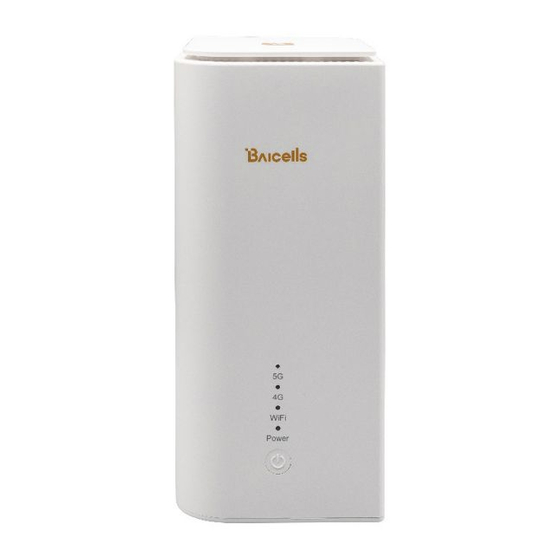
EG3661M-NR6
Baicells EG3661M-NR6 Manuals
Manuals and User Guides for Baicells EG3661M-NR6. We have
1
Baicells EG3661M-NR6 manual available for free PDF download: User Manual
Baicells EG3661M-NR6 User Manual (69 pages)
Brand:
Baicells
| Category:
Network Hardware
| Size: 3 MB
Table of Contents
Table of Contents
3
GUI Introduction
9
Computer Requirements
9
CPE Software
9
Applicable CPE Model
9
Table 1-1 Computer Requirements
9
Table 1-2 CPE Model List
9
Log in
10
Figure 1-1 Login
10
Configuration
11
Status Menu
11
Overview
11
Figure 2-1 Overview
12
Table 2-1 Status
16
Routes
18
Network Menu
19
LAN Settings
19
Figure 2-2 Routes
19
Figure 2-3 LAN Host Settings
19
WAN Settings
20
Figure 2-4 DHCP Settings
20
Figure 2-5 Bundled Address List
20
Figure 2-6 WAN Settings
21
Tunnel Mode
21
Figure 2-7 Tunnel Mode
22
WLAN Settings
23
Figure 2-8 Bridge Mode
23
Figure 2-9 WLAN Overview
23
Figure 2-10 WLAN Settings
24
Table 2-2 WLAN Settings Parameters
24
Static Routes
25
Dmz
25
Figure 2-11 Static Routes
25
Figure 2-12 DMZ Examples
26
Cellular Menu
27
Scan Mode
27
Figure 2-13 DMZ
27
Figure 2-14 Scan Mode
27
Figure 2-15 Full Band
28
Figure 2-16 Cell Lock
29
APN Management
30
Figure 2-17 Band Lock
30
PIN Management
31
Figure 2-18 APN Management
31
Security Menu
32
Firewall Settings
32
Figure 2-19 PIN Management
32
MAC Filter
33
Figure 2-20 Firewall
33
Figure 2-21 MAC Filter
33
IP Filter
34
Figure 2-22 IP Filter
34
URL Filter
35
Table 2-3 IP Filter
35
Port Forwarding
36
Figure 2-23 URL Filter
36
Port Triggering
37
Figure 2-24 Port Forwarding
37
Table 2-4 Port Forwarding
37
Alg
38
Figure 2-25 Port Triggering
38
Upnp
39
Figure 2-26 ALG
39
Attack Protection
40
Figure 2-27 Upnp
40
Figure 2-28 Attack Protection
40
VPN Menu
41
Ipsec
41
Figure 2-29 VPN Menu
41
Figure 2-30 Ipsec
41
Figure 2-31 Ipsec
42
Table 2-5 Ipsec
42
Openvpn
43
Figure 2-32 Openvpn
44
Figure 2-33 Server
44
System Menu
45
Ntp
45
Figure 2-34 Client
45
Account
46
Figure 2-35 NTP
46
Dynamic DNS
47
Figure 2-36 Account
47
Figure 2-37 Dynamic DNS Overview
47
Figure 2-38 Dynamic DNS Global Settings
48
Figure 2-39 Ipv4 DDNS Configuration
49
WEB Setting
50
Figure 2-40 Ipv6 DDNS Configuration
50
FTP Auto Upgrade
51
Figure 2-41 WEB Setting
51
Table 2-6 WEB Setting
51
Figure 2-42 FTP Auto Upgrade
52
Figure 2-43 TR-069
53
Table 2-7 TR-069
53
Snmp
54
Figure 2-44 SNMP
54
Restore/Update
55
Table 2-8 SNMP
55
Figure 2-45 Restore/Update
56
Update Firmware
56
Ping Watchdog
57
Sas
57
Figure 2-46 Ping Watchdog
57
Figure 2-47 SAS Menu
58
Table 2-9 SAS Info Field Description
58
Figure 2-48 Automatic SAS
59
Figure 2-49 SAS Settings
59
Figure 2-50 Antenna Parameters
60
Table 2-10 SAS Settings
60
Table 2-11 Antenna Parameters
60
SAS Certificates
61
Figure 2-51 CPI Settings
61
System Messages
62
Diagnosis
62
Figure 2-52 SAS Certificates
62
Figure 2-53 System Messages
62
Figure 2-54 Diagnosis
63
Figure 2-55 Ping Diagnosis Settings
64
Table 2-12 Ping Diagnosis Parameters
64
Trace Route
64
Figure 2-56 Trace Diagnosis Settings
65
Table 2-13 Trace Diagnosis Parameters
65
Reboot
66
Figure 2-57 Iperf Diagnosis Settings
66
Table 2-14 Iperf Diagnosis Parameters
66
Logout
67
Appendix: Regulatory Compliance
68
Advertisement
Advertisement
Related Products
Baicells EG2013B-M11
Baicells EG8015Q-M11
Baicells EG3015M-M30-HP
Baicells EP3011
Baicells EG8015G-M1
Baicells EG7010A-M11
Baicells EG8013L-M11
Baicells EG2030C-M2
Baicells EG7010C-M11
Baicells Atom OD040615
Baicells Categories
Network Hardware
Accessories
Wireless Access Point
Network Router
Tools
More Baicells Manuals
Login
Sign In
OR
Sign in with Facebook
Sign in with Google
Upload manual
Upload from disk
Upload from URL