Table of Contents
Advertisement
User Guide
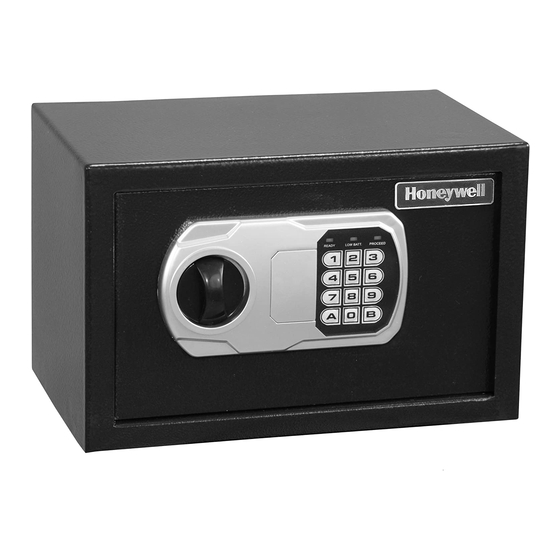
Steel Security Safe
Package Includes;
1 – Steel Security Safe
1 – Operation Manual
2 – Override Access Keys
1 – Mounting Kit w/ Bolts (Except
5103SL/5103GSL)
1 – Removable Shelf (Models
5103SL/5103GSL,5110/5110G,
5111/5111G only)
Please carefully check the above list to confirm all items have been received. If any items
are missing, please contact Consumer Assistance. (See page 5 for contact information).
Read this manual carefully and never store it inside the safe!
ENGLISH
Models 5101, 5101DOJ,
5102, 5103SL, 5110, 5111,
5115, 5101G, 5101GDOJ,
5102G, 5103GSL, 5110G,
5111G, 5115G, 5330DJ and
5320DJ-DS
Advertisement
Table of Contents

Related Manuals for Honeywell 5115


Summarization of Contents
Safe Identification and Location
Safe Identification Record Fields
Record the safe's model, serial, override key, entry key, and user code numbers.
Locating Safe Serial Number
Find the safe's serial number on the bottom right corner of the door frame.
Locating Override Access Key Number
Identify the override access key number engraved on the head of the key.
Locating Entry Key Number
Find the entry key number etched on the key head and lock cylinder.
Safe Use and Maintenance
Theft Protection Features
Details on features like digital lock, steel bolts, and concealed hinges for security.
Clean Hands Before Operation
Avoid operating the digital keypad with dirty, wet, or debris-covered hands.
Cleaning the Safe Exterior
Use mild cleaners like window cleaner; avoid abrasives on the safe or keypad.
Setup and Operation Guide
Opening Safe with Override Key
Instructions on how to use the override key to unlock and open the safe door.
Installing Batteries
Guide to installing 4 'AA' batteries in the compartment, noting polarity.
Testing the Digital Lock
Procedure to test the digital lock functionality using the preset passcode.
Programming a New Passcode
Steps to set a new personal passcode for the safe's digital lock.
How to Open the Safe
Enter the passcode followed by 'A' or 'B', then turn the knob to open.
How to Close the Safe
Close the door and turn the knob to engage the lock bolts and secure the safe.
Security Features and Recovery
Secure Lockout Periods
Explanation of lockout periods after incorrect code entries and override key usage.
Using Override Access Keys
How to use the override key when the keypad is unavailable or malfunctioning.
Replacing Batteries
Instructions for replacing batteries, potential passcode reset, and testing.
Forgetting the Passcode
Steps to recover access if the passcode is forgotten, using the override key.
Safe Installation and Features
Mounting Kit Instructions
Guide for bolting the safe to a wall or floor for added security and stability.
Removable Shelf Usage
Instructions on how to remove and reinstall the shelf to accommodate items.
Consumer Assistance and Contact
Consumer Assistance Contact Information
Provides email, website, address, and telephone numbers for support.
Call Center Hours
Details on the operating hours for the consumer assistance call center.
International Call Back Hours
Information for international customers regarding call back service.
Ordering Additional Keys and Identification
Ordering Additional Safe Keys
Information required to obtain replacement or additional override access keys.
Locating Safe Identification Numbers
Guide to finding the serial number and key number on the safe.
Limited Warranty Information
Warranty Coverage Details
Explains the 5-year warranty against structural/mechanical defects and exclusions.
Warranty Limitations and Exclusions
Outlines what is not covered by the warranty, including misuse and cosmetic damage.
Need help?
Do you have a question about the 5115 and is the answer not in the manual?
Questions and answers