Table of Contents
Advertisement
Quick Links
This feature is not available for all models.
This product qualifies for ENERGY STAR in the "factory
default (Home Use mode)" setting and this is the setting in
which power savings will be achieved.
Changing the factory default picture setting or enabling other
features will increase power consumption that could exceed
the limits necessary to qualify for Energy Star rating.
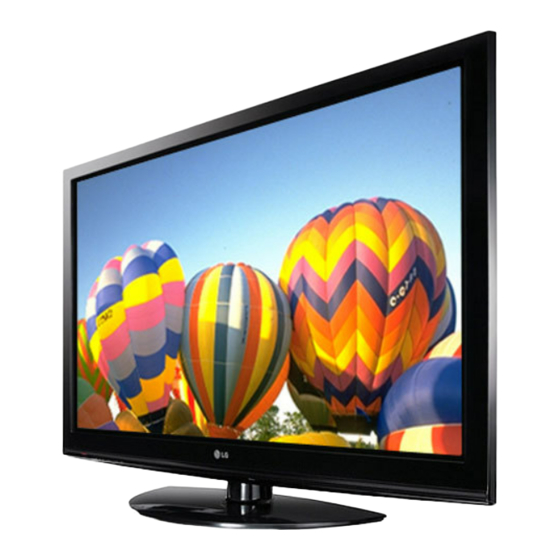
PLASMA TV
OWNER'S MANUAL
PLASMA TV MODELS
42PQ1 ***
50PQ1 ***
42PQ2 ***
50PQ2 ***
42PQ3 ***
50PQ3 ***
42PQ6 ***
50PQ6 ***
Please read this manual carefully before operating
your TV.
Retain it for future reference.
Record the model number and serial number of the
TV.
Refer to the label on the back cover and quote this
information.
To your dealer when requiring any service.
Advertisement
Table of Contents

Related Manuals for LG 50PQ200R-ZA


Summarization of Contents
Preparation
Front Panel Controls
Details the buttons and indicators on the TV's front panel for user interaction.
Back Panel Information
Details the various ports and connectors on the TV's back panel for external devices.
Stand Installation
Instructions for safely installing the TV's stand for proper placement and stability.
Wall Mount: Horizontal Installation
Specifications and recommendations for mounting the TV horizontally on a wall.
Antenna Connection
Instructions for connecting antenna sources for optimal TV reception and picture quality.
External Equipment Setup
HD Receiver Setup
Steps to connect a HD receiver using a component cable for viewing external sources.
Connecting a set-top box with an HDMI cable
Guide to connect a set-top box via HDMI for digital audio and video signals.
DVD SETUP
Steps for connecting a DVD player using a component cable for optimal video quality.
USB IN SETUP
Instructions for connecting USB devices like memory sticks to the TV's USB port.
PC SETUP
Steps for connecting a PC using a D-sub cable for display and audio.
Watching TV / Programme Control
Remote Control Key Functions
Explains the functions of various buttons on the TV remote control for operation.
Turning on the TV
Steps to turn the TV on from standby mode and initial setup guidance.
Auto Programme Tuning
Automatically finds and stores available TV channels and programmes for viewing.
Programme Edit
Enables skipping or unskipping stored programmes for easier channel selection.
To Use the USB Device
When connecting a USB device
Instructions for connecting USB storage devices and how the TV recognizes them.
PHOTO LIST
Displays and manages JPEG photos from a USB device, supporting various formats.
MUSIC LIST
Displays and plays MP3 music files from a USB device, with supported bit rates.
MOVIE LIST
Displays movies from USB, supports playback, and lists folder information and DivX files.
Picture Control
Picture Size (Aspect Ratio) Control
Allows watching the screen in various picture formats like 16:9, Just Scan, Original, 4:3.
ENERGY SAVING
Reduces power consumption by adjusting settings, complying with Energy Star requirements.
PRESET PICTURE SETTINGS
Selects pre-defined picture modes like Vivid, Standard, Cinema, Sport, or Game.
MANUAL PICTURE ADJUSTMENT
Allows manual adjustment of Contrast, Brightness, Sharpness, Colour, and Tint.
Sound & Language Control
AUTO VOLUME LEVELER
Automatically maintains a consistent volume level across different programmes.
PRESET SOUND SETTINGS-SOUND MODE
Selects preferred sound settings like Standard, Music, Cinema, Sport, or Game.
CLEAR VOICE II
Enhances human voices by differentiating them from other audio elements.
ON-SCREEN MENU LANGUAGE / COUNTRY SELECTION
Sets the TV's on-screen menu language and country for display and teletext.
Time Setting
CLOCK SETUP
Sets the correct time for using on/off timer functions and other time-based features.
AUTO ON/OFF TIMER SETTING
Automatically switches the TV on or off at preset times for convenience.
Teletext
SIMPLE TEXT
Selects teletext pages by directly entering the corresponding page number.
TOP TEXT
Provides advanced teletext features like block/group and direct page selection.
FASTEXT
Selects teletext pages using colour-coded buttons or by entering page numbers.
Appendix
TROUBLESHOOTING
Provides solutions for common TV problems like no picture, no sound, or poor reception.
MAINTENANCE
Guidance on cleaning the TV screen and cabinet to ensure longevity and performance.
PRODUCT SPECIFICATIONS
Detailed technical specifications for various TV models, including dimensions and power.
Need help?
Do you have a question about the 50PQ200R-ZA and is the answer not in the manual?
Questions and answers