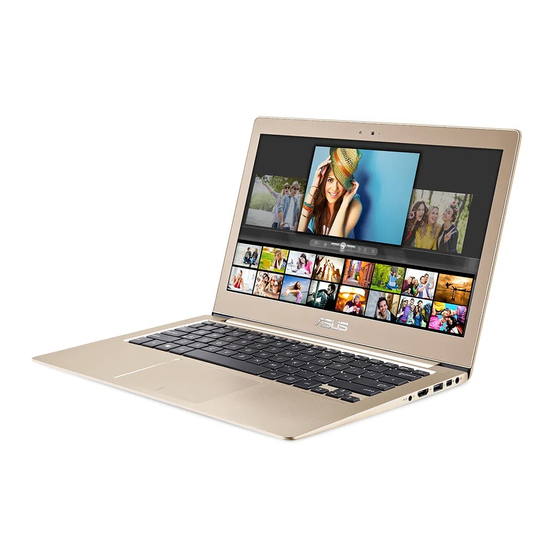
Table of Contents
Advertisement
Advertisement
Table of Contents

Related Manuals for Asus BX303U


Summarization of Contents
Conventions used in this manual
Icons
Explains icons used in the manual to indicate devices for tasks.
Typography
Details typographic conventions for text emphasis and references.
Safety precautions
Using your Notebook PC
Provides safety guidelines for operating the notebook PC.
Chapter 1: Hardware Setup
Getting to know your Notebook PC
Introduces the notebook's hardware components.
Top View Components
Details components visible on the top view of the notebook.
Input Devices and Indicators
Describes keyboard, touchpad, and status indicators.
Bottom View
Details components located on the bottom of the notebook.
Right Side Ports
Details ports and indicators on the right side.
Left Side Ports
Details ports on the left side of the notebook.
Chapter 2: Using your Notebook PC
Getting started
Initial steps for setting up and using the notebook.
Charge your Notebook PC
Instructions on how to charge the notebook's battery.
Using the touchpad
Guide to operating the notebook's touchpad.
Basic Touchpad Gestures
Explains basic one-finger and two-finger touchpad gestures.
Advanced Touchpad Gestures
Details advanced touchpad gestures like zoom and drag-and-drop.
Using the keyboard
Guide to using the notebook's keyboard.
Windows® 10 keys
Explains special Windows® 10 keys on the keyboard.
Chapter 3: Working with Windows® 10
Starting for the first time
Steps for initial Windows® 10 setup.
Start menu
Overview of the Windows® 10 Start menu.
Windows® apps
Information on Windows® applications in tiled format.
Working with Windows® apps
Guide to launching and customizing Windows® applications.
Task view
Feature for switching between apps and desktops.
Snap feature
Displays apps side-by-side for multitasking.
Action Center
Consolidates notifications and quick actions.
Other keyboard shortcuts
Lists useful keyboard shortcuts for navigation.
Connecting to wireless networks
Instructions for connecting to Wi-Fi networks.
Bluetooth
Guide to using Bluetooth for data transfers.
Airplane mode
How to enable and disable airplane mode.
Turning your Notebook PC off
Procedures for shutting down the notebook.
Putting your Notebook PC to sleep
Instructions for putting the notebook into sleep mode.
Chapter 4: Power-on Self-Test (POST)
POST and BIOS Overview
Explains POST diagnostics and the BIOS system.
BIOS Settings
Details BIOS configuration options, including boot settings.
Security Settings
Covers password management and secure boot options.
I/O Interface Security
Manages security for input/output interfaces.
BIOS Update Procedure
Steps for updating the system's BIOS.
Recovering your system
Restores the system to its original state.
Performing a recovery option
Guides through specific system recovery actions.
Tips and FAQs
Useful tips for your Notebook PC
Provides tips for maximizing notebook performance and security.
Hardware FAQs
Answers to frequently asked questions about hardware.
Software FAQs
Answers to frequently asked questions about software.
Appendices
DVD-ROM Drive Information
Information regarding the DVD-ROM drive.
Internal Modem Compliancy
Details compliance standards for the internal modem.
Network Compatibility Declaration
Statement on network compatibility.
FCC Interference Statement
Statement on FCC interference compliance.
Declaration of Conformity (R&TTE)
Declares conformity with R&TTE directive.
UL Safety Notices
Notices regarding UL safety standards.
Power Safety Requirement
Requirements for power safety.
REACH Compliance
Information on REACH regulatory compliance.
Nordic Lithium Cautions
Cautions regarding lithium-ion batteries.
Optical Drive Safety Information
Safety information related to optical drives.
CTR 21 Approval
Approval details for CTR 21.
ENERGY STAR Complied Product
Information on ENERGY STAR compliance.
ASUS Recycling Services
Details on ASUS product recycling programs.
Regional Notice - California
Specific notice for products sold in California.
EC Declaration of Conformity
Formal declaration of product conformity to EU standards.
Need help?
Do you have a question about the BX303U and is the answer not in the manual?
Questions and answers