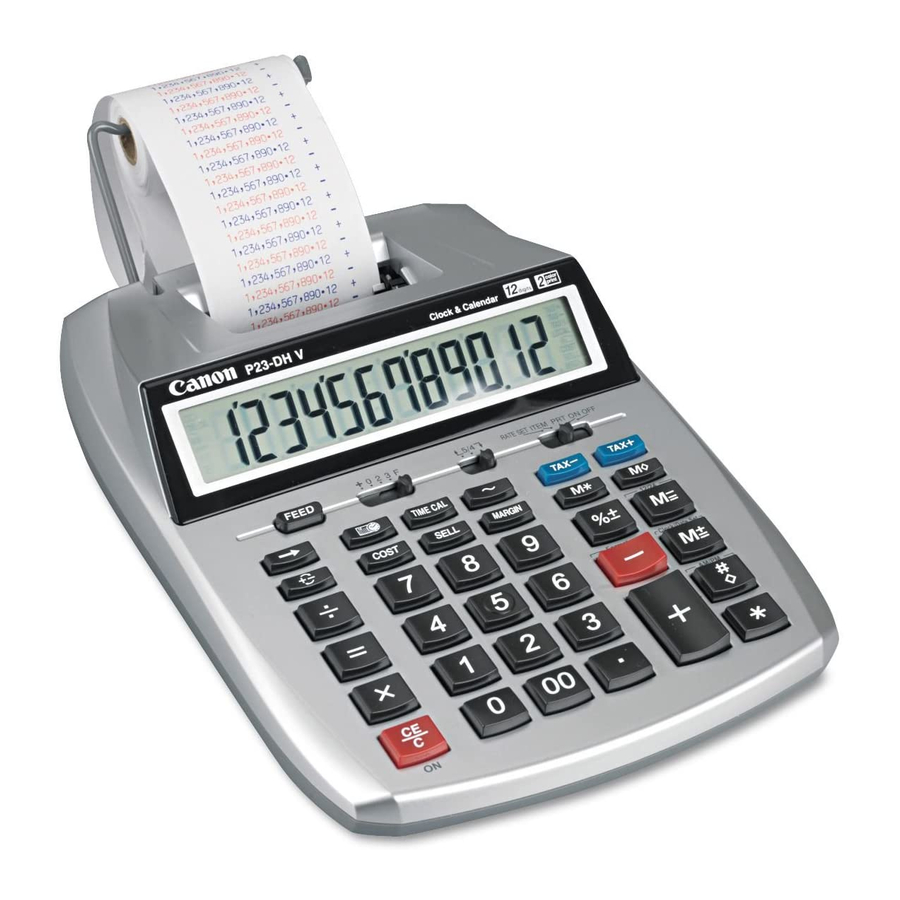
Perm disabled & have macular degeneration & everything is real blurry. How can I get English language manual only w/ 14 font for Canon P23-DH V adding machine?
1 comments:
Mr. Anderson
May 14, 2025
The English language manual for the Canon P23-DH V is available in PDF format and consists of 4 pages. To obtain it in 14-point font, you can download the PDF and adjust the print settings or use a PDF viewer to increase the zoom level or font size before printing or viewing.
This answer is automatically generated
Mindi Rohr
June 3, 2025
I changed my batteries but my numbers dont display clearly
1 comments:
Mr. Anderson
August 14, 2025
If the numbers on your Canon P23-DH V calculator are not displaying clearly after changing the batteries, it may be due to a contrast setting issue. The calculator has an adjustable LCD contrast feature. Try adjusting the screen contrast to improve visibility.
This answer is automatically generated
colin
April 7, 2025
the calculator has stopped allowing digits to be printed. only symbols. how do i change that back?
1 comments:
Mr. Anderson
May 14, 2025
To fix the Canon P23-DH V calculator so it prints digits instead of symbols, check the ribbon installation. If the number 8 or other unexpected symbols are printing, the ribbon may not be seated correctly or could be catching. Remove the ribbon, turn the calculator off and on, then reinstall the ribbon carefully to ensure it is properly aligned. This should correct the printing issue.
This answer is automatically generated
Gerald E Frame
February 6, 2025
I need to put a rool of paper in cant find instruction
1 comments:
Mr. Anderson
February 10, 2025
To load a roll of paper into the Canon P23-DH V adding machine:
1. Ensure the machine is turned off. 2. Lift the paper arm and place the roll of paper onto it, ensuring proper alignment. 3. Push the paper arm back into place. 4. Insert the top of the paper roll into the slot under the paper roller. 5. Turn on the machine. 6. Press the feed button to advance the paper until it reaches the correct position for printing.
This answer is automatically generated
Stig Leitner
January 29, 2025
Ther to to get an new roller
1 comments:
Mr. Anderson
February 10, 2025
You can buy a new roller for the Canon P23-DH V on Amazon. The compatible/replacement ink roller is available as a 2-pack and fits multiple calculator models, including the Canon P23-DH V.
This answer is automatically generated
Sally
May 14, 2025
the letters won't illuminate
STEPHANIE
April 9, 2025
Canon P23-DHV, Prints symbols instead of + - signs. rounds up instead of giving real total. prints everything in read instead of black. Tried the reset on the bottom of calculator but still does same thing.
Wanda Acosta
March 17, 2025
how to change the color ribbon
Barbara Jo Arakelian
February 4, 2025
How do I change the black and color cartridges Canon P23-DH V
Questions and answers
Perm disabled & have macular degeneration & everything is real blurry. How can I get English language manual only w/ 14 font for Canon P23-DH V adding machine?
The English language manual for the Canon P23-DH V is available in PDF format and consists of 4 pages. To obtain it in 14-point font, you can download the PDF and adjust the print settings or use a PDF viewer to increase the zoom level or font size before printing or viewing.
This answer is automatically generated
I changed my batteries but my numbers dont display clearly
If the numbers on your Canon P23-DH V calculator are not displaying clearly after changing the batteries, it may be due to a contrast setting issue. The calculator has an adjustable LCD contrast feature. Try adjusting the screen contrast to improve visibility.
This answer is automatically generated
the calculator has stopped allowing digits to be printed. only symbols. how do i change that back?
To fix the Canon P23-DH V calculator so it prints digits instead of symbols, check the ribbon installation. If the number 8 or other unexpected symbols are printing, the ribbon may not be seated correctly or could be catching. Remove the ribbon, turn the calculator off and on, then reinstall the ribbon carefully to ensure it is properly aligned. This should correct the printing issue.
This answer is automatically generated
I need to put a rool of paper in cant find instruction
To load a roll of paper into the Canon P23-DH V adding machine:
1. Ensure the machine is turned off.
2. Lift the paper arm and place the roll of paper onto it, ensuring proper alignment.
3. Push the paper arm back into place.
4. Insert the top of the paper roll into the slot under the paper roller.
5. Turn on the machine.
6. Press the feed button to advance the paper until it reaches the correct position for printing.
This answer is automatically generated
Ther to to get an new roller
You can buy a new roller for the Canon P23-DH V on Amazon. The compatible/replacement ink roller is available as a 2-pack and fits multiple calculator models, including the Canon P23-DH V.
This answer is automatically generated
the letters won't illuminate
Canon P23-DHV, Prints symbols instead of + - signs. rounds up instead of giving real total. prints everything in read instead of black. Tried the reset on the bottom of calculator but still does same thing.
how to change the color ribbon
How do I change the black and color cartridges Canon P23-DH V
how to print out P23-DH USER MANUAL