Advertisement
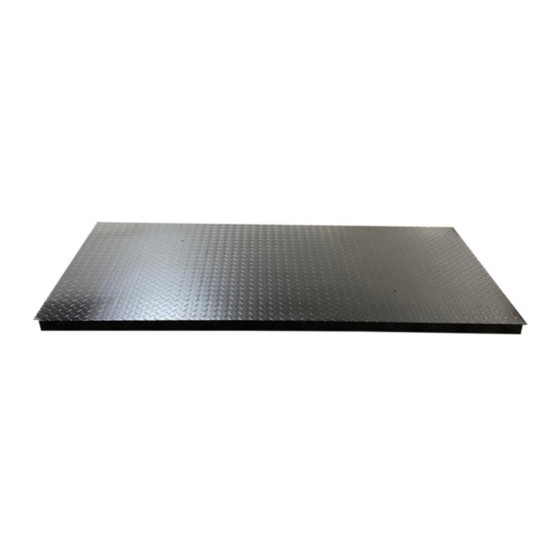
3.28x6.56FT FLOOR SCALE
. Missing parts or have questions on assembly?
. Please call: 1-877-761-2819 or Email: cs@tmgindustrial.com
www.tmgindustrial.com
. Please read and understand the product manual completely before assembly
. Check against the parts list to make sure all parts are received
. Do not overload Maximum capacity.
. Use only on leveled floors
. Do not jump on top of the unit or drop the load over the platform
. Do not open display, and don't replace the inside parts, risk of electric shock
. Do not return the product to dealer. They are not equipped to handle your
requests.
TMG-FS10
RRODUCT MANUAL
V.2022.12.16
TOLL FREE:1-877-761-2819
Advertisement
Table of Contents

Summary of Contents for TMG TMG-FS10
- Page 1 TMG-FS10 RRODUCT MANUAL V.2022.12.16 3.28x6.56FT FLOOR SCALE . Please read and understand the product manual completely before assembly . Check against the parts list to make sure all parts are received . Do not overload Maximum capacity. . Use only on leveled floors .
- Page 2 Digital scale recommended for commercial and industrial use, livestock and agriculture. Easy to assemble and disassemble. Fast response product, stable weighing with long-lasting rechargeable battery. Technical Specifications: Model:TMG-FS10 Load Capacity:10tons Platform size:1x2m Platform material: Heat treated steel Voltage: 110/220V- 50/60Hz...
- Page 3 Installation 1. Open the compartment lid marked "components enclosed"located on the edge of the platform with a screw driver (not In eluded). Remove the component boxes from the compartment 2. Lift one side of the Platform Scale (at least two people are required);then, insert the 4 glides provided in each threaded hold at the bottom of each comer.
- Page 4 5. Remove Display indicator form its box; and mount it in desired location .Connect the display indicator cable to the platform to the connector of the display indicator. Operation INSTRUCTIONS NUMERAL KEY (#): Press the key to enter calibration mode. FUNCTION: Press this key for more than 5 seconds in weighing mode, it will enter operator setting mode, pressing less than 5 seconds will enter counting mode.
- Page 5 zero parameters.) Only when the static annunciator is on, zero operation can be available. TARE: When the Indicator is in weighing status and showing the stable positive weight, press the [Tare] key, the indicator will deduct the displayed weight value as tare weightThe indicator then shows the net weight as "0"...
- Page 6 CHARGING THE BATTERY. a)Plugging in the battery will charge automatically. b)The built-in battery must be fully charged before using it for the first time. It is recommended as the first charge about 12-15 hours. c)lf you don't use the battery for a long time, you need to charge the battery for 10-12 hours every 2 months to extend the battery life.
Need help?
Do you have a question about the TMG-FS10 and is the answer not in the manual?
Questions and answers