Advertisement
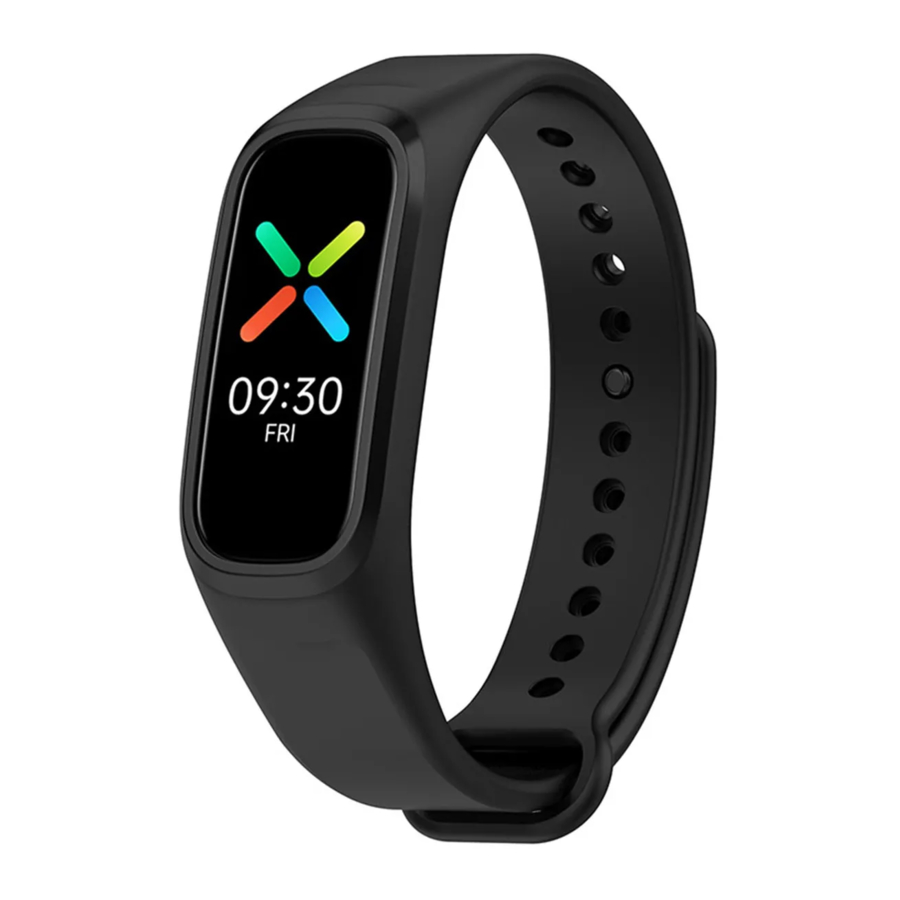
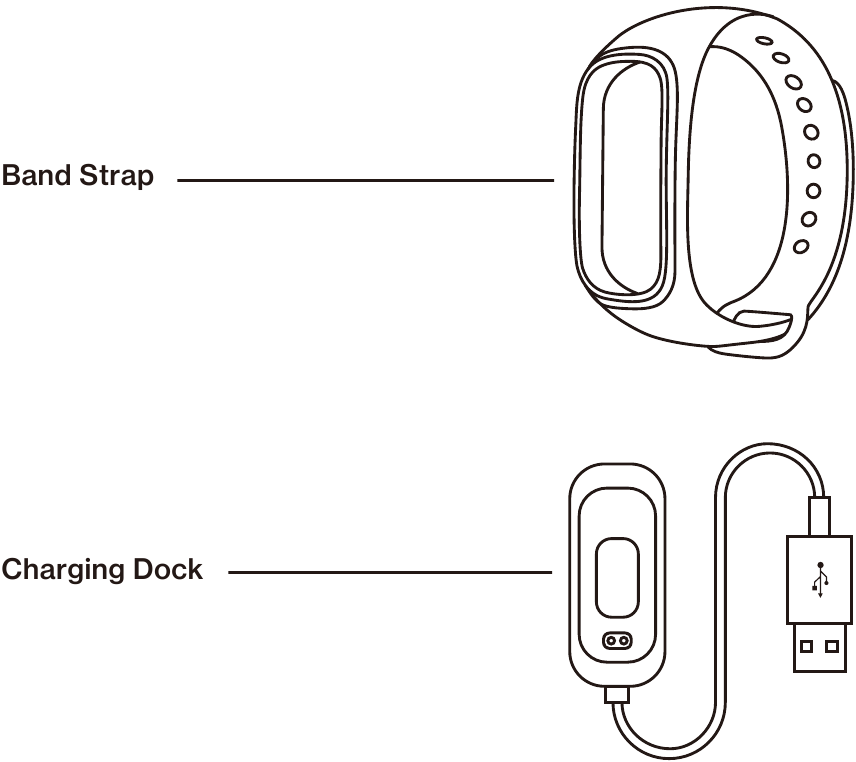
Overview and Packing List
Main Tracker

Charging Port
Replace the band strap
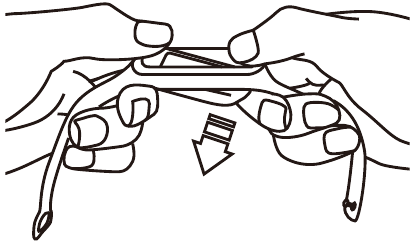
Remove the band strap
With the main tracker screen facing up, hold down both ends of the band strap. Push the tracker downwards to detach the main tracker unit.
Mount the main tracker
Insert one end of the main tracker into the band strap slots from back of the band. Press the other end of the main tracker to lock it into place.

First time use
The main tracker will power on when charged for the first time.
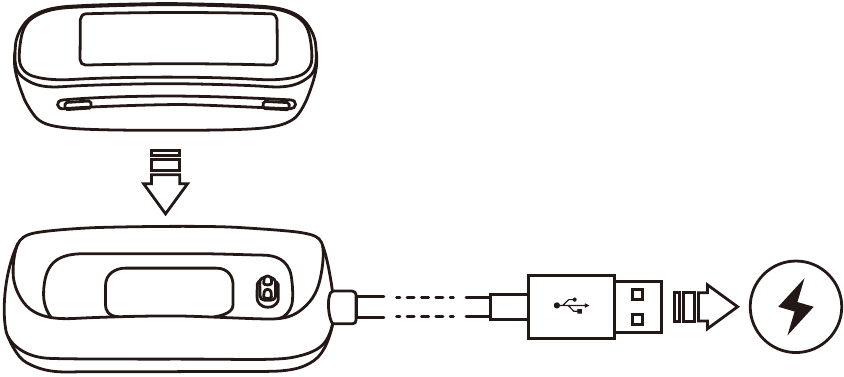
Charging
Align charging port of the main tracker with charging pins of the charging dock. Snap them into place.
Plug the charging dock into a power supply. Charging indicator will light up when the tracker is charging.
Connect the band to your phone
Download APP
Use the OnePlus Health app to connect to the band. After successful connection, you can check the connection status, manage screens, and view health information in the app.
If you do not install the latest OnePlus Health app on your phone, download and install the app from Play Store.
Pairing and Connecting
- After charged and turned on for the first time, the band will show the pairing page.
- Start the OnePlus Health app, register an account or log in with your account.
- In the app, choose Manage > Add device, complete the connection as instructed.
Wear the band
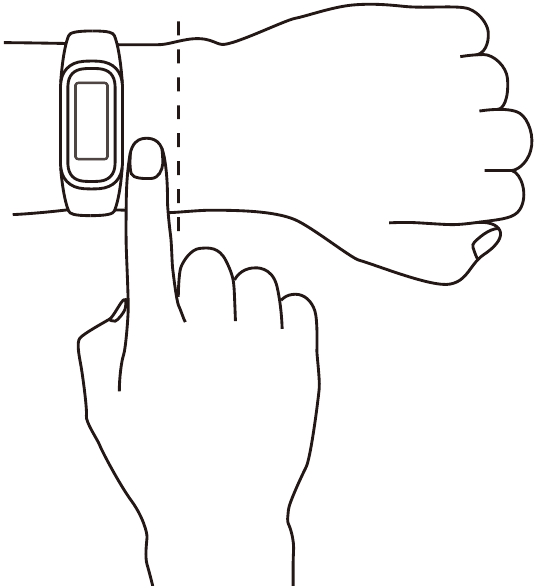
Please put the band on your wrist at a place that is about one finger's width away from the wrist bone and adjust the band strap for comfort fit.
Note: Wearing the band too loose will affect measurement of heart rate (HR) and peripheral blood oxygen saturation (Sp02) data acquisition.
Control the screen
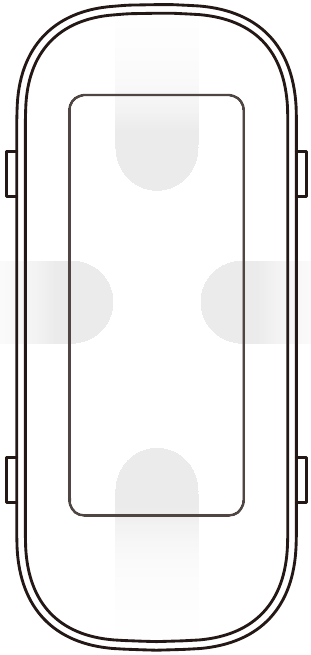
Main interface:
Swipe up and down for function selection. Swipe left and right to switch the watchface.
Function page:
Swipe right to return to the previous level. Long press to return to the main interface.
Turn on the screen:
Tap the screen or raise your wrist to light up the screen.
Turn off the screen:
Cover the screen or lower your wrist to turn off the screen.
Product parameters
Product model: W101IN
Size of the main body: 4.04*1.76*1.15 cm (if the heart rate boss is included, the thickness is 1.2 cm)
Display: 2.79cm(1.1"), 126><294 screen resolution
Battery Type: Rechargeable Lithium-ilon Battery
Battery Capacity: 100 mAh
Input: 5V 200 mA (Min)
Bluetooth: BLE 5.0
Waterproof Rating: 5 ATM and IP68
Device Requirements: Only pairing with devices running Android 6.0 or iOS 10.0 and above is supported.
Sensor: Three-axis acceleration sensor, optical HR sensor, Sp02 sensor.
Software version: View the version by selecting [Settings]-[About Band]
Regulatory information: Go to "Settings > Regulatory information" on your band to view product certification information.
 This user guide manual is for reference only. The specific functions and product pictures may be slightly different from the actual product. Please refer to the actual product.

Documents / ResourcesDownload manual
Here you can download full pdf version of manual, it may contain additional safety instructions, warranty information, FCC rules, etc.
Advertisement
Need help?
Do you have a question about the Band and is the answer not in the manual?
Questions and answers