Advertisement
Quick Links
Quick Guide
Warning and Alarm.
Flashes/constantly yellow for warn-
ings and red for alarms.
See Operator's Manual page 9.
"auto".
Shows when unit is in
automatic operation.
Mini-B USB port.
See Operator's Manual page 6.
Child Lock.
See Operator's Manual page 6.
Viva
auto
Cancel automatic operating lock.
Press current air flow for at least 1 second.
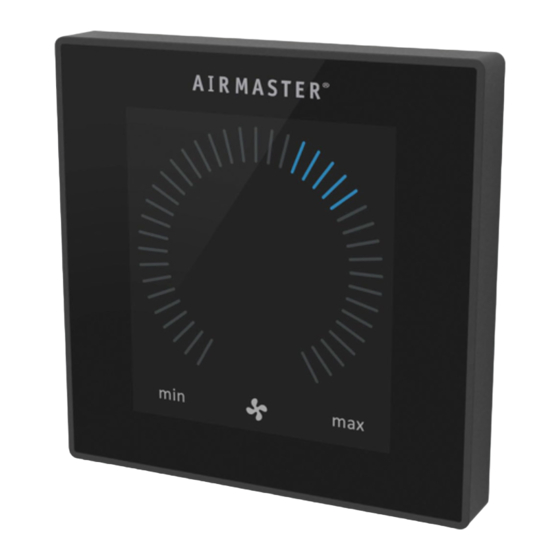
Set air flow.
Press current air flow and drag with finger to desired
air flow.
Holiday Mode Symbol.
Showed when in holiday mode.
Function button.
Start or restart automatic operation.
Press.
Deactivate Holiday Mode.
Press
Start operation manual.
Double press.
Standby.
Press if unit is in operation.
Switch off.
Press for min. 2 seconds. Afterwards the unit
has to be started by using function button.
_
+
Activate Holiday Mode.
Press for min. 2 seconds.
13927 REV06
2023-03-01
Advertisement

Summary of Contents for airmaster AIRLINQ Viva
- Page 1 Quick Guide Viva Cancel automatic operating lock. Press current air flow for at least 1 second. Set air flow. Press current air flow and drag with finger to desired Warning and Alarm. air flow. Flashes/constantly yellow for warn- ings and red for alarms. Holiday Mode Symbol.
- Page 2 Quick Guide Orbit Set air flow. Press current air flow and drag with finger to desired air flow. Press direct on the desired air flow. Warning and Alarm. Yellow for warnings and red for alarms. level symbol (shows with active CO sensor).
Need help?
Do you have a question about the AIRLINQ Viva and is the answer not in the manual?
Questions and answers