Table of Contents
Advertisement
Quick Links
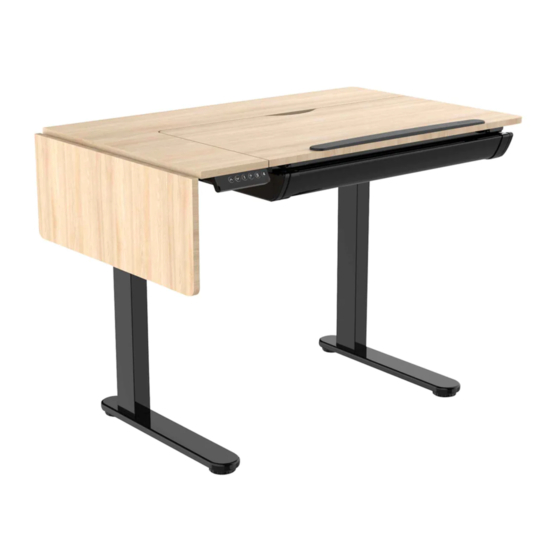
Dellonda Electric Adjustable Drawing Table Tilt Desktop
Architect Workstation
Model No. DH71
Thank you for purchasing a Dellonda product. Manufactured to a high standard, this product will, if used according to these instructions, and properly
maintained, give you years of trouble free performance.
www.dellonda.co.uk
DH71 Issue:1 17/06/2021
Advertisement
Table of Contents
Troubleshooting

Related Manuals for dellonda DH71


Summary of Contents for dellonda DH71
- Page 1 Dellonda Electric Adjustable Drawing Table Tilt Desktop Architect Workstation Model No. DH71 Thank you for purchasing a Dellonda product. Manufactured to a high standard, this product will, if used according to these instructions, and properly maintained, give you years of trouble free performance. www.dellonda.co.uk...
- Page 2 • Check all electrical equipment and appliances to ensure that they are safe before using. Inspect power supply leads, plugs and all electrical connections for wear and damage. Dellonda recommend that an RCD (Residual Current Device) is used with all electrical products. You may obtain an RCD by contacting your local domestic stockist.
- Page 3 • Unplug the power source before cleaning. Wipe the dust on surface with slight damp cloth when cleaning, DO NOT get water in the electrical housing, and be careful not to loosen any cables. • Check carefully to ensure correct and complete assembly before use. •...
- Page 4 Step 3 Install control unit. Position the control unit as shown in the illustration and screw into place with x3 screws (A). Step 4 Connect the electrical cables. Extension cable DC Power cable Connect the in-line plug to motor Power cable Tidy the cables with the adhesive cable tie.
- Page 5 10 seconds. Turn on the power and press the down button to start the RESET process when the LED displays “RST”. • If none of the above processes work please contact Dellonda Customer Service. • Height Adjustment: •...
- Page 6 No liability is accepted for incorrect use of this product. Guarantee is 12 months from purchase date, proof of which is required for any claim. Dellonda Limited Kempson Way, Suffolk Business Park, Bury St Edmunds, Suffolk. IP32 7AR 01284 757575 support@dellonda.co.uk...
Need help?
Do you have a question about the DH71 and is the answer not in the manual?
Questions and answers