Advertisement
Package Contents
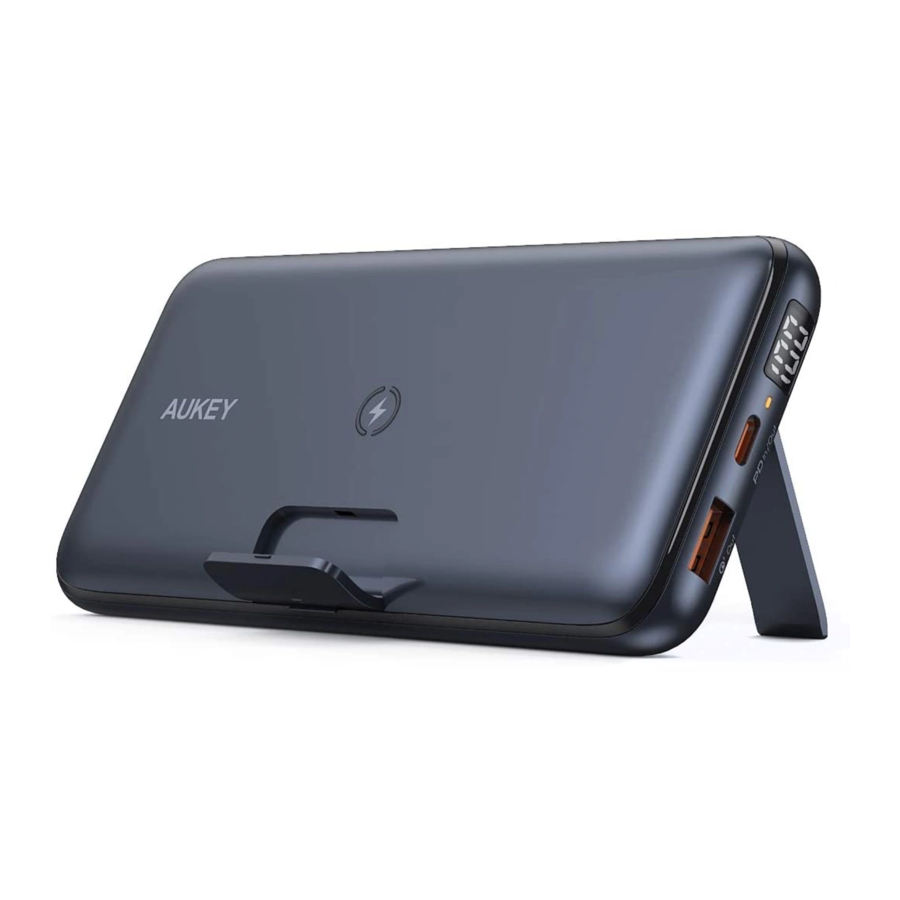
Basix Pro Wireless Charging Power Bank
USB-C to A Cable
User Manual
Getting Started

Place your phone or tablet on the center of your Basix Pro Wireless Charging Power Bank

Plug it into a USB charger

Wireless Charging LED status indicators
Ready to charge
Solid orange

Charging
Solid orange(5W) Pulsing orange(Quick Charge)

Fully charged
LED Turn Off

Unsupported device detected FOD*
Blinks orange & red

* This means that with a Qi-certified product, the transmitter of the wireless charging system can detect if a foreign object, such as coins, metal, is on its surface. In this event, the wireless charger either stops charging or does not start charging at all
Specifications
| Model | PB-WL03S |
| Technology | Qi, QC3.0, PD3.0, SCP |
| Capacity | 20000mAh / 72Wh |
| Battery Type | Lithium polymer |
| USB-C Input | DC 5V 3A / 9V 2A (PD3.0) |
| USB-C Output | DC 5V 3A / 9V 2A / 12V 1.5A (PD3.0) |
| USB-A Output | DC 5V 2.4A / 9V 2A / 12V 1.5A (QC3.0 / PD3.0)5V 4.5A (SCP) / 5V 4A |
| Wireless Output | 5W, 7.5W, 10W |
| Max Power Output | 22.5W |
| Dimensions | 157 x 75 x 20mm / 6.18" x 2.95" x 0.79" |
| Weight | 355g / 12.52oz |
Low-Current Charging Mode
Charging at a low current constantly. The power output lasts for 2 hours when a low-power device (below 60mA), such as a Bluetooth headset, fitness band, or smart watch, is connected to it. Most Bluetooth devices can be fully charged within 2 hours.
Activation
Long press power button for 4 seconds, wait the last digit of digital LED display changes dynamically.

Deactivation
Long press power button for 4 seconds to exit the low-current mode, or automatically exit the low-current mode after 2 hours.
Note
When charging the power bank the low current mode cannot be turned on
Wireless Charging
Place your phone or tablet on the center of your Basix Pro Wireless Charging Power Bank
Notes
- When the wireless charging mode is turned on, wireless charging will begin at 5W. If no devices are connected to the USB-A or USB-C port, output will automatically increase to 7.5W or 10W for ompatible wireless fast charging devices after 15 seconds
- If you press the power button to enter wireless charging mode while the USB-A or USB-C port is fast-charging your device, the output on that port will be limited to 5V. The power bank automatically exits wireless charging mode after 15 seconds if no Qi device is detected, and the USB-A or USB-C port will resume fast charging
Wired Charging
- Connect the included USB-C to A cable to your device charging port
- Connect the other end to the USB-C or USB-A output port on the PB-WL03S
- Unplug your device when fully charged
Notes
- When any two ports (including wireless charging) are output at the same time, the output will automatically turn off the fast charging mode (9V / 12V), Enter 5V voltage output mode (wireless automatic switching 5W)
- The product supports simultaneous output of more than two devices (Note: If the total output power exceeds 22.5W, the product will activate over-current protection to turn off discharging of any output, it is normal situation)
- The maximum operating temperature of this product is 37℃.
- The product supports charging and discharging at the same time (Note: the charging and discharging function is only 5V, and there is no fast charge output)
Special note: the function of charging and discharging at the same time, the adapter gives priority to the device first, the PB-WL03S is charged with a small current, The PB-WL03S charge will rise slowly. If the output power of the adapter cannot meet the output device, there is a
Product Care & Use
- Keep away from liquids and extreme heat
- Recharge the PB-WL03S at least once every 3 months
- Dispose of battery according to local environmental law
Warranty & Customer Support
For questions, support, or warranty claims, contact us at the address below that corresponds with your region. Please include your Amazon order number and product model number.
Amazon US orders: support.us@aukey.com
Amazon EU orders: support.eu@aukey.com
Amazon CA orders: support.ca@aukey.com
Amazon JP orders: support.jp@aukey.com
*Please note, AUKEY can only provide after sales service for products purchased directly from AUKEY. If you have purchased from a different seller, please contact them directly for service or warranty issues.
FCC Warning
This device complies with part 15 of the FCC Rules. Operation is subject to the following two conditions:(1) This device may not cause harmful interference, and (2) this device must accept any interference received, including interference that may cause undesired operation.
Any Changes or modifications not expressly approved by the party responsible for compliance could void the user's authority to operate the equipment.
This equipment has been tested and found to comply with the limits for a Class B digital device, pursuant to part 15 of the FCC Rules. These limits are designed to provide reasonable protection against harmful interference in a residential installation. This equipment generates uses and can radiate radio frequency energy and, if not installed and used in accordance with the instructions, may cause harmful interference to radio communications. However, there is no guarantee that interference will not occur in a particular installation. If this equipment does cause harmful interference to radio or television reception, which can be determined by turning the equipment off and on, the user is encouraged to try to correct the interference by one or more of the following measures:
- Reorient or relocate the receiving antenna.
- Increase the separation between the equipment and receiver.
- Connect the equipment into an outlet on a circuit different from that to which the receiver is connected.
- Consult the dealer or an experienced radio/TV technician for help.
FCC RF exposure statement:
The equipment complies with FCC radiation exposure limits set forth for an uncontrolled environment. During the operation of device a distance of 15 cm surrounding the device and 20 cm above the top surface of the device must be respected.
AUKEY Technology Co.,Ltd.
www.aukey.com | b2b@aukey.com
Room 102, Building P09, South China City
Electronics Trading Center, Longgang District,
Shenzhen, Guangdong, 518111, China


Documents / Resources
References

Download manual
Here you can download full pdf version of manual, it may contain additional safety instructions, warranty information, FCC rules, etc.
Download AUKEY 20000mAh Wireless Charging Power Bank B-WL03S Manual
Advertisement


Need help?
Do you have a question about the B-WL03S and is the answer not in the manual?
Questions and answers