Table of Contents
Advertisement
Available languages
Available languages
Quick Links
Advertisement
Table of Contents

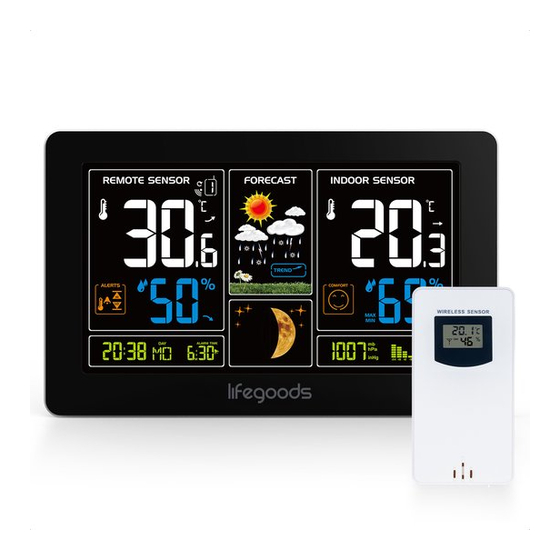
Summary of Contents for Lifegoods LG1177
- Page 1 Gebruiksaanwijzing - Weerstation User Manual - Weather Station Manuel d’utilisation - Station Météo et capteur p.2-11 Model/Modèle: LG1177 p.12-21 p.22-31 MADE IN CHINA Lees de instructies Please read the manual Veuillez lire ce mode d’emploi...
-
Page 2: Waarschuwingen En Veiligheidsinstructies
Introductie worden door geautoriseerd onderhoudspersoneel. Stuur het weerstation en de sensor altijd naar een Bedankt dat je hebt gekozen voor één van onze LifeGoods producten. Volg te allen tijde de servicecentrum voor reparaties om schade en persoonlijk letsel te voorkomen. - Page 3 Producteigenschappen Technische data Productoverzicht Station: 20,5 x 13 x 3 cm Weerstation Afmeting Sensor: 9,7 x 5 x 3,2 cm Station: 297 gr Gewicht Sensor: 53 gr Zwart Kleur Materiaal Lengte stroomsnoer 1,50 m adapter Weerstation: Batterij: 2x 1,5V Type LR6 AA Output: 5V Stroomvoorziening Sensor:...
-
Page 4: Instructies Voor Gebruik
Instructies voor gebruik Druk op “ “ om je instellingen te bevestigen, en het maand- en datumicoon begint te knipperen. Gebruik de knoppen “ ” en “ ” om de datumweergave in te stellen op Maand/Datum of Datum/ Plaats de buitensensor niet in de volle zon, dit kan leiden tot een onnauwkeurige meting. Maand. - Page 5 In- en uitschakelen van de wekker Weergave van temperatuur/luchtvochtigheid/barometerdruk en Zet de wekkerschakelaar op “ “ om de wekker aan te zetten. Het “ “ icoon verschijnt op het LCD temperatuur/luchtvochtigheidstrend scherm. De huidige binnentemperatuur/luchtvochtigheid/barometerdruk en de temperatuur/luchtvochtig- Zet de wekkerschakelaar op “ “...
-
Page 6: Onderhoud En Reiniging
Het weerstation zal de volgende weersymbolen tonen: Indien je service of informatie nodig hebt omtrent je product, schroom dan niet en stuur een e-mail naar service@lifegoods.nl Wij verlenen 2 jaar garantie op onze producten. De klant dient een aankoopbewijs te kunnen tonen en de garantie dient binnen een periode van 2 jaar na de aankoopdatum geldend te worden gemaakt. -
Page 7: Warnings And Safety Instructions
Do not mix old and new batteries. Only use batteries of the same or equivalent type. Make sure to keep this user manual. Read the manual carefully before using your LifeGoods Weather Do not attempt to recharge non-rechargeable batteries. Rechargeable batteries must be removed from Station! the safe before charging. -
Page 8: Product Features
Technical Data Product Features Product Overview Station: 20,5 x 13 x 3 cm Size Weather Station Sensor: 9,7 x 5 x 3,2 cm Station: 297 gr Weight Sensor: 53 gr Black Colour Material 1,50 m Cable Length Adapter Weather Station: Battery: 2x 1,5V Type LR6 AA Output: 5V... - Page 9 Operating Instructions Press “ ” to confirm your settings, and the Date display will start to flash. Use the “ ” and “ ” buttons to set the correct date. Do not place the outdoor sensor in full sunlight as this may lead to inaccurate measurement. Press “...
- Page 10 Remote sensor transmission Note The alarm will sound for 2 minutes if you do not deactivate it by pressing any button. In this case the When the Weather Station successfully receives signals from the wireless sensor, the temperature and alarm will be repeated automatically after 24 hours. humidity of the “REMOTE SENSOR”...
-
Page 11: Maintenance And Cleaning
The weather station will display the following weather symbols: Support at service@lifegoods.nl LifeGoods provides a 2 year warranty on its products. To obtain service during the warranty period, the product needs to be returned with a proof of purchase. Product defects have to be reported within 2 years from the date of purchase. -
Page 12: Avertissements Et Consignes De Sécurité
Les piles sont mortelles lorsqu’elles sont avalées. Gardez les piles hors de portée des enfants. Merci d’avoir choisi ce produit de LifeGoods ! Suivez toujours les instructions pour une utilisation sûre. La durée de vie des piles est d’environ un an. Remplacez les piles à temps. -
Page 13: Caractéristiques Du Produit
Données techniques Caractéristiques du produit Présentation du Produit Station : 20,5 x 13 x 3 cm Taille Station Météo Capteur : 9,7 x 5 x 3,2 cm Station : 297 g Poids Capteur : 53 g Couleur Noir Matériau Adaptateur de longueur 1,50 m de câble Station Météo :... -
Page 14: Instructions D'utilisation
Instructions d’utilisation Appuyez sur « » pour confirmer vos réglages, et l’affichage de l’année 2015 se mettra à clignoter. Utilisez les boutons « » et « » pour régler la bonne année. Ne placez pas le capteur extérieur en plein soleil, car cela pourrait entraîner des mesures inexactes. Appuyez sur «... - Page 15 Transmission du capteur à distance Remarque L’alarme retentira pendant 2 minutes si vous ne la désactivez pas en appuyant sur un bouton quelcon- Lorsque la Station Météo reçoit avec succès les signaux du capteur sans fil, la température et l’humidité que.
-
Page 16: Entretien Et Nettoyage
LifeGoods à l’adresse service@lifegoods.nl LifeGoods offre une garantie de 2 ans sur ses produits. Pour obtenir un service pendant la période de garantie, le produit doit être retourné avec une preuve d’achat. Les défauts du produit doivent être signalés dans un délai de deux ans à... - Page 17 LifeGoods B.V. © Wisselweg 33 1314CB Almere Netherlands 11/2021 - V.1 www.lifegoods.nl...
Need help?
Do you have a question about the LG1177 and is the answer not in the manual?
Questions and answers