Advertisement
Quick Links
Advertisement

Related Manuals for Supersonic SC-64SW


Summary of Contents for Supersonic SC-64SW
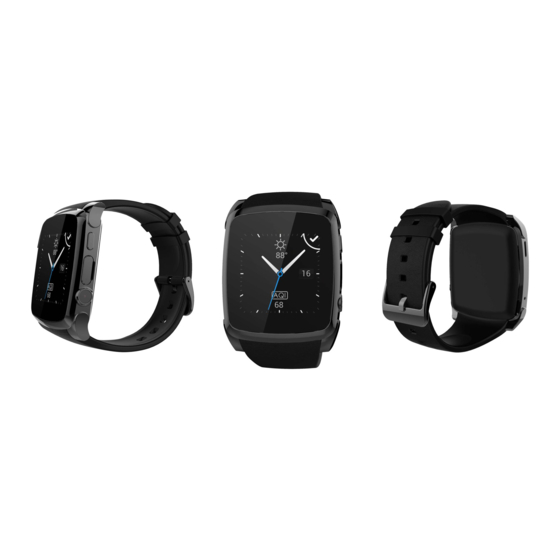
- Page 1 Smart Watch User Guide Please read the manual before use.
- Page 2 The watch should be charging 2 hours at least before use. 1. Product specs Model: SC-64SW 2G GSM/GPRS 850/900/1800/1900 with micro SIM Memory: RAM 16MB+ ROM 8MB, support micro SD up to 32GB ...
- Page 3 menu Touch screen: each function (main menu) will be shown and displayed on capacitive touch screen. USB port: Charging/Data;...
- Page 4 SD and SIM: Install micro SD card and micro SIM card Install battery 2.2 Products quick into...
- Page 5 You can enter into next page by sliding screen up, and return to last page by sliding screen down; enter into the sub-menu after clicking selected menu, and return to upper menu after sliding from left to right. It is will be in mistake for a click if the drag distance too short. 2.3 Clock Display Setting method:...
- Page 6 your iphone. Search Fundo Wear APP in Google Play Store, down load the APP and install it in your android phone. This APP only use for the Sync between watch and phone, will not take your data service. If you already download the related software, please check the version and use the newest related software in order to ensure all function normal use.
- Page 7 It will affect the Sync function between watch and phone if shut it. 3.3 Bluetooth Connection and Sync function 3.3.1 From phone to watch Phone setting—turn on the Bluetooth --search for devices,please click pair device when found SC-64SW(turn on the Bluetooth at first),and also choose...
- Page 8 3.3.3 Only for iPhone, you must do more as below Open Fundo Wear APP ,click + button and then click Bluetooth button, search for devices,please click pair device when found SC-64SW, and choose ‗‘pair ‖in your iPhone, paired done again only for iPhone.
- Page 9 3.4 Base function 3.4.1 Message Sync phone or watch message. 3.4.2Calls records You can check your phone call records after you connect with the Bluetooth. Shown all records including miss call, dialed calls and receive call; you can check the date, time and phone number of the miss call after you choose it, but only can call this number.
- Page 10 Use phone camera take photos, but remote by watch, its need switch on the camera of phone in advance. 3.4.6 Find my device Watch seek phone. 3.4.7Setting 3.4.8 Pedometer It can be adopted as a tool to avoid insufficient or excessive exercise by measuring calories or calories consumption based on collected data, such as number of steps, distance, speed, time, etc., to control exercise.
- Page 11 You can set a time to remind you up to do some exercise, we suggest you this time could be one hours. 3.4.11 Quick response It can download sync software when scan the quick response, if there is a new version need to update, please contact with our servicer, our company will provide a new link for your download.
- Page 12 3.4.18Video recorder 3.4.19Image viewer 3.4.20Video player 3.4.21Sounder recorder 3.4.22 Motion 3.4.23 Power saving 4. Notice 4.1 Full charge before use, the charge time need 1-2 hours. 4.2 Use the accessories cable and charger, or your android phone accessories. 4.3 Bluetooth will disconnect when exceed the distances, after switch on the Find my device;...
- Page 13 4.4 Please reconnect with BT if it‘s disconnected occasionally (please Manual connect if the Bluetooth disconnect over 5 minutes). Please agree the phone book Sync otherwise there is no called phone book. 4.5 When playing the music, some of music‘s name can shown and some can‘t, it is normal, because android phone are difference.
- Page 14 residential installation. This equipment generates, uses and can radiate radio frequency energy and, if not installed and used in accordance with the instructions, may cause harmful interference to radio communications. However, there is no guarantee that interference will not occur in a particular installation. If this equipment does cause harmful interference to radio or television reception, which can be determined by turning the equipment off and on, the user is encouraged to try to correct the interference by one or more of the following...
- Page 15 Measurement (NCRP) and the Institute of Electrical and Electronics Engineers (IEEE). In both cases, the recommendations were developed by scientific and engineering experts drawn from industry, government, and academia after extensive reviews of the scientific literature related to the biological effects of RF energy.
- Page 16 give additional protection to the public and to account for any variations in measurements. SAR tests are conducted using standard operating positions accepted by the FCC with the device transmitting at its highest certified power level in all tested frequency bands. Although the SAR is determined at the highest certified power level, the actual SAR level of the phone while operating can be well below the maximum reported value.
Need help?
Do you have a question about the SC-64SW and is the answer not in the manual?
Questions and answers