Advertisement
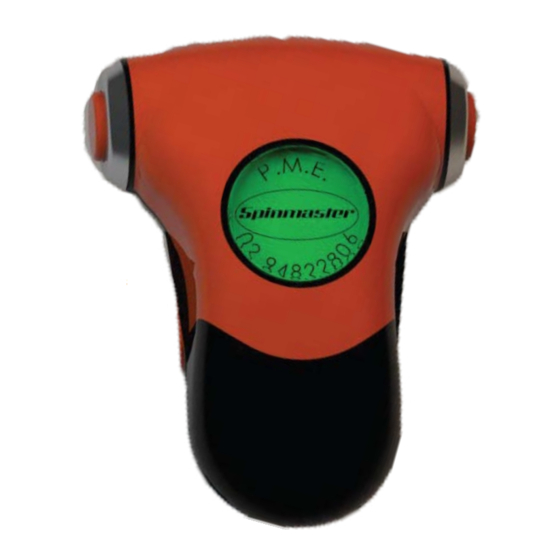
The RF360 is designed with the user in mind. Any desired custom switch combination is available to suit
A)
Press once to activate intermittent wipers
Second Press to activate low speed wipers
Third Press to activate high speed wipers (optional)
Press once more to cancel wipers. When wipers are cancelled you will hear two 'beeps'
Hold to activate windscreen washer jets.
B)
Press to activate right indicator. This will self cancel once you have completed your manoeuver.
During lane changing manoeuvers you may need to cancel the indicator manually by pressing the button again.
C)
Short Press to ash the high beams on your vehicle.
Long Press to toggle your high beams on. Long press again to deavtivate.
D)
Press to activate left indicator. This will self cancel once you have completed your manoeuver.
During lane changing manoeuvers you may need to cancel the indicator manually by pressing the button again.
E)
Press to activate your vehicles horn.
G)
Auxiliary button can be programmed for various functions please speak to your installer about the functionality
of this button.
Easyspin RF360 User Guide
the individual and their vehicle.
D
Reft indicator
RF-360 Default setup
Problem Management Engineering Pty Ltd, 2017
(02) 9482 2808
6 Kookaburra Road, Hornsby Heights NSW 2077
Info@pmeautoconversions.com.au
pmeautoconversions.com.au
MVRL 30140
B
Right indicator
Advertisement
Table of Contents

Summary of Contents for Spinmaster Easyspin RF360
- Page 1 Easyspin RF360 User Guide The RF360 is designed with the user in mind. Any desired custom switch combination is available to suit the individual and their vehicle. Reft indicator Right indicator RF-360 Default setup Press once to activate intermittent wipers...
- Page 2 Programming and Battery Replacement Transmission Light Battery your RF360 Easyspin is designed using the latest circuitry and micro components. This should give you 2 years of normal use without changing the battery. However under some circumstances the battery may go at before then. If the battery is running low the red transmission light will blink intermittently without pressing any buttons.
- Page 3 PME can not be held responsible for any damages or injury caused by incorrect use of the Easyspin RF360. Please ensure your license is endorsed for use of this adaptive device. If you are unsure please contact your local motor authority.
Need help?
Do you have a question about the Easyspin RF360 and is the answer not in the manual?
Questions and answers