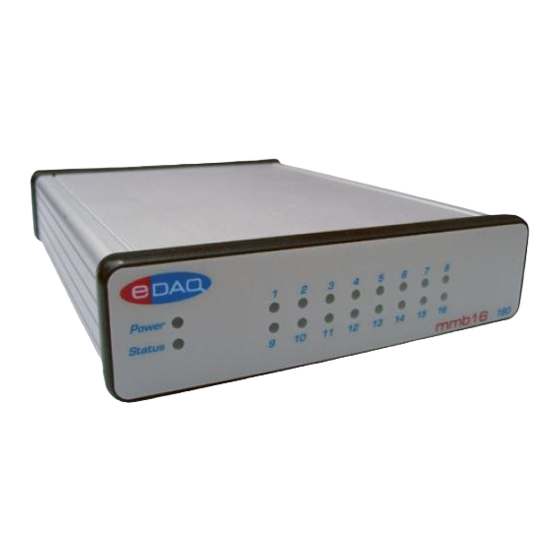

Summary of Contents for eDAQ mmb16
- Page 1 Event Recorder mmb16 User Manual V1.02 January 2020 T. +61 2 9807 8855 F. +61 2 9807 8844 E . info@edaq.com www.edaq.com © 2010 eDAQ Pty Ltd. All rights reserved. Page 1 EPU160 User Manual EDID-2001-MAD...
-
Page 2: Table Of Contents
Contents INTRODUCTION ............................3 Meet the eDAQ mmb16 Event recorder ....................3 mmb16 System Indicators ........................3 Description ............................4 Application ............................4 Software Installation & Operation ......................4 Extension Installation .......................... 4 USB Driver Installation ........................4 Hardware Installation ..........................5 DB25 Pinout ............................ -
Page 3: Introduction
INTRODUCTION Use this manual to install, check and operate the mmb16 system. Please read carefully prior to operation. The Event recorder mmb16 (EPU160) Turns your PC into a precision event recorder • User–defined text messages are generated by events •... -
Page 4: Description
This ensures that the correct drivers are installed. This document covers the use of the mmb16 unit with Chart, and the MMB extension. The unit can also be used directly using serial terminal software, or interfaced to other devices, however the focus here is on the Chart extension. -
Page 5: Hardware Installation
Because the mmb16 is a USB device, it can be used by only one thing at a time, the first chart document you open or create will get control of the mmb16. To give control to another document, close the first one before opening/creating the second. - Page 6 The Device Name field lets you name that specific mmb16 unit. For example, if you are using one mmb16 per cage, then you may like to name the unit after the cage it is attached to. The Beep checkbox chooses whether or not the mmb16 will emit a short beep whenever an input event is detected.
-
Page 7: Typical Output
Chart file. Import/Export File Format If you wish to modify the mmb16 settings file, or write a program to generate your own and avoid having to enter a lot of configuration text, the details are below. -
Page 8: Serial Protocol
Connect at 115200 baud, 8 data bits, no parity, 1 stop bit, with both hardware and software flow control off. If you have the mmb16 open in a serial terminal program, then the Chart extension will not be able to communicate with it, and vice versa. -
Page 9: Mmb16 Settings File
Show firmware version. mmb16> input prompt waiting for command The serial protocol allows you to write your own software to interface with the mmb16 unit. If you require more detailed information about the serial protocol, please contact info@edaq.com. mmb16 Settings file This is a sample settings file, as saved by the Chart extension: ;... -
Page 10: Specifications
detect 6 RF 0.0100 detect 7 RF 0.0100 detect 8 RF 0.0100 detect 9 RF 0.0100 detect 10 RF 0.0100 detect 11 RF 0.0100 detect 12 RF 0.0100 detect 13 RF 0.0100 detect 14 RF 0.0100 detect 15 RF 0.0100 detect 16 RF 0.0100 ;...
Need help?
Do you have a question about the mmb16 and is the answer not in the manual?
Questions and answers