Table of Contents
Advertisement
Quick Links
Advertisement
Table of Contents

Summary of Contents for Campomatic SB606
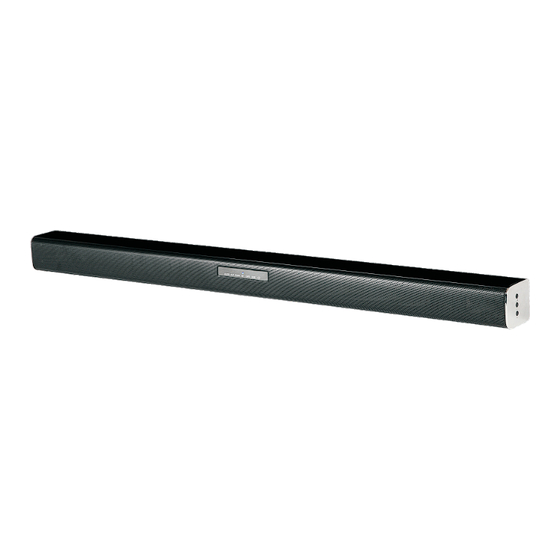
- Page 1 SOUNDBAR SB606...
-
Page 3: Some Dos And Don'ts On The Safe Use Of Equipment
Some Dos and Don'ts On The Safe Use Of Equipment This equipment has been designed and manufactured to meet international safety standards but, like any electrical equipment, care must be taken if you are to obtain the best results and safety is to be assured. *********************************** DO read the operating instructions before you attempt to use the equipment. -
Page 4: Battery Safety Guidelines
Battery Safety Guidelines Used correctly, domestic batteries are a saf e and dependable source of portable power. Problems can occur if they are misused or abused - resulting in leakage or, in extreme cases , fire or explosion. Here are some simple guidelines to safe battery use designed to eliminate any such problems. -
Page 5: Safety Warnings
Safety Warnings • Read all the instructions carefully before using the unit and keep them for future reference. • Retain the manual. If you pass the unit onto a third party make sure to include this manual. Check that the voltage marked on the rating label matches your mains voltage. Damage •... - Page 6 Mains Cable • Make sure the unit or the unit stand is not resting on top of the mains cable, as the weight of the unit may damage the cable and create a safety hazard. Interference • Do not place the unit on or near appliances which may cause electromagnetic interference. If you do, it may adversely affect the operating performance of the unit, and cause a distorted picture or sound.
- Page 7 Service • To reduce the risk of electric shock, do not remove screws. The unit does not contain any user-serviceable parts. Please leave all maintenance work to qualified personnel. • Do not open any fixed covers as this may expose dangerous voltages. Maintenance •...
-
Page 8: Table Of Contents
Table of Contents Some Dos and Don'ts On The Safe Use Of Equipment....................1 Battery Safety Guidelines................................2 Safety Warnings..................................... Product Overview..................................6 Top view.....................................6 Front view..................................Back view................................... Remote Control................................... 7 Remote Control Battery Replacement..........................Battery Installation................................. Remote Control Operation Range..........................Wall Mounting.................................... -
Page 9: Product Overview
Product Overview Front view AUDIO AUX COAX OPTI USB AUDIO COAX OPTI Back view AUX IN OPTICAL AUDIO IN COAXIAL AUX IN OPTICAL AUDIO IN COAXIAL 1. AUDIO indicator VOL+/ VOL- 2. AUX indicator • Increase/decrease the volume level. 3. COAXIAL indicator 10. -
Page 10: Remote Control
Remote Control • Switch the unit between ON and STANDBY modes. 2. PAIR • Press and hold the button to activate the pairing function in Bluetooth and/or disconnect the existing paired Bluetooth device. PAIR • Mute or resume the sound. 4. -
Page 11: Remote Control Battery Replacement
Remote Control Battery Replacement 1. Replace the remote control battery when it no longer operates the unit, or the range is reduced considerably. 2. Use only CR2025 3V lithium battery. 3. Bear in mind that lighting & other room, conditions, in addition to battery age, can affect the operating range of an infrared remote control. -
Page 12: Wall Mounting
Wall Mounting Note Assembly is required. Installation must be carried out by qualifed personnel only. Incorrect assembly can result in severe personal injury and property damage (if you intend to install this product yourself, you must check for installations such as electrical wiring and plumbing that may be buried inside the wall). -
Page 13: Connections
4. Hang the unit. Wall Connect Power Caution: - Risk of product damage! Ensure that the power supply voltage corresponds to the voltage printed on the rating label on the back or on the underside of the unit. - Before connecting the power cable, ensure that you have completed all the other connections. - Be sure to unplug the power cable from the outlet when the system is not in use for an extended period of time. -
Page 14: Digital Inputs Connection
Connections Digital inputs connection Connecting DVD player/TV outputs to digital inputs from the sound board. - Remove the protective cap of the OPTICAL socket. Use the optical cable (Not supplied) to connect the OPTICAL output socket from the DVD player/TV with the input socket from the sound board. - Use the COAXIAL cable (Not supplied) to connect the COAXIAL output socket from the DVD player/TV with the input socket from the sound board. -
Page 15: Analogue Inputs Connection
Analogue inputs connection Connecting DVD player/TV outputs to analogue inputs from the sound board. - Use a RCA audio cable to connect the DVD player/TV outputs with the AUX(L/R) input socket from the sound board. AUX IN OPTICAL AUDIO IN COAXIAL sound board inputs DVD player / TV outputs... -
Page 16: Generaoperation
General Operation Standby/ON When you connect the unit for the first time to the mains socket, the unit is activated to ON mode automatically. - Press the button on the remote control or press and hold the on the unit to switch the main unit to STANDBY mode, the POWER indicator will light to red. -
Page 17: Operation
2. Activate the Bluetooth function on your device and select the search mode. “ Campomatic SB606 ” will appear on your BT device. 3. Select “Campomatic SB606” in the pairing list. Tips: • If there is already an existing connection, press the PAIR button on the remote control to re-activate the pairing mode. -
Page 18: Troubleshooting
Troubleshooting To keep the warranty valid, never try to repair the system by yourself. If you encounter problems when using this unit, check the following points before requesting service. No power • Ensure that the mains cable is connected securely. •... -
Page 19: Specifications
Specification Power supply: AC100-240V~50/60Hz Power consumption: xxW Power consumption(standby mode): < 0.5W Total harmonic distortion: < 1%(1kHz, 1W) Audio input sensitivity: 500mV Frequency response: 40Hz - 20kHz Speaker impedance: 4Ohm x 2 Dimensions: 880 x 60.5 x 68.5mm luetooth Bluetooth version: V2.1 Work range: approx.10metres Transmission frequency: 2.402~2.480GHz Protocols: A2DP/AVRCP...
Need help?
Do you have a question about the SB606 and is the answer not in the manual?
Questions and answers