Table of Contents
Advertisement
Quick Links
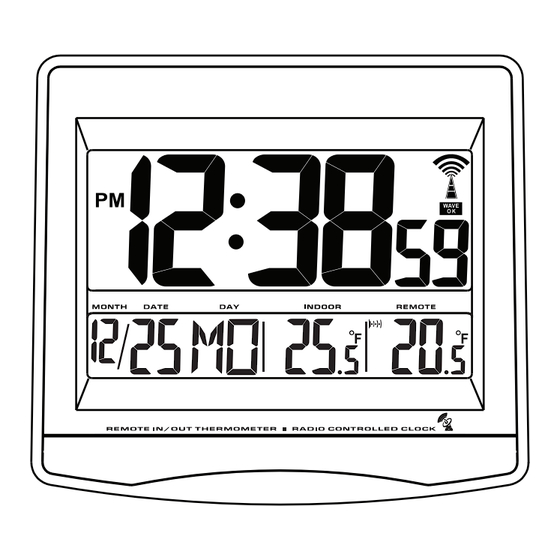
Locations of Control
Main Unit (Receiver)
Remote Unit (Transmitter)
A
RESET BUTTON
B
°C/°F BUTTON
• The configuration of your product may differ somewhat from that shown in the illustration.
• "AA" or "AAA" size battery. This product may use more than one piece of battery. Please refer to
the engraved battery marks inside the battery compartment for the correct battery type.
INSTRUCTION MANUAL
G
C
D B
F
A
H
E
REMOTE
A
A
WAVE BUTTON
-
B
BUTTON
+
C
BUTTON
D
SET BUTTON
E
RE-SYNC BUTTON
F
DST / TIME ZONE BUTTON
G
RESET BUTTON
H
°C/°F BUTTON
B
Advertisement
Table of Contents

Summary of Contents for Electronics Tomorrow Ltd. 790E90712
- Page 1 INSTRUCTION MANUAL Locations of Control Main Unit (Receiver) WAVE BUTTON BUTTON BUTTON SET BUTTON RE-SYNC BUTTON DST / TIME ZONE BUTTON RESET BUTTON °C/°F BUTTON Remote Unit (Transmitter) RESET BUTTON °C/°F BUTTON REMOTE • The configuration of your product may differ somewhat from that shown in the illustration. •...
- Page 2 What is Radio Controlled Clock With the Radio-Controlled Clock, you have the most accurate timepiece within the continent. It can receive the time signal transmitted by the National Institute of Standards and Technology ( NIST ), which is regulated by 3 atomic clocks and deviate less than 1 second within 3,000 years.
-
Page 3: Before You Begin
Feature • Receive 60kHz WWVB signal transmitted by NIST at Fort Collins Colorado • Automatic time adjustment after signal reception • Calendar with day of the week display • Hour, minute and second display • Indoor temperature and remote temperature •... - Page 4 Battery Installation Battery Installation of the Main Unit • Open the battery door. • Load full set (2pcs AA size battery) of new batteries in polarity (+) and (-) as indicated. • Close the battery door. Battery Installation of the Remote Unit •...
- Page 5 Wave Signal Receive Operation The main unit automatically receives time signal everyday at 02:00am and makes any required adjustment to the time setting, indicated by the flashing tower icon If the time signal is successfully received, the tower icon will stop flashing and will display steadily.
- Page 6 Check IN / REMOTE Temperature The indoor temperature is displayed on the INDOOR temperature field and the OUTDOOR temperature will be shown on the OUTDOOR temperature field. Display Unit The default unit for temperature is °C, press °C/°F button will toggle the display unit of temperature between °C and °F.
- Page 7 Wall Mounting or Using the Stand The main unit has a built in stand, you can flip open to support the main unit on a flat surface. You can close the flip and mount the unit on a wall. Drive a screw into the wall until the head extends about 1/8 inch from the wall, then locate the keyhole slot over the screw head and slide the Atomic Clock down to make it secure.
- Page 8 Specification Temperature Operation Range Receiver 0°C to +40°C 32°F to 104°F Transmitter 0°C to +40°C 32°F to 104°F Receiver every 32 seconds Transmitter every 16 seconds Temperature Checking Interval Receiver every 32 seconds Transmitter every 16 seconds Transmission Distance: maximum 45m in open field, depending upon surrounding structures, mounting location and possible interfering sources.
Need help?
Do you have a question about the 790E90712 and is the answer not in the manual?
Questions and answers